
Mailchimp Account Setup First Day Guide eBook
Create your free account verify domain and complet
Create your free account verify domain and complete profile settings before building your first email list.
Formats
Free sample
Here is the complete, professionally edited Chapter 1 for the book "Mailchimp Account Setup First Day Guide".Chapter 1: Beyond the Sign-Up Button--The first mistake happens before you type a single letter into Mailchimp’s sign-up form. It is not a technical error. It is not a forgotten password or a misconfigured DNS setting. It is a mindset error. Most people believe that email marketing success begins with a clever subject line or a beautifully designed template.
They are wrong. Success begins with the decisions you make in the next fifteen minutes, while your credit card is still in your wallet and your business email address is waiting to be entered.This chapter is not about clicking buttons. It is about understanding the hidden architecture of email deliverability before you commit to a plan, a domain, or a single subscriber. By the time you finish this chapter, you will know exactly which Mailchimp plan to choose, whether to register as an individual or a business, and why your email address matters more than your logo. You will also avoid the three most expensive sign-up mistakes that cost beginners thousands of dollars in lost subscribers and spam folder purgatory.The introduction promised that 80% of your email marketing success is determined before you write a single word.
This chapter delivers the first 25% of that success: the account foundation that cannot be changed later without starting over. Read this chapter carefully. The decisions here are permanent.The Three Permanent Decisions When you create a Mailchimp account, you are making three choices that you cannot reverse without deleting your account and losing all your subscribers. Mailchimp does not warn you about this. The sign-up form presents these choices as simple dropdown menus and text fields, but each one locks you into a path.The first permanent decision is your account type: Free, Essentials, or Standard.
The second is your account classification: Business or Individual. The third is your account owner email address. Change any of these after thirty days, and you will find yourself rebuilding your audience from scratch or paying for two accounts simultaneously.Most guides rush through these choices because they assume you already know what you want. You do not. And that is not a criticism.
Mailchimp’s pricing page is designed to push you toward higher tiers, not to help you make the right choice for your specific business. This chapter decodes what Mailchimp will not tell you.Decoding the Pricing Page Open Mailchimp’s pricing page in another browser tab. You will see three columns: Free, Essentials, and Standard. The Free column says “0”inlargetype.The Essentialscolumnsays“0” in large type. The Essentials column says “0”inlargetype.The Essentialscolumnsays“13” per month.
The Standard column says “$20” per month. These numbers are true but misleading. Here is what the marketing copy does not explain.The Free plan allows up to 500 contacts. That means 500 unique email addresses. If you have 501 contacts, you cannot use the Free plan.
You will be forced to upgrade or delete a contact before sending another campaign. The Free plan also limits you to 1,000 email sends per day. If you have 400 contacts and send one campaign, you are fine. If you send three campaigns to 400 contacts on the same day, you will hit the limit on the third send.The Essentials plan removes the daily send limit and removes Mailchimp’s branding from your email footers. It also increases your contact limit to 50,000, but the price increases as your list grows.
At 500 contacts, Essentials costs 13.At1,500contacts,itcosts13. At 1,500 contacts, it costs 13.At1,500contacts,itcosts25. At 5,000 contacts, it costs $50. The pricing page shows the lowest possible price, not the price you will pay at scale.The Standard plan adds A/B testing, custom audiences, and advanced segmentation. It also includes behavioral targeting, which allows you to send emails based on what subscribers click or ignore.
At 500 contacts, Standard costs 20.At1,500contacts,itcosts20. At 1,500 contacts, it costs 20.At1,500contacts,itcosts40. At 5,000 contacts, it costs $75.Here is what no pricing page will tell you: most small businesses should start with the Free plan, upgrade to Essentials only when necessary, and never need Standard. The exceptions are lawyers, doctors, financial advisors, luxury brands, and anyone whose professional credibility would be damaged by “Sent by Mailchimp” appearing in their email footers. If you fall into that category, upgrade to Essentials on day one.
The branding cost is higher than the monthly fee.The Upgrade Decision Framework The introduction presented a decision framework for upgrading. This chapter expands it with real-world scenarios.Scenario one: you own a bakery with 200 email subscribers. Your emails announce daily specials and holiday hours. Mailchimp’s branding appears at the bottom of each email. Your customers do not care.
Stay on Free until you hit 500 subscribers. Then upgrade to Essentials.Scenario two: you are a family law attorney with 150 email subscribers. Your emails contain legal updates and client newsletters. Mailchimp’s branding makes you look like an amateur. Upgrade to Essentials on day one, even though you have only 150 subscribers.
The monthly fee is a cost of professional credibility.Scenario three: you run an e-commerce store with 300 subscribers. You want to send abandoned cart emails and birthday discounts. The Free plan allows only one automation. You must choose between a welcome email and abandoned cart recovery. Upgrade to Standard if you need both.
Stay on Free if you can live with one automation.Scenario four: you are a consultant with 50 high-value clients. You need A/B testing to optimize subject lines for six-figure proposals. The Free plan does not offer A/B testing. Essentials does not offer A/B testing. You need Standard.
Upgrade on day one.The framework is simple. Ask yourself three questions. First, does Mailchimp branding damage my professional credibility? Second, do I need more than one automation? Third, do I need A/B testing or advanced segmentation?
Answer yes to any of these, and upgrade to the appropriate tier immediately. Answer no to all three, and start with Free.Business vs. Individual: The Hidden Legal Trap The second permanent decision appears on the sign-up form as a simple question: “Is this account for a business or an individual?” Most solopreneurs click “Individual” because they do not have an EIN or a formal business registration. This is a mistake.Selecting “Individual” tells Mailchimp that you are operating as a sole proprietor with no legal separation between you and your business. This affects three things.
First, your legal name appears on billing documents instead of a business name. Second, you cannot add a tax ID later without creating a new account. Third, if you incorporate in the future, you cannot change this setting. You must start over.Selecting “Business” asks for an EIN, VAT number, or equivalent tax ID depending on your country. If you do not have one yet, Mailchimp allows you to use your Social Security number (US) or personal tax identifier.
The chapter advises most solopreneurs to select “Business” and use their personal tax ID as a placeholder. You can update the tax ID later when you incorporate. You cannot change from Individual to Business without losing your account.The exception is hobbyists who will never incorporate. If you…
This is the end of the free sample. Get the eBook to keep going. Buy now
About this book
Details
- Author
- Madrigal Robbyn
- Publisher
- SamEnrico
- Language
- English
- Genre
- Non-Fiction, First 30 Days
- Released
- 2026-05-29
- Pages (approx.)
- 110
- Available as
- eBook, Audiobook

Read better in the ZLOADR app
Your eBooks on your phone or tablet. Sign in with your SamEnrico account and start reading.
More by Madrigal Robbyn
 Resume Personal ProjectsMadrigal Robbyn$11.99
 Meth Recovery Music TherapyMadrigal Robbyn$11.99
 Benzo Tapering And Healing PrimerMadrigal Robbyn$11.99
 Forgiveness for Religious WoundsMadrigal Robbyn$11.99
 The Journaling Morning TriadMadrigal Robbyn$11.99
 CRE Debt Service CoverageMadrigal Robbyn$11.99
 Steve Jobs PixarMadrigal Robbyn$11.99
 Seabee BuilderMadrigal Robbyn$11.99
 The Velvet Conspiracy: Secrets of the Bohemian GroveMadrigal Robbyn$11.99
 The Invisible War: The CIA's Deepest Double AgentMadrigal Robbyn$11.99
 Nefertiti's Lost Sun: The Pharaoh Who Vanished in LightMadrigal Robbyn$11.99
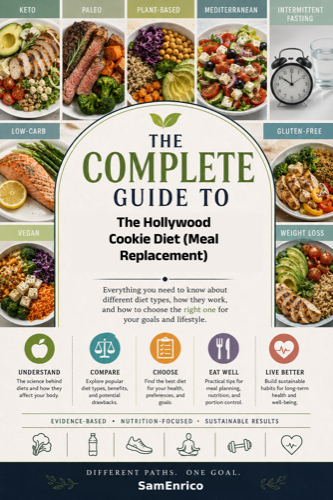 The Complete Guide to the Hollywood Cookie Diet (Meal Replacement)Madrigal Robbyn$11.99
You may also like
 Hong Kong Handover 1997Dunn Johnnie$11.99
 Zumba For Postnatal Recovery CourseNeal Christian$11.99
 Zumba for BeginnersLadner Nikia$11.99
 YouTube Comment Mining GuideHumes Pandora$12.99
 Worry Box MeditationCarlin Rudy$11.99
 Workplace Stress MeditationNguyen Lynn$11.99
 Workplace Stress and Sleep RepairHawley Ivory$11.99
 Workplace Perfectionism CureDelaney Jeffry$11.99
 Workplace Injustice Anger GuideWallen Isabelle$11.99
 Work Addiction and Burnout LinkGreenwood Ester$11.99
 Women in Yoga and WellnessBeattie Galina$11.99
 Women in Stand Up ComedyChun Evangeline$11.99