
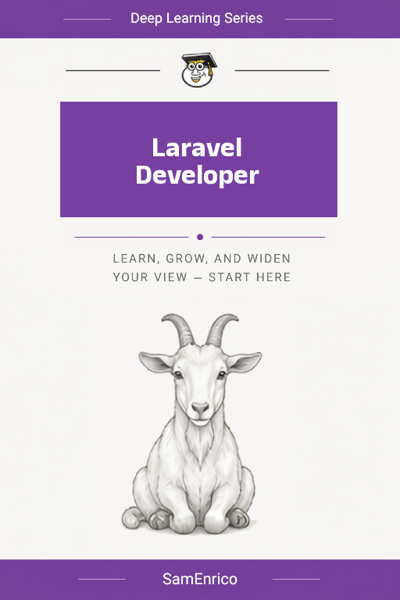
Laravel Developer eBook
A Coursebook on Laravel Developer
A Coursebook on Laravel Developer
Formats
Free sample
Chapter 1: The Ugly Truth...--–- Two years ago, I sat in a beat-up Honda Civic at 2:00 AM, waiting for a drunk college student to stumble out of a bar. My Uber app blinked zero requests. My bank account had 43.Mycomputersciencedegree,theone Ihadborrowed43. My computer science degree, the one I had borrowed 43.Mycomputersciencedegree,theone Ihadborrowed62,000 for, sat in a drawer collecting dust. I had applied to 247 software jobs.
I had received two interviews and zero offers. That night, I made a decision that changed everything: I stopped trying to “learn everything” and started building one thing.This book is that one thing.You are about to learn Laravel, yes. But more importantly, you are about to learn how to become a developer who ships real applications—applications that solve real problems, that employers want to pay for, and that could become your own business. The ugly truth is that most programming books lie to you. They pretend that if you just memorize syntax, you will magically become employable.
They fill pages with history lessons, academic theories, and edge cases you will never use. Then you finish the book, open a blank project, and realize you have no idea how to build anything from scratch.This book is different.You will build a real, deployable, sellable web application called Job Board. By Chapter 12, you will have working code, running on a real server, with users, job listings, file uploads, email notifications, and a REST API. You can show this to employers. You can launch it as your own side business.
You can modify it for freelance clients. This is not a todo list tutorial. This is not a blog. This is your portfolio piece.Why Laravel?Laravel is the most hired-for PHP framework in the world. On job boards like Indeed and Linked In, Laravel appears in thousands of listings.
On Upwork, Laravel developers bill between 65and65 and 65and125 per hour. Why? Because Laravel does the hard work for you. Authentication that would take you three weeks takes ten minutes. Queues that would crash your server run smoothly.
Security that would expose your database is handled automatically.Here is the truth that no recruiter will tell you: companies do not hire you because you know PHP. They hire you because you can ship features faster than the other candidate. Laravel is your speed advantage.What You Will Build Job Board is a complete job listing platform with:User registration and login (Chapter 9)Job postings with descriptions, salaries, and locations (Chapters 6–7)File uploads for resumes (Chapter 8)Email notifications when someone applies (Chapter 11)A search and filter system (Chapter 7)An API for mobile apps (Chapter 12)Deployment to a live URL (Chapter 12)Every chapter adds one working feature. By Chapter 2, you will have a running Laravel application. By Chapter 5, you will see your first working page.
By Chapter 8, someone can apply for a job. By Chapter 12, you can send your mom a link.Who This Book Is For This book assumes you have written some PHP before. Maybe you took a class. Maybe you followed a tutorial. Maybe you edited a Word Press file once.
You do not need to be an expert. You do not need to understand object-oriented programming deeply. You do not need a computer science degree. I did not have one when I started.You do need:A computer (Windows, Mac, or Linux)An internet connection The willingness to type every line of code yourself (no copy-pasting)The patience to debug when things break (they will)You do not need:A server (we will use your computer for development)A domain name (we will use localhost)Prior Laravel experience A paid IDE (VS Code is free and perfect)How This Chapter Is Structured Every chapter in this book follows the same pattern:The Why – What problem are we solving and why should you care?The What – What are we building in this chapter?The How – Step-by-step code with explanations.The Lab – Your hands-on exercise to reinforce learning.The Checkpoint – Verify your work before moving on.You will not just read. You will do.Setting Up Your Development Environment Before you write a single line of Laravel code, you need three things installed on your computer: PHP, Composer, and Node.js.
Do not skip this section. Every single student who skipped this section emailed me two days later asking why nothing worked.Step 1: Install PHP 8.2 or Higher Laravel 12 requires PHP 8.2.0 or higher. Check your version:bash Copy Downloadphp -v If you see PHP 8.2, 8.3, or 8.4, you are ready. If you see an older version or an error, install PHP:For Mac users: Download Laravel Herd from herd.laravel.com. It installs PHP, Composer, and Laravel in one click.
This is the easiest option. I recommend it for all Mac beginners.For Windows users: Download Laragon from laragon.org. It includes PHP, Composer, My SQL, and Nginx. Alternatively, use Laravel Sail with Docker (covered below).For Linux users: Use your package manager. On Ubuntu:bash Copy Downloadsudo apt update sudo apt install php8.2 php8.2-cli php8.2-common php8.2-mbstring php8.2-xml php8.2-curl php8.2-zip Step 2: Install Composer Composer is the dependency manager for PHP.
It downloads all the packages your Laravel application needs. Without Composer, you cannot create a Laravel project.Mac: If you used Herd, Composer is already installed. Otherwise:bash Copy Downloadcurl -s S https://getcomposer.org/installer | php sudo mv composer.phar /usr/local/bin/composer Windows: Download the Composer installer from getcomposer.org. Run it and follow the prompts. Make sure it finds your PHP installation.Linux:bash Copy Downloadsudo apt install composer Verify Composer works:bash Copy Downloadcomposer -VYou should see something like Composer version 2.7.0.Step 3: Install Node.js (For Asset Compilation Later)Laravel uses Node.js to compile CSS and Java Script.
You do not need to understand Node.js. You just need it installed.Go to nodejs.org and download the LTS version (not the current version). Install it like any other program.Verify:bash Copy Downloadnode -v npm -v Both commands should show version numbers.Step 4: Install the Laravel 12 Installer (Optional but Recommended)The Laravel installer creates new projects with one command. Install it globally:bash Copy Downloadcomposer global require laravel/installer Make sure Composer's global bin directory is in your PATH. If the command laravel does not work after installation, add ~/.composer/vendor/bin to your PATH (Mac/Linux) or %USERPROFILE%\App Data\Roaming\Composer\vendor\bin (Windows).Step 5: Choose Your Local Development Server You have two options.
Pick one based on your comfort level.Option A: Laravel Herd (Mac – Recommended for Simplicity)If you are on a Mac, download Herd from herd.laravel.com. Install it, open the app, and click "Start". Herd runs a web server at http://localhost automatically. It includes My SQL, Redis, and Mail Hole for testing emails. This is the zero-configuration option.Option B: Laravel Sail (Recommended for Windows/Linux or Docker Users)Sail runs Laravel inside a Docker container.
It requires Docker Desktop installed (docker.com). Once Docker is running, create a new Laravel project and Sail will handle the rest. We will cover Sail in the next section.Creating Your First Laravel Project Open your terminal. Navigate…
This is the end of the free sample. Get the eBook to keep going. Buy now
About this book
Details
- Author
- Bethel Trenton
- Publisher
- SamEnrico
- Language
- English
- Genre
- Non-Fiction, Informative, Educational
- Released
- 2026-05-11
- Pages (approx.)
- 139
- Available as
- eBook, Audiobook

Read better in the ZLOADR app
Your eBooks on your phone or tablet. Sign in with your SamEnrico account and start reading.
More by Bethel Trenton
 British Pub Chain OwnerBethel Trenton$11.99
 Emotional Regulation For ShameBethel Trenton$11.99
 Addicted Partner BoundariesBethel Trenton$11.99
 Sexual Addiction Relapse PreventionBethel Trenton$11.99
 The Whistleblower: How a Japanese Journalist Exposed Asia's Darkest Sports ScandalBethel Trenton$11.99
 Notion Project Management GuideBethel Trenton$12.99
 Learn to Play the FusetarBethel Trenton$11.99
 How to Start a Activity Centre (sports) Business (Beginners Guide)Bethel Trenton$11.99