
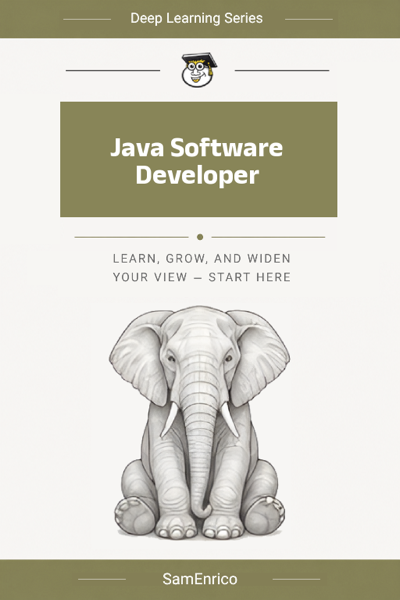
Java Software Developer eBook
A Coursebook on Java Software Developer
A Coursebook on Java Software Developer
Formats
Free sample
Chapter 1: The Imposter’s First Lie…--–- You have written “Hello, World!” at least twice. Maybe on a website tutorial, maybe in a college lab, maybe late at night when you promised yourself this would be the year you finally learned to code. The program ran. It printed those two words. And for a brief moment, you felt like a developer.Then someone asked you: “What happens after ‘Hello, World’? What is the JVM? What’s the difference between the JDK and the JRE?”And that feeling vanished.This chapter is not about making you memorize definitions. It is about destroying the first lie the imposter in your head tells you: that Java is just another programming language you learn like you learn vocabulary for a test. Java is not a language. Java is a platform. It is an ecosystem. It is a carefully constructed illusion that your computer—whether it runs Windows, mac OS, Linux, or even a toaster with a chip inside—agrees to pretend is the same machine every single time.Understanding that illusion is the difference between someone who writes Java code and someone who gets paid to solve problems with Java.The Three Pillars That Interviewers Love to Ask About Every Java developer has been in this situation. The interviewer leans forward and says, “Explain the difference between the JDK, JRE, and JVM.” And the candidate who memorized definitions but never internalized them starts drowning in alphabet soup.Let us fix that permanently.The JVM: The Great Pretender The Java Virtual Machine is not real. That sounds dramatic, but it is technically accurate. The JVM is a specification—a document that describes what a virtual machine should do—and every operating system vendors implement their own version. Oracle has one for Windows. Another for Linux. Another for mac OS. IBM has its own. Amazon has Corretto. There are dozens.Why does that matter?Because when you compile Java code, you do not compile it for Windows. You do not compile it for your specific processor. You compile it for the JVM. The output is not machine code. It is bytecode—a middle language that no physical CPU understands directly. The JVM sits between your compiled code and the actual hardware, translating bytecode into the specific machine instructions for whatever computer you happen to be running on.This is the “write once, run anywhere” promise. And it works because of this separation. Your compiled .class file does not know or care whether it is running on a billionaire’s server or a decade-old laptop. The JVM handles that translation.But the JVM does more than just run code. It manages memory. It handles threads. It provides security by preventing bytecode from doing dangerous things like directly accessing memory outside its sandbox. It even optimizes your code while it runs—recompiling frequently executed sections into blazingly fast native code right in the middle of execution.Why this matters for your career: When you hear senior developers talk about “JVM tuning” or “garbage collection,” they are not being pretentious. They are talking about configuring the actual runtime environment that powers every production system you will ever touch. The JVM is not academic theory. It is the engine.The JRE: The Bare Minimum The Java Runtime Environment is exactly what its name says: everything you need to run Java programs, but nothing you need to write them.The JRE contains:– The JVM (obviously)– Core libraries (java.lang, java.util, java.io, and hundreds more)– Supporting files (configuration, resource files, properties)What the JRE does not contain:– The Java compiler (javac)– The debugger (jdb)– Documentation tools (javadoc)– Packaging tools (jar)If you install only a JRE on a server, you can run Java applications perfectly. That is actually the correct setup for production environments. But you cannot compile anything. Try running javac on a machine with only a JRE, and you will get a “command not found” error that has confused beginners for decades.The trap: Many new developers download the JRE by accident because it is a smaller download and “Java runtime” sounds like what they need. They spend hours trying to figure out why their code will not compile. If you have made this mistake, you are not alone. It is the Java equivalent of trying to bake a cake with only an oven and no ingredients.The JDK: Your Workshop The Java Development Kit is the JRE plus tools. A lot of tools.– javac – The compiler that turns your .java source files into .class bytecode– java – The launcher that starts the JVM and runs your program– javadoc – Generates HTML documentation from your code comments– jar – Packages class files into compressed archives– jdb – The command-line debugger– jconsole – Monitoring tool for JVM performance– jstack – Prints thread dumps for debugging deadlocks– jmap – Memory mapping tool for heap analysis When you install a JDK, you get everything. This is what you install on your development machine. This is what your continuous integration server uses to compile and test your code. This is what you use.The rule of thumb: JDK for development. JRE for production. If you ever mix these up, your code will compile fine on your machine (because you have the JDK) but fail mysteriously on the production server (which has only the JRE). That failure mode has sent many junior developers down four-hour debugging rabbit holes.Your Computer Is Lying to You (On Purpose)Here is something that no beginner book tells you clearly enough: when you write Java code, you are not telling the computer what to do. You are telling the JVM what you wish the computer would do, and the JVM decides how to make that happen.This indirection is the source of Java’s power and its occasional weirdness.Consider this simple line of code:java Copy Downloadint x = 42;On a physical machine, that line might mean: reserve 4 bytes on the stack, write the value 42 into that memory location using little-endian encoding, update the stack pointer register, and potentially cache the value in L1 cache depending on previous operations.You do not want to think about any of that. You just want an integer named x with the value 42. The JVM abstracts away the hardware details.This abstraction has consequences. The same Java code can behave differently on different JVM implementations or even different versions of the same JVM. Memory might be laid out differently. Garbage collection might pause for longer or shorter durations. The just-in-time compiler might optimize aggressively or conservatively.None of this changes the correctness of your program. But it changes performance, memory footprint, and latency characteristics. Understanding this is what separates application developers from platform engineers.Object-Oriented Programming Without the Academic Nonsense Every Java textbook spends fifty pages on “Object-Oriented Programming concepts.” They define abstraction, encapsulation, inheritance, and polymorphism with diagrams of animals and vehicles and shapes. Then they give you exercises about modeling a zoo or a car dealership.That is not how you learn to write real software.Let us approach this differently. You will learn OOP by solving a real problem that every banking system in the world has to handle: moving money between accounts without losing a single cent.Encapsulation: Why Bank Accounts Have Private Fields Imagine you have a bank account. In the real world, you cannot directly reach into the bank’s database and change your balance.…
This is the end of the free sample. Get the eBook to keep going. Buy now
About this book
Details
- Author
- Tompkins Michael
- Publisher
- SamEnrico
- Language
- English
- Genre
- Non-Fiction, Informative, Educational
- Released
- 2026-05-04
- Pages (approx.)
- 128
- Available as
- eBook, Audiobook

Read better in the ZLOADR app
Your eBooks on your phone or tablet. Sign in with your SamEnrico account and start reading.
More by Tompkins Michael
 The Governor's ChairTompkins Michael$11.99
 Meth Self Compassion GuideTompkins Michael$11.99
 Jungle Explorer Plane CrashTompkins Michael$11.99
 Thyroid Condition Body Image GuideTompkins Michael$11.99
 The Sapphire Betrayal: Cleopatra’s Last Stand Against RomeTompkins Michael$11.99
 The Phantom of the Underground: The Unsolved Mystery of the London Tube KillerTompkins Michael$11.99
 Understanding Histrionic Personality DisorderTompkins Michael$17.99
 Multi Gateway Payment Setup GuideTompkins Michael$12.99
 Artificial Intelligence Corporate Strategy 2026-2030Tompkins Michael$12.99
 How to Become a TrimmerTompkins Michael$11.99