
Non-FictionInformativeEducational
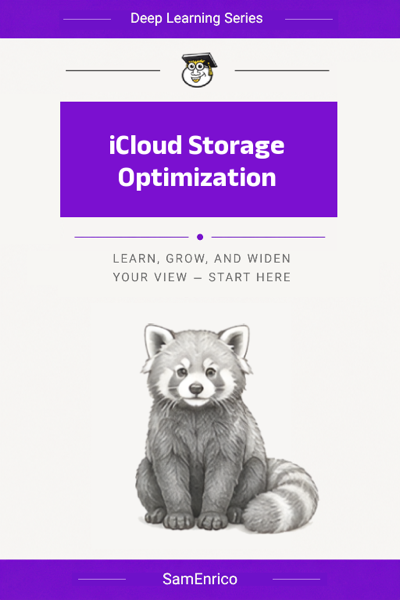
iCloud Storage Optimization eBook
A Coursebook on iCloud Storage Optimization
by Rowe Willie
A Coursebook on iCloud Storage Optimization
Formats
Free sample
Chapter 1: The Upgrade Trap--You are paying Apple for storage you probably do not need.Let that sink in for a moment. Every month, millions of i Phone, i Pad, and Mac users automatically pay $0.99, $2.99, $9.99, or even $29.99 to i Cloud for the privilege of storing photos they never look at, backups from devices they no longer own, and message attachments from conversations that ended years ago. The most painful part? Most of that money is completely unnecessary.This is not a book about scolding you for taking too many photos or hoarding old files. This is a book about the single most common financial and technical trap in the Apple ecosystem: the reflexive upgrade.
Your phone says "Storage Full." A red badge appears on Settings. Panic sets in. And before you know it, you have tapped "Upgrade i Cloud Storage Plan" and committed to another year of recurring payments.You have just fallen into what I call the Expand → Fill → Expand trap.Here is how the trap works. Step one: you run out of space on the free 5GB i Cloud tier. Step two: you upgrade to 50GB.
For a few weeks, everything feels fine. Then, because you have not changed any of your underlying habits, you fill that 50GB. Now you upgrade to 200GB. Then you fill that. Then 2TB.
Then 6TB. Each upgrade feels like a solution, but it is actually a postponement. The problem was never the size of your storage plan. The problem was that you never learned how to manage the storage you already had.I have watched this pattern destroy thousands of dollars of readers' money over the years. One reader, a freelance photographer named Maria, had been paying $9.99 per month for the 2TB i Cloud plan for nearly three years.
That is over $350. When we finally audited her account together, we discovered that she was using only 47GB of that 2TB. Ninety-seven percent of her monthly payment was pure waste. She was paying for an Olympic-sized swimming pool when all she needed was a bathtub. She had never once looked at her storage breakdown.
She had never questioned the upgrade. She just kept paying.This chapter exists to make sure you never become Maria.What Most Users Get Wrong About i Cloud Before we can fix your storage problem, we have to understand what i Cloud actually is. And I promise you, most people get this wrong. Ask the average i Phone user what i Cloud does, and they will say something like "It backs up my phone" or "It stores my photos." Both answers are partially true, but both are dangerously incomplete.i Cloud is not primarily a backup service. This is the single most important sentence in this entire book.
Read it again. i Cloud is primarily a synchronization engine. Its core job is to keep the same files, photos, and data available across all of your devices. When you take a photo on your i Phone, i Cloud syncs it to your i Pad and your Mac. When you delete an email on your laptop, i Cloud syncs that deletion to your phone.
Synchronization is the heartbeat of i Cloud.Backup is a secondary feature that runs on top of this synchronization engine. And because backup is secondary, it comes with limitations that most users never understand until it is too late.Let me give you a concrete example. Imagine you have 10,000 photos on your i Phone. Those photos are synced to i Cloud Photos. One day, you accidentally delete a photo from your Camera Roll.
Because i Cloud is a sync engine, that deletion immediately syncs to i Cloud and to all your other devices. The photo is gone from everywhere. Now, can you restore it from i Cloud Backup? Yes, but only if you are willing to restore your entire phone to a previous state, wiping out everything you have added since that backup. There is no way to restore just that one photo.
This is not how backup works in most people's minds.Here is another way to think about it. Google Drive is primarily storage. Dropbox is primarily storage. i Cloud is primarily sync. That distinction changes everything about how you should manage your data.The book's Glossary in Appendix B provides formal definitions of sync, backup, upload, and other key terms.
For now, just hold onto this distinction: sync keeps things identical across devices. Backup captures a point-in-time snapshot of a single device. They are cousins, not twins.The Three Layers of i Cloud Storage To understand where your space is actually going, you need to understand that i Cloud stores three fundamentally different types of data. Most users treat them as one big bucket, which is why they cannot figure out why their storage keeps filling up.Layer One: Synced Content. This includes i Cloud Photos, i Cloud Drive, Messages in i Cloud, and Notes.
When you add a photo to your library, it syncs to the cloud and then down to your other devices. When you delete that photo, it syncs the deletion. This layer is dynamic and changes constantly. It is also usually the largest consumer of your storage, often accounting for 60 to 80 percent of your total usage.Layer Two: Device Backups. Every night, when your i Phone is plugged in, locked, and connected to Wi-Fi, i Cloud automatically backs up your device.
This backup includes your device settings, app data, home screen layout, and anything else that is not already synced through i Cloud. A typical i Phone backup ranges from 5GB to 25GB, depending on how many apps you have and how much local data they store. The critical thing to understand is that each device has its own separate backup. If you have an i Phone, an i Pad, and an old i Pod Touch sitting in a drawer somewhere, you have three separate backups consuming space. Most users have no idea those old backups even exist.Layer Three: Shared and Collaborative Data.
This includes Shared Albums, Family Sharing storage pools, i Cloud Shared Photo Library, and collaborative documents in Pages, Numbers, and Keynote. This layer is the smallest for most users, but it can grow quickly if you are an active collaborator.The problem is that Apple's storage interface shows you a single number—"Used: 47GB of 200GB"—without telling you how much of that is synced photos, how much is device backups, and how much is shared data. You see a red bar and a panic button. That is by design. Apple makes more money when you upgrade than when you clean up.Throughout this book, you will learn how to attack each layer systematically.
Chapter 2 shows you how to audit every byte. Chapter 4 destroys the photo problem. Chapter 5 kills ghost backups. Chapter 6 tames i Cloud Drive. Chapter 7 silences Messages and Mail.
By the time you finish Part II, you will have reclaimed more space than you thought possible.The 80/20 Rule of Cloud Storage Here is a principle that will guide everything you do in this book. The 80/20 Rule (also known as the Pareto Principle) states that roughly 80 percent of your storage consumption comes from roughly…
This is the end of the free sample. Get the eBook to keep going. Buy now
About this book
Details
- Author
- Rowe Willie
- Publisher
- SamEnrico
- Language
- English
- Genre
- Non-Fiction, Informative, Educational
- Released
- 2026-06-02
- Pages (approx.)
- 159
- Available as
- eBook, Audiobook

Read better in the ZLOADR app
Your eBooks on your phone or tablet. Sign in with your SamEnrico account and start reading.
More by Rowe Willie
 DBT For MusiciansRowe Willie$11.99
 Dreamwork For Therapist Self CareRowe Willie$11.99
 Secondary Emotions DBT GuideRowe Willie$11.99
 The College Stress Survival KitRowe Willie$11.99
 The Climate Tech Marketing GuideRowe Willie$11.99
 The Iron General: Zhu Yuanzhang and the Rise of the Ming DynastyRowe Willie$11.99
 Understanding SyringobulbiaRowe Willie$17.99
 NYC Pop Up Retail GuideRowe Willie$12.99
 International Student PhD Without PapersRowe Willie$12.99
You may also like
 Hong Kong Handover 1997Dunn Johnnie$11.99
 Zumba For Postnatal Recovery CourseNeal Christian$11.99
 Zumba for BeginnersLadner Nikia$11.99
 YouTube Comment Mining GuideHumes Pandora$12.99
 Worry Box MeditationCarlin Rudy$11.99
 Workplace Stress MeditationNguyen Lynn$11.99
 Workplace Stress and Sleep RepairHawley Ivory$11.99
 Workplace Perfectionism CureDelaney Jeffry$11.99
 Workplace Injustice Anger GuideWallen Isabelle$11.99
 Work Addiction and Burnout LinkGreenwood Ester$11.99
 Women in Yoga and WellnessBeattie Galina$11.99
 Women in Stand Up ComedyChun Evangeline$11.99