
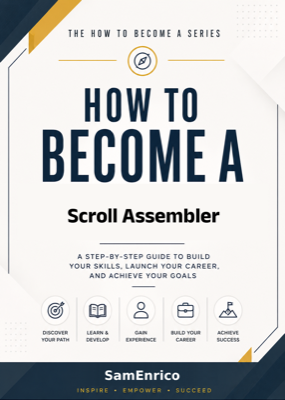
Non-FictionInformativeEducational
How to Become a Scroll Assembler eBook
How to Become a Scroll Assembler
How to Become a Scroll Assembler
Formats
Free sample
Chapter 1: The Scroll You Never Noticed–- Every day, you touch a scroll. Not the ancient parchment kind, not the decorative ironwork on a gate, and not the spiral inside an air conditioner. You touch a digital scroll — the endless river of content flowing under your thumb as you browse your phone, the smooth glide of a mouse wheel as you read an article, the flick of a finger that dismisses a notification. You have performed this gesture tens of thousands of times. You have never once thought about who built it.That invisible architect is the Digital Scroller, and this chapter is where you become one.But before you write a single line of code or open a design tool, you need to understand something counterintuitive: the best scroll interfaces are the ones users never notice.
When scrolling feels natural — when your finger moves and the screen responds without lag, when the content appears exactly when you expect it, when the page never fights you — you are experiencing the absence of friction. Good scrolling is silent. Great scrolling is invisible.The bad news is that most scrolling is terrible. Janky animations, scrolljacking that steals your cursor, pages that load new content without warning, infinite scrolls that trap you in a bottomless pit of distraction. Every bad scroll is a small betrayal of user trust.
Every good scroll is a small gift.This chapter dismantles everything you think you know about scrolling. You will learn why early web designers got it wrong, how neuroscience explains user behavior better than any A/B test, and why the most powerful scroll interfaces have no scrollbars at all. By the end, you will never look at a web page the same way again.The Myth That Refuses to Die In 1997, a usability researcher named Jakob Nielsen published an alertbox column titled "Be Succinct! (Writing for the Web)." In it, he wrote that users rarely scrolled and that most important information should be placed "above the fold" — a newspaper term referring to the top half of the front page, visible before you unfold the paper.This was reasonable advice in 1997. Monitors were 640x480 pixels.
Browsers were slow. Scrolling was clunky, often requiring multiple clicks on tiny arrow buttons. Users really did avoid scrolling.The problem is that the advice never died.Twenty-five years later, with 4K monitors, buttery-smooth inertial scrolling on every smartphone, and users who spend an average of six hours per day scrolling through feeds, some designers still obsess over "the fold." They cram everything into the first screenful of content, creating dense, overwhelming interfaces that users abandon within seconds.The research is definitive. A 2018 study by Chartbeat analyzed two billion page views and found that users scroll on 98% of pages. The fold exists only in the designer's mind.
In reality, users have been trained by years of social media, news apps, and e-commerce sites to scroll instinctively. They scroll first and ask questions later.So why does the myth persist? Because it serves a psychological function for designers. The fold gives you a sense of control. It feels safe to assume that if you put something at the top of the page, users will see it.
The alternative — that users navigate in complex, non-linear ways, jumping around based on curiosity and intent — is terrifying. It means you cannot predict behavior. It means you have to design for exploration, not control.This chapter exists to help you make that terrifying leap.The Neuroscience of Curiosity To understand scrolling, you must first understand the brain's reward system. Dopamine, the neurotransmitter associated with pleasure and motivation, is not released when you receive a reward. It is released when you anticipate a reward.
The gap between expectation and fulfillment is where desire lives.Scrolling exploits this gap perfectly.When you scroll, each incremental movement reveals a sliver of new content — a headline, an image, the next sentence of a story. Your brain does not know what comes next. That uncertainty generates dopamine. You scroll a little more. More dopamine.
The cycle continues.Clicking is different. A click is a decision with a known outcome. You click a link labeled "Read More" because you intend to read more. The anticipation is shorter, the dopamine spike smaller. Clicking is high-cognitive-load: you must evaluate the link text, decide whether it is worth your time, and commit to leaving the current page.
Scrolling is low-cognitive-load: you stay in the same context, exert minimal effort, and receive a continuous stream of small rewards.This is why infinite scroll feeds (Twitter, Tik Tok, Instagram) are so addictive. They remove all stopping cues. There is no "end" to signal that the reward stream has terminated. Users scroll until something external interrupts them — a notification, a doorbell, a dying battery. The design is not neutral.
It is deliberately exploiting the dopamine system to maximize engagement.As a Scroll Assembler, you have a choice. You can build scrolling that manipulates users into addiction, or you can build scrolling that respects their attention while still guiding them through your content. This book assumes you choose the latter. The techniques are the same. The ethics are not.Scrollytelling: When the Scroll Becomes the Story The most powerful application of scrolling is not navigation — it is narrative.
Scrollytelling is the practice of using scroll position to control the pacing and revelation of a story. As the user moves down the page, new elements animate into view, images change, text appears or disappears, and the user feels like they are discovering the story rather than being force-fed it.The canonical example is "Snow Fall," a 2012 New York Times feature about a deadly avalanche. It won a Pulitzer Prize. It also changed web design forever.Here is what "Snow Fall" did differently. Instead of a standard article with text and embedded images, it treated the entire page as a cinematic canvas.
As the user scrolled, full-bleed images faded in and out. Maps animated to show the avalanche's path. Video clips played automatically at specific scroll positions. The text floated over backgrounds, sometimes white on dark, sometimes black on light. The user was not reading a story.
The user was moving through a story.The technical term for this is parallax scrolling — different layers of content moving at different speeds to create an illusion of depth. But scrollytelling goes beyond parallax. It uses scroll position as a timeline. You can think of it as a video player where the user controls the playhead by scrolling. At scroll position 0%, nothing has happened yet.
At 50%, the climax is revealed. At 100%, the resolution and credits.Here is a simple three-act structure you can use for any scrollytelling project:Act One (0-33% of scroll depth): Establish the problem.Show the user what is at stake. Use slow reveals, large images, minimal text. Do not explain everything. Create curiosity gaps that scrolling will fill.Act Two (33-66% of scroll depth): Deepen the complexity.Introduce data, diagrams, or expert testimony.
Use animated transitions to show relationships. The user should feel they are learning something new with every scroll.Act Three (66-100% of scroll depth): Resolve and call to action.Bring the narrative to a close. Show the solution.…
This is the end of the free sample. Get the eBook to keep going. Buy now
About this book
Details
- Author
- Ferrer Miyoko
- Publisher
- SamEnrico
- Language
- English
- ISBN
- 9781506056289
- Genre
- Non-Fiction, Informative, Educational
- Released
- 2026-06-03
- Pages (approx.)
- 140
- Available as
- eBook, Paperback, Audiobook

Read better in the ZLOADR app
Your eBooks on your phone or tablet. Sign in with your SamEnrico account and start reading.
More by Ferrer Miyoko
 Carson Silent Spring Illustrated Edition GuideFerrer Miyoko$11.99
 Post Failure Rumination GuideFerrer Miyoko$11.99
 McClintock Genetic Regulation Pioneer GuideFerrer Miyoko$11.99
 Tim McGraw Humble Kind MemoirFerrer Miyoko$11.99
 Lifelong Learning Dementia ShieldFerrer Miyoko$11.99
 The Last Flight of the Black Hawk: Rescue on the Pacific's RooftopFerrer Miyoko$11.99
 Gilgamesh and the Cedar Forest: A Quest for ImmortalityFerrer Miyoko$11.99
 Workplace Safety Inspection (Osha)Ferrer Miyoko$11.99
 AI Anomaly InvestigationFerrer Miyoko$12.99
 Automated Records Management Workflow ManualFerrer Miyoko$12.99
 Understanding FraxdFerrer Miyoko$17.99
You may also like
 Hong Kong Handover 1997Dunn Johnnie$11.99
 Zumba For Postnatal Recovery CourseNeal Christian$11.99
 Zumba for BeginnersLadner Nikia$11.99
 YouTube Comment Mining GuideHumes Pandora$12.99
 Worry Box MeditationCarlin Rudy$11.99
 Workplace Stress MeditationNguyen Lynn$11.99
 Workplace Stress and Sleep RepairHawley Ivory$11.99
 Workplace Perfectionism CureDelaney Jeffry$11.99
 Workplace Injustice Anger GuideWallen Isabelle$11.99
 Work Addiction and Burnout LinkGreenwood Ester$11.99
 Women in Yoga and WellnessBeattie Galina$11.99
 Women in Stand Up ComedyChun Evangeline$11.99