
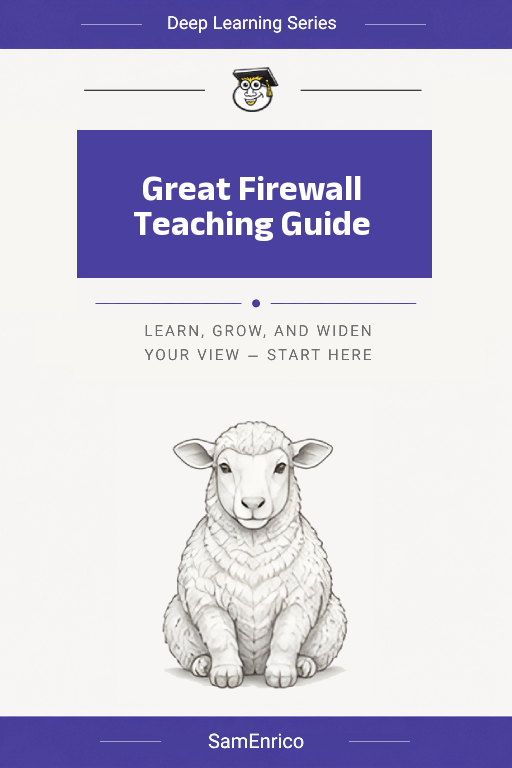
Non-FictionSide Hustle ArchitectTech
Great Firewall Teaching Guide eBook
Use VPNs and platform alternatives that work relia
Use VPNs and platform alternatives that work reliably in China. Prepare backup lesson plans for connectivity issues and blocked Western websites.
Formats
Free sample
Chapter 1: The Three Layers--–- The first time I lost my lesson plan to the Great Firewall, I was standing in a fluorescent-lit classroom in Shanghai, thirty undergraduate faces waiting patiently, my Zoom screen frozen on a spinning wheel of death, and the backup You Tube video I had carefully selected the night before displaying nothing but a gray box that said “Video unavailable.” The year was 2022. I had been warned, vaguely, by returning colleagues who muttered about “connectivity issues” and “maybe have a Plan B.” What no one told me was that the internet in China does not simply break. It breathes. It shifts. It learns.
And if you are an educator trying to deliver a course that relies on Western platforms, you are not fighting a wall. You are fighting an adaptive, intelligent, and utterly indifferent system that has spent twenty years perfecting the art of selective denial.This book is not a political manifesto. It is not a critique of Chinese internet governance, nor is it a celebration of it. This book is a technical and pedagogical survival guide for the educator who finds themselves on the wrong side of the world’s most sophisticated censorship apparatus, suddenly realizing that Google Drive is a myth, that Zoom is a gamble, and that the carefully curated library of You Tube documentaries you built over five years might as well exist on another planet. I wrote this guide because after three years of trial, error, humiliation, and eventual adaptation, I discovered something surprising: the firewall forces better teaching.
Not easier teaching. Not more convenient teaching. But more resilient, more thoughtful, and more equitable teaching than I ever practiced in a perfectly connected American classroom.Before we discuss VPNs, backup protocols, router configurations, or any of the technical machinery that will occupy the subsequent chapters, we must first understand what we are actually facing. The term “Great Firewall” is a misnomer. It suggests a static barrier, a single fortified structure that one either penetrates or does not.
The reality is far more dynamic and far more frustrating. What operates within China’s internet borders is a three-layered system of control that can block, throttle, or monitor traffic depending on a constantly shifting set of rules that even the most seasoned engineers cannot fully predict. This chapter dismantles the wall metaphor and replaces it with something more accurate: an ecosystem. And like any ecosystem, once you understand how it breathes, you can learn to navigate it.The Collapse of the Simple Block List Most Westerners imagine Chinese internet censorship as a list. A blacklist of URLs, IP addresses, and domains that the government has simply switched off.
This is not entirely wrong—such lists do exist, and they are enormous. But they are only the coarsest tool in the GFW’s arsenal. Blocking is expensive, obvious, and increasingly easy to circumvent. When a student types “facebook.com” into a browser and receives nothing, they immediately know they have been blocked. They reach for a VPN.
The cat-and-mouse game begins.What makes the GFW genuinely formidable is not its ability to block but its ability to throttle and monitor in ways that are almost impossible to distinguish from ordinary network congestion. Throttling is the silent killer of online education. Imagine a student in Beijing trying to join your live Zoom lecture. The connection establishes—the video loads, the audio crackles to life—and then, thirty seconds in, the quality degrades. Faces pixelate into smears of color.
Audio drops in and out. The screen freezes for five seconds, then jumps forward, missing your explanation of the midterm assignment. The student assumes the problem is their dormitory Wi-Fi, or their laptop, or the phase of the moon. They do not realize that the GFW has identified their traffic as a real-time video stream originating from a foreign server and has deliberately introduced latency—just enough latency to make the session unusable, but not so much that the connection drops entirely.This is throttling by design. The GFW does not need to kill your connection.
It only needs to degrade it to the point where teaching becomes impossible. And because the degradation is gradual and inconsistent, it is maddeningly difficult to diagnose. One minute your session works perfectly; the next minute it collapses. You restart the meeting, and it works again for fifteen minutes before failing a second time. The student tries three different browsers, two different devices, and eventually gives up, concluding that technology is simply unreliable.
They do not realize they have been selectively throttled.The third layer is monitoring. This is the quietest and most insidious function of the GFW. When a connection is monitored, it works perfectly. Video streams smoothly. Audio is clear.
File transfers complete. The user experiences no disruption whatsoever. But deep within the network infrastructure, the GFW has logged the connection, recorded the metadata, and in some cases, captured the content. Monitoring does not interrupt your class. It does not prevent you from teaching.
It simply ensures that someone—a machine, a reviewer, an algorithm—is watching. For most routine educational content (calculus lectures, literature discussions, business case studies), monitoring is irrelevant. But for courses that touch on contemporary politics, human rights, journalism, or sensitive historical events, monitoring carries genuine risk—not necessarily legal consequences, but the chilling effect of knowing that your words are being observed.The difference between blocked, throttled, and monitored is not technical pedantry. It is the difference between a tool that fails completely, a tool that fails intermittently in ways that destroy pedagogy, and a tool that works perfectly while creating a permanent record. An effective teaching guide must prepare educators for all three possibilities, because all three will occur over the course of a single semester.The Case Study That Explains Everything Early in my teaching career in Shanghai, I made a mistake that taught me more about the GFW than any technical manual could.
I assigned a group project that required students to collaborate on a shared Google Doc. This seemed innocuous—Google Docs is a standard tool in Western universities, and my students were sophisticated digital natives who had used it for years before coming to China. I created the document, shared the link, and waited for the magic of real-time collaborative editing to unfold.Nothing happened. Students reported that the document loaded as a blank page. Some received error messages about “network protocols.” Others saw the document partially load, then freeze.
A few, inexplicably, could edit normally for exactly two minutes before being disconnected. I assumed the problem was a temporary glitch. I tried again the next day. Same result. I tried using my personal VPN to access the document from my own device—it worked perfectly for me, but my students, most of whom did not have VPNs installed on their university lab computers, were locked out.
I spent three days troubleshooting, switching browsers, clearing caches, contacting Google support (which, predictably, offered no insight into Chinese network conditions), before I finally understood what was happening.Google Drive uses a proprietary protocol that is easily recognizable by Deep Packet Inspection—the GFW’s ability to look inside internet traffic and identify applications…
This is the end of the free sample. Get the eBook to keep going. Buy now
About this book
Details
- Author
- Ledbetter Dell
- Publisher
- SamEnrico
- Language
- English
- Genre
- Non-Fiction, Side Hustle Architect, Tech
- Released
- 2026-05-30
- Pages (approx.)
- 156
- Available as
- eBook, Audiobook

Read better in the ZLOADR app
Your eBooks on your phone or tablet. Sign in with your SamEnrico account and start reading.
More by Ledbetter Dell
 Building Relationships With Your Remote TeamLedbetter Dell$11.99
 Gut Brain Axis and StressLedbetter Dell$11.99
 Stress and Divorce ManagementLedbetter Dell$11.99
 Period Tracker App AccuracyLedbetter Dell$11.99
 The Phantom Hacker: How Adrian Lamo Exposed the World’s SecretsLedbetter Dell$11.99
 How to Produce Basketball Training AIDSLedbetter Dell$11.99
 Design for Manufacturability (Dfm)Ledbetter Dell$11.99
You may also like
 Hong Kong Handover 1997Dunn Johnnie$11.99
 Zumba For Postnatal Recovery CourseNeal Christian$11.99
 Zumba for BeginnersLadner Nikia$11.99
 YouTube Comment Mining GuideHumes Pandora$12.99
 Worry Box MeditationCarlin Rudy$11.99
 Workplace Stress MeditationNguyen Lynn$11.99
 Workplace Stress and Sleep RepairHawley Ivory$11.99
 Workplace Perfectionism CureDelaney Jeffry$11.99
 Workplace Injustice Anger GuideWallen Isabelle$11.99
 Work Addiction and Burnout LinkGreenwood Ester$11.99
 Women in Yoga and WellnessBeattie Galina$11.99
 Women in Stand Up ComedyChun Evangeline$11.99