
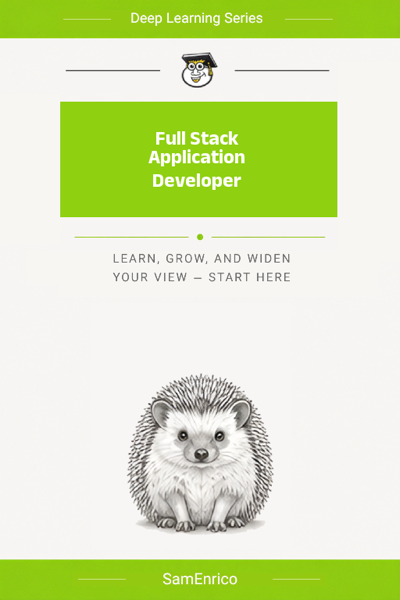
Non-FictionInformativeEducational
Full Stack Application Developer eBook
A Coursebook on Full Stack Application Developer
by Weiss Afton
A Coursebook on Full Stack Application Developer
Formats
Free sample
Chapter 1: Scaffolding the Mind...--–- Every skyscraper begins with an architect’s blueprint, not a single brick. The same principle applies to full stack development. You cannot—should not—write a single line of code for your application until you understand the landscape you’re building in, the tools you’ll use, the workflow that will save you weeks of frustration, and the mental model that separates professionals from perpetual beginners. This chapter is that blueprint. By the time you finish reading, you will have installed a complete professional development environment, created your first Git repository, learned why environment variables are non-negotiable, and built a working “Hello World” that spans all four layers of a full stack application. More importantly, you will adopt a debugging mindset that turns cryptic error messages into actionable clues.The title of this book is Full Stack Application Developer. Notice that the word “Developer” comes last. Before you develop anything, you must become someone who knows how to set up, organize, and navigate a project. That’s what this chapter does. It scaffolds your mind.The Four-Layer Model You Will Never Forget Close your eyes for a moment. Picture a restaurant. The frontend is the dining room—the menus, the waitstaff, the ambiance, the plates of food arriving at tables. The backend is the kitchen—the chefs, the recipes, the inventory management, the expeditors coordinating orders. The database is the walk-in refrigerator and dry storage—where ingredients sit until they’re needed. The API is the ticket printer that connects the waitstaff’s orders to the kitchen’s work. If the ticket printer breaks, the waitstaff can shout orders into the kitchen, but chaos ensues. If the refrigerator fails, the kitchen can’t cook anything. If the kitchen is on fire, the dining room doesn’t matter. You see where this is going.In technical terms:The Frontend runs in the user’s browser. It’s built with HTML (structure), CSS (styling), and Java Script (interactivity). In this book, you’ll use React to build the frontend because React’s component model forces you to think in reusable pieces—a skill that transfers to every other framework. The frontend does three things: displays data, captures user input, and sends requests to the backend. It never talks directly to the database. It never stores sensitive information (except maybe a JWT token, which you’ll learn about in Chapter 8). Think of the frontend as an extremely polite but slightly ignorant messenger.The Backend runs on a server (your laptop during development, a cloud machine after deployment). It listens for HTTP requests, executes business logic, validates data, and talks to the database. In this book, you’ll use Node.js with Express, a minimalist web framework that gives you just enough power without overwhelming you. The backend is where authentication happens, where passwords get hashed, where you check if a user is allowed to delete a task, and where you format data before sending it to the frontend. The backend never draws a single pixel. It doesn’t care about fonts, colors, or button sizes. It cares about correctness, speed, and security.The Database is a separate process—either on your laptop or in the cloud—that stores data permanently. In this book, you’ll use Postgre SQL, a relational database that stores data in tables with strict schemas. Why Postgre SQL? Because it’s battle-tested, incredibly reliable, and forces you to think about data relationships (users have many tasks, tasks belong to one user). Learning Postgre SQL first makes every other database easier to understand, including the “No SQL” alternatives you might encounter later. The database responds to SQL queries sent by the backend. It does not initiate conversations. It does not send push notifications. It sits there, patiently, waiting for SELECT, INSERT, UPDATE, and DELETE commands.The API is not a separate program. It’s a contract—a set of rules written in HTTP. The frontend agrees to send requests to specific URLs (like /api/tasks) with specific HTTP methods (GET to read, POST to create, PUT to update, DELETE to remove). The backend agrees to respond with specific status codes (200 OK, 201 Created, 400 Bad Request, 401 Unauthorized, 404 Not Found, 500 Internal Server Error) and JSON data. That’s it. The entire modern web runs on this simple agreement. When your frontend and backend disagree about the contract, you get errors. Most of your debugging life will be reconciling these disagreements.The Request-Response Cycle: Your New Best Friend Every interaction between these four layers follows the same seven steps. Memorize them. Write them on a sticky note next to your monitor. When an application breaks, you will walk through these steps in order until you find the fault.User action – Someone clicks a button, submits a form, or loads a page in their browser.Frontend event handler – Java Script code in the browser captures the action and calls a function.HTTP request – The frontend uses fetch() or Axios to send an HTTP request to a backend URL. This request includes a method (GET, POST, etc.), headers (authentication tokens, content type), and sometimes a JSON body.Backend routing – Express receives the request, matches the URL and method to a route handler, and runs your code.Business logic and database query – Your route handler validates input, maybe hashes a password, then sends a SQL query to Postgre SQL.Database response – Postgre SQL returns rows (or confirmation of an update/delete) to the backend.HTTP response – The backend formats the data as JSON, sets a status code, and sends it back to the frontend, which updates the UI accordingly.That’s it. Every full stack application you will ever build is a variation of these seven steps. Authentication adds a few extra checks in step 4. Real-time features (Web Sockets) skip the HTTP request-response cycle but add their own complexity. At its core, the pattern never changes.Installing Your Professional Toolchain (Do Not Skip)I’ve taught hundreds of developers. The ones who fail are almost always the ones who skip installation steps because they’re “boring” or they “already have Node installed from something else.” Do not be that person. Follow these instructions exactly. Use the recommended versions. Your future self will thank you.Node.js (LTS) – Go to nodejs.org. Download the LTS version (not “Current”). LTS stands for Long Term Support. It’s stable, well-tested, and what companies use in production. The version number will look like 20.x.x or 22.x.x. Run the installer. After installation, open your terminal (Command Prompt on Windows, Terminal on mac OS/Linux) and run:bash Copy Downloadnode --version
npm --version Both commands should print version numbers. If you get “command not found,” restart your terminal. If that fails, reinstall Node and check the box that says “Add to PATH” (Windows) or use the default installation (mac OS/Linux).Git – Go to git-scm.com. Download the installer for your operating system. Accept all defaults. After installation, run:bash Copy Downloadgit --version Now configure your name and email (these will be attached to every commit you make):bash Copy Downloadgit config --global user.name "Your Name" git config --global user.email "your.email@example.com"Visual Studio Code – Go to code.visualstudio.com. Download and…
This is the end of the free sample. Get the eBook to keep going. Buy now
About this book
Details
- Author
- Weiss Afton
- Publisher
- SamEnrico
- Language
- English
- Genre
- Non-Fiction, Informative, Educational
- Released
- 2026-05-04
- Pages (approx.)
- 158
- Available as
- eBook, Audiobook

Read better in the ZLOADR app
Your eBooks on your phone or tablet. Sign in with your SamEnrico account and start reading.
More by Weiss Afton
 Night Stalker The Satanic KillerWeiss Afton$11.99
 Disappointment Recovery HandbookWeiss Afton$11.99
 TM vs MindfulnessWeiss Afton$11.99
 Competence Log Method for Self DoubtWeiss Afton$11.99
 Diversion Control in MATWeiss Afton$11.99
 The Titanic's Forgotten Whistle: The Deep-Sea Mystery of 1912Weiss Afton$11.99
 Understanding Craniofaciocervical Osteoglyphic DysplasiaWeiss Afton$17.99
 How to Start a Pre-primary Education Business (Beginners Guide)Weiss Afton$11.99
 Industrial Lease COVID UpdatesWeiss Afton$12.99
You may also like
 Hong Kong Handover 1997Dunn Johnnie$11.99
 Zumba For Postnatal Recovery CourseNeal Christian$11.99
 Zumba for BeginnersLadner Nikia$11.99
 YouTube Comment Mining GuideHumes Pandora$12.99
 Worry Box MeditationCarlin Rudy$11.99
 Workplace Stress MeditationNguyen Lynn$11.99
 Workplace Stress and Sleep RepairHawley Ivory$11.99
 Workplace Perfectionism CureDelaney Jeffry$11.99
 Workplace Injustice Anger GuideWallen Isabelle$11.99
 Work Addiction and Burnout LinkGreenwood Ester$11.99
 Women in Yoga and WellnessBeattie Galina$11.99
 Women in Stand Up ComedyChun Evangeline$11.99