
Non-FictionInformativeEducational
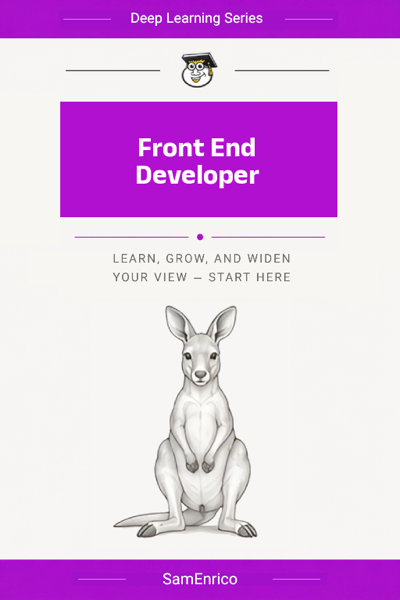
Front End Developer eBook
A Coursebook on Front End Developer
by Ernst Wesley
A Coursebook on Front End Developer
Formats
Free sample
Chapter 1: The Infinite Loop...--Let me tell you something no bootcamp will admit: you have already written code.Not in the way a senior engineer at Google writes code, of course. But every time you have rearranged the furniture in your living room, you were solving a layout problem. Every time you have written a recipe on a sticky note so you wouldn't forget the steps, you were documenting a function. Every time you have looked at a messy closet and decided which shirts go where, you were architecting information.The gap between "thinking like a developer" and "being a developer" is not filled with genius. It is filled with pattern recognition, frustration management, and the quiet realization that most of this job is not about knowing everything—it is about knowing how to find what you do not know.This book is not going to teach you every CSS property. That would be like trying to memorize every word in the dictionary before writing a novel. Instead, this book is going to teach you how the machine thinks, how the browser sees your code, and how to stop feeling like you are guessing.Welcome to the loop.The Loop is Everything Here is the secret that separates hobbyists from professionals: professional front-end developers understand that everything is a loop.You write code. You save it. You refresh the browser. You see what broke. You fix it. You refresh again. That cycle—write, save, refresh, observe, adjust—is the heartbeat of front-end development. The only thing that changes as you get better is the speed of the loop and the number of things you can hold in your head before you have to refresh.The first time you write HTML, your loop might take ninety seconds. After a month, it takes ten seconds. After a year, you are running multiple loops in parallel, debugging one thing while writing another, and the refresh button has become an extension of your nervous system.But the loop is bigger than just your editor and your browser. The loop is how the internet itself works.What Actually Happens When You Type a URLClose your eyes. Imagine you are sitting at your computer. You open Chrome, or Firefox, or Edge (no judgment, though there should be). You type "https://www.example.com" into the address bar. You press Enter.What happens next?Most people think: "The website appears." That is like saying "when I turn the key, the car goes." It is technically correct but profoundly useless. Let us walk through the real steps, because understanding this process is the difference between guessing and knowing.First, your browser looks at that URL and splits it into pieces. "HTTPS" tells it the language to speak—a secure protocol that encrypts everything you send and receive. "www.example.com" is the address, like a street address for a house on the internet. Your browser does not understand street addresses, though. It understands numbers: IP addresses.So your browser asks a DNS server—think of it as the internet's phone book—"Where is www.example.com?" The DNS server replies with something like "93.184.216.34." Now your browser knows where to go.Your browser then opens a connection to that server. If you are using HTTPS, there is an extra handshake. Think of it like knocking on a door in a secret code: your browser says "I want to talk securely," the server says "here is my proof of identity," your browser checks that proof (SSL certificate verification), and then both sides agree on a secret key for the rest of the conversation.Once the connection is open, your browser sends a request. That request is text—you could read it if you knew what to look for. It says something like: "GET /index.html HTTP/1.1" followed by headers that tell the server what your browser can accept (HTML, images, videos), what language you prefer, and even what website you came from (the referrer).The server receives that request, looks at its file system, finds index.html (or generates it dynamically if you are using a backend language), and sends it back. That response contains a status code: 200 means "everything is great, here is your file." 404 means "I could not find that file." 500 means "I tried but something broke on my end."Your browser receives the file. It looks at the first line and sees "" and thinks: "Ah, this is HTML. I know what to do with HTML."And then the magic happens.Parsing: How the Browser Eats Your Code The browser does not display your file instantly. It parses it. Parsing is the process of reading a stream of text and turning it into something the computer can understand—a tree of objects, a map of instructions, a plan for pixels.When the browser parses HTML, it builds something called the DOM—the Document Object Model. The DOM is not your HTML file. It is a living, in-memory representation of your HTML file. Every tag becomes a node. Every piece of text becomes a node. Attributes become properties on those nodes.Imagine a family tree. The tag is the great-grandparent. Inside it, and are its children. Inside , a might be a child, and inside that , a might be a child, and inside that , a text node containing the actual words. That is the DOM.As the browser builds the DOM, it encounters other resources. A tag pointing to a CSS file? The browser says "I need that" and sends another request to the server, but it does not stop parsing the HTML. It keeps going. A tag pointing to a Java Script file? This is where things get interesting.When the browser sees a tag without special attributes, it stops everything. It stops building the DOM. It stops rendering. It fetches the Java Script, executes it, and only then continues parsing the HTML. This is why old websites felt slow—they put scripts in the middle of the page, and the whole page froze while the script loaded.Modern best practices move scripts to the end of the or use async or defer attributes. But we will get to that.After the browser builds the DOM, it applies CSS. It builds another tree—the CSSOM, or CSS Object Model. This tree represents all the styles you have written: rules, selectors, inheritance chains. The browser then combines the DOM and the CSSOM into a third tree: the render tree. The render tree contains only the nodes that will actually appear on screen. (If you have display: none on an element, it is in the DOM but not in the render tree.)Finally, the browser calculates the geometry: where each element should go, how wide it should be, how tall, what color, what font. This is layout. Then it paints: filling in pixels. Then it composites: layering those pixels together (backgrounds, borders, text, shadows, videos).And then, only then, you see the page.This entire process—from pressing Enter to seeing pixels—happens in milliseconds. But understanding each step gives you superpowers. When your page is slow, you will know whether the problem is network (waiting for the server), parsing (too much HTML), rendering (too many layout recalculations), or painting (too many visual effects).Why Most Tutorials Lie to You Most tutorials teach you syntax. "Here is how to write a for loop." "Here is how to center a div." "Here is how to…
This is the end of the free sample. Get the eBook to keep going. Buy now
About this book
Details
- Author
- Ernst Wesley
- Publisher
- SamEnrico
- Language
- English
- Genre
- Non-Fiction, Informative, Educational
- Released
- 2026-05-25
- Pages (approx.)
- 150
- Available as
- eBook, Audiobook

Read better in the ZLOADR app
Your eBooks on your phone or tablet. Sign in with your SamEnrico account and start reading.
More by Ernst Wesley
 Gacy Victim MemorialErnst Wesley$11.99
 Food Pantry Volunteer StoryErnst Wesley$11.99
 Footbridge Naming RightsErnst Wesley$11.99
 The Treaty of Versailles RevengeErnst Wesley$11.99
 The Golden Manuscripts of Timbuktu: Scholars Who Illuminated the WorldErnst Wesley$11.99
 AI Dashboard Building for MarketersErnst Wesley$12.99
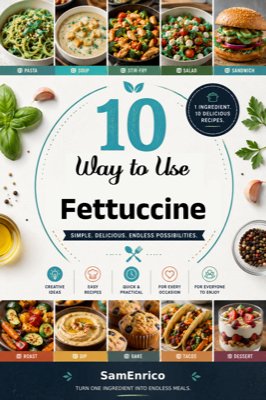 10 Ways to Use Fettuccine (Recipe Book)Ernst Wesley$11.99
 Learn to Play the TubaErnst Wesley$11.99
You may also like
 Hong Kong Handover 1997Dunn Johnnie$11.99
 Zumba For Postnatal Recovery CourseNeal Christian$11.99
 Zumba for BeginnersLadner Nikia$11.99
 YouTube Comment Mining GuideHumes Pandora$12.99
 Worry Box MeditationCarlin Rudy$11.99
 Workplace Stress MeditationNguyen Lynn$11.99
 Workplace Stress and Sleep RepairHawley Ivory$11.99
 Workplace Perfectionism CureDelaney Jeffry$11.99
 Workplace Injustice Anger GuideWallen Isabelle$11.99
 Work Addiction and Burnout LinkGreenwood Ester$11.99
 Women in Yoga and WellnessBeattie Galina$11.99
 Women in Stand Up ComedyChun Evangeline$11.99