
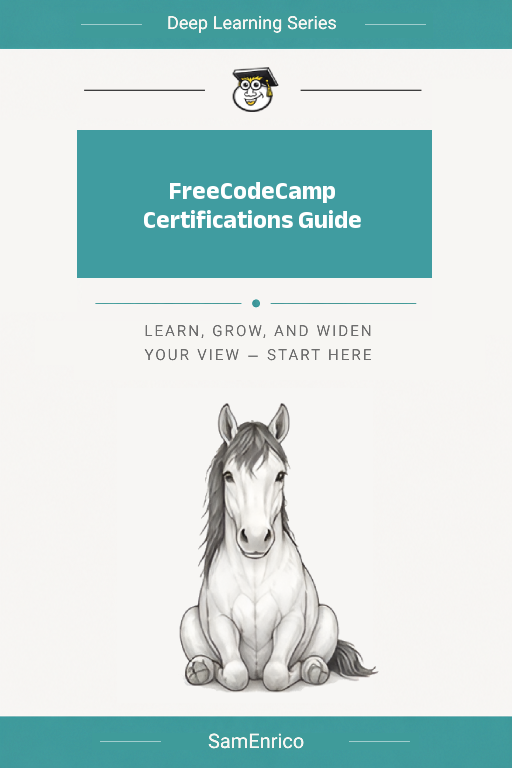
FreeCodeCamp Certifications Guide eBook
Complete responsive web design and JavaScript algo
by Mcbee Galen
Complete responsive web design and JavaScript algorithms certifications to build full portfolio.
Formats
Free sample
Chapter 1: The Hidden Toolkit--–- The first time I opened free Code Camp, I did what most people do. I clicked through the first few HTML challenges, felt a rush of dopamine when the green "Passed" message appeared, and closed my laptop feeling like a genius. Two weeks later, I had completed dozens of lessons but couldn't build a single webpage without staring at the instructions. I had confused activity with progress.This chapter is not about free Code Camp. It is about the invisible skills that turn free Code Camp users into hired developers. The curriculum teaches you syntax. This chapter teaches you the environment, the tools, and the mindset that professional developers use every day but rarely talk about. By the time you finish these pages, you will have transformed your browser-based learning into a professional-grade development setup. You will understand why version control is not optional. You will debug like someone who has been doing this for years. And you will avoid the single biggest mistake that causes most free Code Camp students to quit before their third project.Let me be brutally honest. If you only ever use free Code Camp's built-in editor, you will struggle to complete the certification projects. The editor is wonderful for learning syntax, but it hides the messy reality of real development. In the real world, you will need to manage files, track changes, debug rendering issues, understand network requests, and collaborate with other developers. The free Code Camp editor protects you from these complexities. Protection feels nice until you need to survive without it.This chapter dismantles that protection deliberately and replaces it with durable skills.The Local Environment: Your New Home Every professional developer has a local environment. This is simply your own computer configured to write, run, and test code without relying on a website's editor. Free Code Camp's editor runs entirely in your browser. When you close the tab, your work exists only on free Code Camp's servers. This is fine for learning that a heading is , but it is catastrophic for building a portfolio.You need three things to set up a professional local environment: a code editor, a local server, and a file system you control.Choosing Your Code Editor Visual Studio Code (VS Code) is the industry standard. It is free, runs on Windows, Mac, and Linux, and has thousands of extensions that will save you hours. Download it from code.visualstudio.com. Do not overthink this choice. Professional developers argue endlessly about editors, but they all agree that VS Code is the safest starting point.When you open VS Code for the first time, it will look bare. This is good. Bare means you control what gets added. Install these five extensions immediately, before you write a single line of code:Live Server by Ritwick Dey. This creates a local development server that automatically refreshes your browser whenever you save a file. Without this, you would manually refresh after every change. With it, you see updates instantly.Prettier by Prettier. This automatically formats your code so you never waste time arguing about semicolons or indentation. Consistency matters more than your personal preferences.ESLint by Microsoft. This catches errors while you type. It will underline unused variables, missing semicolons, and syntax mistakes before you even run your code.Git Lens by Git Kraken. This visualizes version control history inside your editor. We will cover Git in depth shortly.HTML CSS Support by ecmel. This provides intelligent autocomplete for CSS classes and IDs across your HTML files.To install an extension, click the square icon on the left sidebar (or press Ctrl+Shift+X), search for the extension name, and click Install. Restart VS Code after installing all five.Understanding Your File System Free Code Camp hides files from you. When you complete a project inside their editor, you never see the actual index.html, styles.css, and script.js files as separate entities. This creates a dangerous illusion. Web development is fundamentally about managing files that reference each other.Create a new folder on your computer called f CC-portfolio. Inside it, create three files: index.html, style.css, and script.js. Open the f CC-portfolio folder in VS Code by clicking File > Open Folder. You should see your three files in the left sidebar.In index.html, type an exclamation mark and press Tab. VS Code will generate a complete HTML5 boilerplate. This shortcut alone will save you hours over your learning journey. Inside the tags, write Hello Local World. In style.css, write h1 { color: blue; }. In script.js, write console.log("Script loaded").Now right-click on index.html in the VS Code file explorer and select "Open with Live Server." Your browser will open a local address that looks like http://127.0.0.1:5500. You will see blue text that says "Hello Local World." Open your browser's developer tools (F12 or right-click > Inspect) and click the Console tab. You will see "Script loaded."Congratulations. You are no longer a free Code Camp user. You are a developer with a local environment.Git and Git Hub: Version Control as a Non-Negotiable Skill Version control is the single most important professional skill that free Code Camp does not teach. It is the reason you can make mistakes without fear. It is the reason teams can work on the same code without destroying each other's work. It is the reason every job application will ask for your Git Hub profile.Git is the software that tracks changes to your files. Git Hub is a website that hosts Git repositories. You need both.Installing Git Download Git from git-scm.com. Accept all default installation options. After installation, open a terminal (Command Prompt on Windows, Terminal on Mac, or the VS Code integrated terminal with Ctrl+ ). Type git --version`. If you see a version number, Git is installed.Introduce yourself to Git. These commands tell Git who made changes:text Copy Downloadgit config --global user.name "Your Name"
git config --global user.email "your.email@example.com"Use the same email address associated with your Git Hub account.Creating Your First Repository A repository (or "repo") is a folder that Git tracks. Navigate to your f CC-portfolio folder in the terminal. Type:text Copy Downloadgit init Git creates a hidden folder called .git that stores all version history. You will never touch this folder directly, but it is now tracking every change you make.Check the status of your repository:text Copy Downloadgit status Git will tell you that you have untracked files (index.html, style.css, script.js). Untracked means Git sees the files but is not saving their history. Add all files to Git's staging area:text Copy Downloadgit add .The period means "everything in this folder." Now commit the files with a message:text Copy Downloadgit commit -m "Initial commit: local environment setup"A commit is a snapshot of your code at a specific moment. The message should describe what changed. You have just saved your first permanent snapshot.Why Commit Frequency Matters Beginners make two mistakes with Git. First, they never commit. Second, they commit once at the end of a project. Both mistakes defeat the purpose of version control.Imagine spending three hours building a tribute page. You add HTML, then CSS…
This is the end of the free sample. Get the eBook to keep going. Buy now
About this book
Details
- Author
- Mcbee Galen
- Publisher
- SamEnrico
- Language
- English
- Genre
- Non-Fiction, Student's Shortcut
- Released
- 2026-06-01
- Pages (approx.)
- 153
- Available as
- eBook, Audiobook

Read better in the ZLOADR app
Your eBooks on your phone or tablet. Sign in with your SamEnrico account and start reading.
More by Mcbee Galen
 De Minimis Safe Harbor ElectionMcbee Galen$11.99
 The Stress Bad BreathMcbee Galen$11.99
 Immigrant Solar Energy EntrepreneurMcbee Galen$11.99
 Road Rage for MotorcyclistsMcbee Galen$11.99
 Metta for a Gifted ChildMcbee Galen$11.99
 Nap for Insomnia GuideMcbee Galen$11.99
 Working Memory Cheat SheetMcbee Galen$11.99
 Oscar RomeroMcbee Galen$11.99
 NVC For SiblingsMcbee Galen$11.99
 The Goryeo Warriors: Defending the Hermit KingdomMcbee Galen$11.99
 The Forgotten Pathfinders: Southeast Asia’s Secret Role in the Race to the South PoleMcbee Galen$11.99
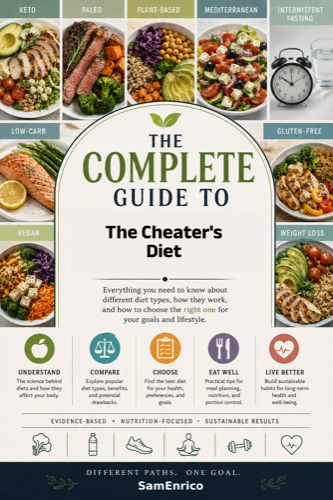 The Complete Guide to the Cheater's DietMcbee Galen$11.99
You may also like
 LSE Online Program LengthAgee Letisha$11.99
 Harvard Extension School for Working AdultsRoush Yer$11.99
 LSE Online Reading ListAshford Ludivina$11.99
 LSE Online Language RequirementsWhitten Daphine$11.99
 LSE Online Class SizeHughey Garret$11.99
 LSE Online Alumni MentorshipWild Lyla$11.99
 London School of Economics Alumni NetworkDutton Chantal$11.99
 Harvard Extension School Student SupportCantrell Christene$11.99
 Harvard Extension School Library AccessSantana Adah$11.99
 Harvard Extension School Degree CompletionBray Wyatt$11.99
 Harvard Extension School Course AuditingAbbott Craig$11.99
 Harvard Extension School Extension DiplomaNew Joane$11.99