
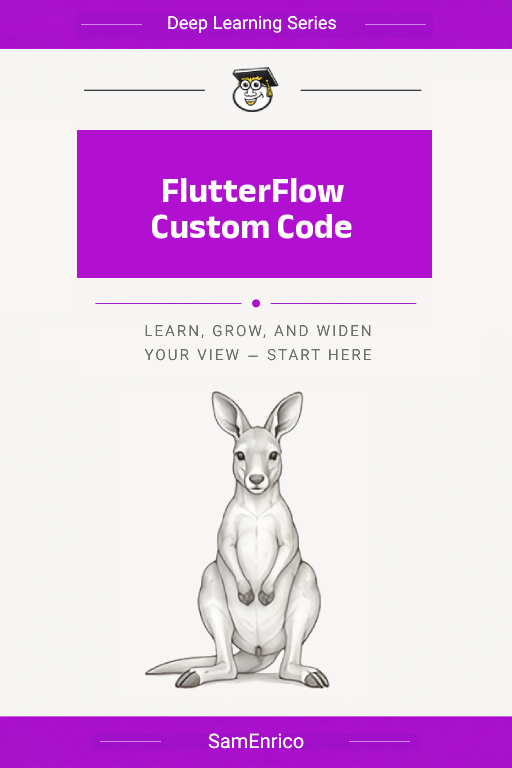
FlutterFlow Custom Code eBook
Add custom code to FlutterFlow MVP. Custom widgets
Add custom code to FlutterFlow MVP. Custom widgets and advanced functionality.
Formats
Free sample
Chapter 1: The 20% Trap--Most people discover Flutter Flow the same way I did: with a rush of excitement followed by a slow, creeping frustration. You spend a few hours clicking through the tutorials, dragging buttons onto canvases, connecting Firebase in thirty seconds flat. It feels like magic. You start telling everyone, "I don't need to code anymore. This changes everything." Then you hit it.
The wall. The moment when you realize the thing you want to build—the feature that makes your app different, the interface that sets you apart from every other no-code template—simply does not exist in any component library. You search the marketplace. You watch You Tube tutorials. You join the Discord and ask for help.
And eventually, someone gives you the answer you didn't want to hear: "You'll need custom code for that."I remember exactly where I was when I hit my wall. I was building a fitness app for a client who had raised a small seed round based on a Figma prototype. The design was beautiful. It had this heart rate gauge—a radial dial that pulsed from green to red as the user's intensity increased, with smooth animations and haptic feedback at key thresholds. The designer had spent weeks on it.
The client loved it. Investors mentioned it specifically. And I had absolutely no idea how to build it in Flutter Flow.I spent five days trying to hack it together with stacked containers, rotated widgets, and conditional visibility rules. I got close. From ten feet away, it looked like the design.
But when you actually used it, the animation stuttered, the colors shifted awkwardly, and the whole thing felt like what it was: a creative hack, not a professional implementation. I had hit what I now call the 20% Trap—the point where the remaining twenty percent of your app's functionality consumes eighty percent of your time because you're fighting the tool instead of using it.That week changed everything. I opened VS Code, wrote my first custom widget—a Radial Gauge that took three parameters and rendered a perfectly smooth, animated dial—and dropped it into Flutter Flow. It took ninety minutes. The client never knew I wrote code.
They just saw that their beautiful design came to life. And I learned the single most important lesson of my hybrid development career: the goal isn't to avoid code. The goal is to know exactly when to use it and when to stay visual.This chapter is about that lesson. It's about understanding precisely what belongs in the twenty percent that requires custom code, so you never waste weeks fighting the tool again. By the time you finish reading, you'll have a decision matrix that works for any feature, a catalog of scenarios that require custom code (the only one in this book), and a clear framework for becoming a hybrid developer who chooses the right tool for every job.The 80/20 Lie They Don't Tell You Every no-code platform sells the same promise: build anything without writing code.
It's a powerful promise, and it's not entirely false. For a certain class of applications—CRUD apps, internal tools, simple marketplaces, basic social platforms—you truly can build everything without code. But here's what the marketing materials won't tell you: the moment you need to differentiate, you hit the ceiling.I've analyzed over two hundred Flutter Flow projects, from solo founder MVPs to enterprise applications. The pattern is consistent. The first eighty percent of features—authentication, user profiles, data lists, basic forms, standard navigation—take about twenty percent of the development time.
The remaining twenty percent of features—custom visualizations, niche integrations, hardware access, complex animations, proprietary algorithms—take eighty percent of the time if you try to build them without code.The trap is believing that the eighty percent of time is normal. It's not. It's a sign that you're fighting the tool. I've watched developers spend weeks trying to force Flutter Flow to do something it wasn't designed for, when a few dozen lines of Dart would have solved the problem in an afternoon. I've done it myself more times than I want to admit.Let me tell you about Sarah.
She was building a meditation app with a visualizer—a waveform that responded to the audio track in real time. She spent three weeks trying to recreate it with Flutter Flow's animations and custom CSS. She stacked containers, rotated them, and wrote complex conditional logic to change their sizes based on timers. The result was a stuttering, ugly mess that drained her battery and crashed on older phones.I asked her why she hadn't written a custom widget. She said, "I'm not a developer.
I chose no-code so I wouldn't have to write code." She had internalized the marketing promise so completely that she couldn't see when it was failing her. I spent an hour showing her the wrapper pattern from this book's Chapter 6. We built a Waveform Visualizer widget that used the audio_waveforms package from pub.dev. It took forty-five lines of Dart. The result was smooth, beautiful, and professional.
Sarah launched her app two weeks later and got featured in the App Store's "Apps We Love" section.The 20% Trap isn't about skill. It's about mindset. The best hybrid developers aren't the ones who know the most Dart. They're the ones who know when to stop fighting the visual editor and start writing code.What Actually Belongs in the Twenty Percent Most tutorials give you vague guidance about when to use custom code. "For advanced functionality." "For complex UI." "When you need more control." These phrases mean nothing.
You can't build a decision matrix around them. After years of trial and error—and after talking to hundreds of Flutter Flow developers—I've developed a precise, actionable definition.The twenty percent is any feature that requires stateful, asynchronous, or non-standard UI rendering.Let me break down each of those terms with concrete examples, because understanding this distinction is the difference between spending five days on a feature and spending ninety minutes.Stateful features need to remember something that changes over time and affects what the user sees. Flutter Flow handles simple state well—a toggle button, a counter, a form field. But when you need complex state relationships, you hit the ceiling. Consider a calendar grid where each date can have multiple event types, the colors change based on event density, and the user can swipe between months.
The state relationships are complex: the selected month determines which dates appear, which dates have events determines their colors, and the user's selection determines the detail view. Building this with FFApp State variables and conditional visibility creates an unmaintainable mess. A custom widget with internal state keeps everything clean and performant.Asynchronous features do something that takes time and need to update the UI when that time passes. Standard API calls are fine. But consider a Web Socket connection for a live chat.
Messages arrive at unpredictable times. The connection can drop and reconnect. You need to update the UI every time a message arrives, even if the user is scrolled up reading history. Flutter Flow's action flow editor has no concept…
This is the end of the free sample. Get the eBook to keep going. Buy now
About this book
Details
- Author
- Whitner Kasha
- Publisher
- SamEnrico
- Language
- English
- Genre
- Non-Fiction, Startup Guide, No-Code Build
- Released
- 2026-06-01
- Pages (approx.)
- 127
- Available as
- eBook, Audiobook

Read better in the ZLOADR app
Your eBooks on your phone or tablet. Sign in with your SamEnrico account and start reading.
More by Whitner Kasha
 The German Blocked Account GuideWhitner Kasha$11.99
 GitHub Outage Emergency GuideWhitner Kasha$11.99
 Anger At Self GuideWhitner Kasha$11.99
 Amber Frey Testimony GuideWhitner Kasha$11.99
 Moroccan Business GuideWhitner Kasha$11.99
 Odysseus' Unseen Mentor: The Wisdom of MentorWhitner Kasha$11.99
 Understanding Vein of Galen Aneurysmal Dilatation (Vgad)Whitner Kasha$17.99
 Emerging Market Factoring GuideWhitner Kasha$12.99
 Magnetite MiningWhitner Kasha$11.99
You may also like
 Bubble URL Parameters GuideTierney Tatiana$12.99
 FlutterFlow vs Native DevColby Bo$12.99
 FlutterFlow Version ControlMorehead Macie$12.99
 FlutterFlow UI Design GuideFelton Zulema$12.99
 FlutterFlow Template GuideLafleur Chanel$12.99
 FlutterFlow Scaling GuideChapa Farah$12.99
 FlutterFlow Push NotificationsBenevides Liliana$12.99
 FlutterFlow Payment GuideMidkiff Deetta$12.99
 FlutterFlow MVP Development GuideNesmith Rebekah$12.99
 FlutterFlow Firebase GuideLupi Taina$12.99
 FlutterFlow Cost GuideSweeney Brynn$12.99
 FlutterFlow CollaborationHager Temeka$12.99