
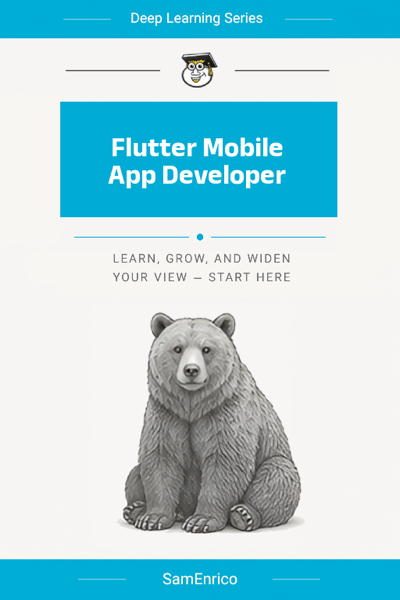
Non-FictionInformativeEducational
Flutter Mobile App Developer eBook
A Coursebook on Flutter Mobile App Developer
by Schell Tonda
A Coursebook on Flutter Mobile App Developer
Formats
Free sample
Chapter 1: Your First Digital Canvas...--The terminal window stared back at you – a blinking cursor on a black screen, waiting. Three weeks ago, you made a decision that felt both exhilarating and terrifying: you were going to learn mobile development. Not the watered-down "drag and drop" app builders that promised results without code, but the real thing. You wanted to build apps that could live on millions of phones, apps that could solve real problems, apps that could become businesses. And after researching every option – from Swift to Kotlin, from React Native to Xamarin – you landed on Flutter. Now here you are, about to type your first command.Take a breath. Every master developer remembers this moment – the threshold between "someone who talks about coding" and "someone who actually builds things." By the end of this chapter, you will have written your first Flutter application. Not a tutorial copy-paste, not a simulator screenshot – a real app running on your own machine, with your own modifications, under your own version control. More importantly, you will understand why Flutter exists, how it differs from everything that came before, and why you made the right choice.This chapter is the foundation. Treat it like building a house: the cabinets and paint colors come later. Right now, we pour concrete and check every measurement. Follow every step, run every command, and resist the urge to skip ahead. The developers who finish this book will be the ones who did the work in Chapter 1.Why Flutter? The Problem It Solves Before you write a single line of code, you need to understand the battlefield. Mobile development before 2017 was a story of trade-offs – painful, expensive trade-offs.The Native Path meant learning Swift for i OS and Kotlin (or previously Java) for Android. Two languages, two development environments, two teams, twice the budget. If you were an independent developer, you either launched on one platform and ignored the other (losing half your potential users) or built both and watched your timeline double. Companies spent millions maintaining parallel codebases, and bugs frequently appeared on one platform but not the other because a developer missed a subtle difference in how i OS and Android handle, say, date formatting or keyboard dismissal.The Hybrid Path promised a solution: write once, run anywhere. Frameworks like Cordova and Ionic wrapped web technologies (HTML, CSS, Java Script) in a native container. The problem? They felt like websites pretending to be apps. Scrolling was janky, animations dropped frames, and accessing device features (camera, GPS, accelerometer) required clunky plugins. Users could tell the difference immediately – these apps lacked the buttery smoothness of true native experiences.React Native improved things significantly. Facebook's framework used a Java Script bridge to communicate with native components. You wrote Java Script (or Type Script), and the app rendered actual native widgets. Performance was better than web wrappers, but the bridge became a bottleneck. When you scrolled a list rapidly, Java Script had to pass every touch event across the bridge to the native side, creating lag. Complex animations required advanced optimization techniques that most developers never mastered.Then came Flutter. Google announced it in 2015, released version 1.0 in 2018, and fundamentally changed the calculus.Flutter does something radical: it completely bypasses the platform's native widget library. Instead of saying "give me an i OS button" or "give me an Android text field," Flutter brings its own canvas – a high-performance graphics engine called Skia (the same engine behind Google Chrome and Android). Every pixel you see is drawn by Flutter. Every button, every animation, every scroll effect is rendered by Flutter's engine, not the operating system.This has profound implications. First, performance is consistent. Because Flutter controls the entire rendering pipeline, there is no bridge bottleneck. Your app runs at 60 or 120 frames per second on supported devices, regardless of platform. Second, UI is identical everywhere – or deliberately different, because you control every pixel. Third, hot reload becomes possible: you can change code and see the result in milliseconds without losing your app's current state, something the older technologies could never achieve reliably.Consider the numbers: as of 2026, over 800,000 apps in the Play Store use Flutter. Companies like Google (Google Pay, Stadia), Alibaba (Xianyu, 500 million users), BMW, Toyota, and e Bay have shipped mission-critical Flutter apps. Stack Overflow's 2024 developer survey ranked Flutter as the #2 most loved framework for the third consecutive year. This is not a fringe technology – it's the mainstream choice for cross-platform development.The Architecture: How Flutter Actually Works Understanding the architecture helps you appreciate why Flutter makes certain decisions. The framework has three layers, working from bottom to top:Layer 1: Embedder. This is the platform-specific code that lets Flutter run on i OS, Android, Windows, mac OS, Linux, and the web. The embedder talks to the operating system's windowing system, accessibility features, and input handling. When you tap the screen, the embedder captures that event and passes it upward.Layer 2: Engine. Written in C++, the engine handles the heavy lifting: Skia/Impeller for graphics, Dart runtime for executing your code, text rendering, and plugin architecture. This is the layer that makes Flutter fast. Impeller (the newer rendering engine introduced in Flutter 3) pre-compiles shaders, eliminating the "first-time jank" that plagued earlier versions.Layer 3: Framework. This is what you interact with as a developer – the Dart code that defines widgets, gestures, animations, and material/cupertino design libraries. Every Container, every Row, every Text widget lives here. When you call flutter create, you're generating a project that talks to this layer.Your code sits on top of the framework layer, but the magic happens because everything is compiled ahead-of-time (AOT) for release builds, producing native ARM code that runs directly on the device's processor. For development, Flutter uses just-in-time (JIT) compilation, which enables that glorious hot reload you'll experience in a few minutes.Environment Setup: Preparing Your Digital Workshop Enough theory. Let's get your hands dirty.Step 1: Install Flutter SDKGo to flutter.dev/docs/get-started/install. Select your operating system. The download is approximately 900MB – grab coffee if your internet is slow.Extract the file to a location you'll remember. On Windows, C:\src\flutter is conventional (avoid C:\Program Files because permission issues). On mac OS, extract to your home folder or ~/development/. On Linux, /home/yourusername/flutter.Now add Flutter to your PATH. This lets you type flutter commands from any terminal window.Windows: Search "Environment Variables" in Start, add C:\src\flutter\bin to the Path variable.mac OS/Linux: Edit your shell configuration file (~/.bashrc, ~/.zshrc, or ~/.bash_profile) and add: export PATH="$PATH:[PATH_TO_FLUTTER]/bin"After saving, restart your terminal. Type flutter --version. If you see version information, success. If you see "command not found," retrace your PATH steps – this is the most common setup hurdle.Step 2: Install Android Studio Even if you plan to develop primarily for i OS, you need Android Studio for its emulator and build tools. Download from developer.android.com/studio. The full installation includes the Android SDK, emulator, and necessary build tools.During installation, remember the SDK location (default is fine). After installation, open Android Studio, go to Settings/Preferences > Appearance & Behavior > System Settings > Android SDK, and ensure you've installed the latest Android SDK and SDK Tools.Step 3: 🍎 mac OS-Only: Install Xcode If you're…
This is the end of the free sample. Get the eBook to keep going. Buy now
About this book
Details
- Author
- Schell Tonda
- Publisher
- SamEnrico
- Language
- English
- Genre
- Non-Fiction, Informative, Educational
- Released
- 2026-05-11
- Pages (approx.)
- 143
- Available as
- eBook, Audiobook

Read better in the ZLOADR app
Your eBooks on your phone or tablet. Sign in with your SamEnrico account and start reading.
More by Schell Tonda
 Emotionally Immature Parents Recovery WorkbookSchell Tonda$11.99Emotionally Immature Parents Recovery WorkbookSchell Tonda$11.99
 Child Star Lawsuits Against ParentsSchell Tonda$11.99
 Breath Awareness for SleepSchell Tonda$11.99
 Stress and Relationship Future PlanningSchell Tonda$11.99
 Audience Reframe AlchemySchell Tonda$11.99
 The Drowned Choir of the Mary CelesteSchell Tonda$11.99
 Understanding Louis–bar SyndromeSchell Tonda$17.99
 How to Start a Supermarkets BusinessSchell Tonda$11.99
 Family and Children SpendingSchell Tonda$12.99
 Crypto Business LLC For Non ResidentsSchell Tonda$12.99
You may also like
 Hong Kong Handover 1997Dunn Johnnie$11.99
 Zumba For Postnatal Recovery CourseNeal Christian$11.99
 Zumba for BeginnersLadner Nikia$11.99
 YouTube Comment Mining GuideHumes Pandora$12.99
 Worry Box MeditationCarlin Rudy$11.99
 Workplace Stress MeditationNguyen Lynn$11.99
 Workplace Stress and Sleep RepairHawley Ivory$11.99
 Workplace Perfectionism CureDelaney Jeffry$11.99
 Workplace Injustice Anger GuideWallen Isabelle$11.99
 Work Addiction and Burnout LinkGreenwood Ester$11.99
 Women in Yoga and WellnessBeattie Galina$11.99
 Women in Stand Up ComedyChun Evangeline$11.99