
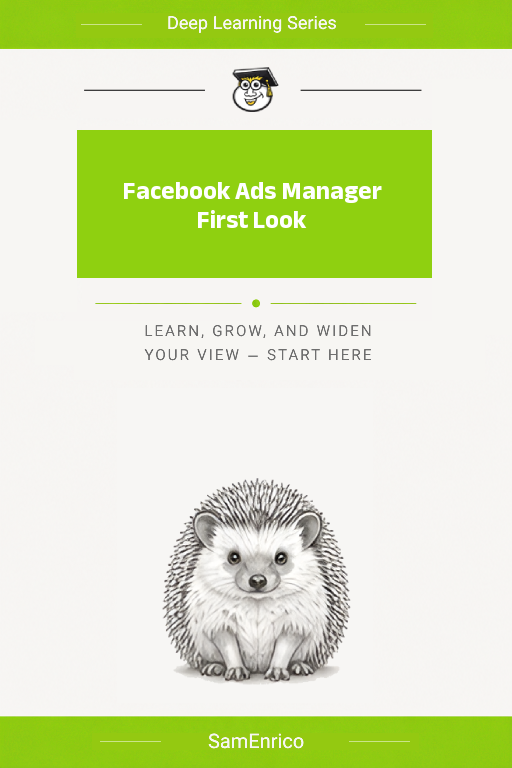
Facebook Ads Manager First Look eBook
Navigate Ads Manager dashboard to create your firs
by Ruff Joey
Navigate Ads Manager dashboard to create your first campaign campaign.
Formats
Free sample
Chapter 1: The Pixel Prerequisite--–- You are about to make a mistake. It is a common mistake, the kind that has cost small business owners and aspiring marketers millions of dollars before they ever saw their first sale. The mistake is this: you will open your laptop, log into Facebook (or Meta, as we must now call it), find the Ads Manager section, and immediately click the big green button that says “Create.” You will be excited. You will be impatient. And you will fail.Not because you are not smart.
Not because your product is bad. But because you skipped the single most important step in the entire Facebook advertising ecosystem. You skipped the setup phase. And in the world of Meta advertising, skipping setup is like trying to bake a cake without turning on the oven. You can mix all the ingredients perfectly.
You can watch every tutorial on You Tube. But without heat, you have batter, not a cake. Without proper setup, you have a credit card bill, not a campaign.This chapter is your oven. It is the boring, unsexy, absolutely non-negotiable foundation upon which every successful campaign is built. By the time you finish these pages, you will have created your Meta Business Manager account, connected your Facebook Page and Instagram account, added a payment method, and—most critically—installed the Meta Pixel on your website.
You will have done what roughly 60 percent of beginners skip. And that is precisely why you will succeed where they fail.Let us begin at the very beginning. Not because it is easy, but because it is everything.The Container Problem: Why Your Personal Profile Is Not Enough Most people assume they can run Facebook ads directly from their personal profile. After all, you can boost a post from your personal page with just a few clicks. Why would you need anything more?
This is the first and most dangerous illusion in the Meta advertising world.Your personal Facebook profile is exactly that: personal. It is tied to your name, your friends, your vacation photos, and your opinions from 2012 that you would rather forget. When you run ads from your personal profile, you are operating as an individual, not as a business. This creates three immediate problems.First, you have no way to give other people access without handing over your personal login credentials. Want your marketing assistant to help manage ads?
They would need your password. Want your social media manager to post on your behalf? Same problem. This is not just inconvenient; it is a security nightmare.Second, your personal profile has no separation between your private life and your business assets. If Facebook ever disables your personal account—and this happens more often than you think, usually due to a misunderstood comment or a bot flagging something incorrectly—you lose access to every ad, every page, and every pixel associated with that profile.
Overnight. With no appeal process that works reliably.Third, and most critically for beginners, you cannot install the Meta Pixel from a personal profile. The Pixel requires a Business Manager account. Without the Pixel, you are flying blind. You cannot track who visited your website.
You cannot retarget people who abandoned their shopping carts. You cannot optimize for purchases. You are essentially paying Facebook to show your ad to random people and hoping for the best.This is why every single top resource—from Meta’s own documentation to the best-selling books on the subject—insists on one thing above all others: create a Meta Business Manager account before you spend a single dollar on ads.Creating Your Meta Business Manager Account: A Step-by-Step Walkthrough Meta Business Manager (sometimes called Business Suite, though the terms are not perfectly interchangeable) is your command center. Think of it as a secure vault that holds all your business assets: your Facebook Page, your Instagram account, your ad accounts, your Pixels, and your payment methods. You control who has access to what.
You can add and remove people without losing anything. And most importantly, it exists independently of your personal profile.Here is how to set it up. Open a new browser tab and go to business.facebook.com/overview. You will see a blue button that says “Create Account.” Click it. You will be asked to provide your business name, your name, and your business email address.
Use a real email address that you check regularly—this is where Meta will send important notifications about billing, policy violations, and account status.After clicking “Submit,” you will be taken to your new Business Manager dashboard. It will look mostly empty. That is normal. You have just built the container. Now you need to fill it.Before moving on, verify that you are actually in Business Manager and not some other part of Meta’s sprawling ecosystem.
Look at the URL. It should contain business.facebook.com. Look at the top left corner. You should see your business name. If you see your personal name instead, you are in the wrong place.
Go back and start again.Claiming Your Territory: Adding Your Facebook Page and Instagram Account Your Business Manager account is now a container. But a container with nothing inside it is useless. Your next job is to claim your assets—specifically, your Facebook Page and your Instagram account.To add your Facebook Page, look for a section in the left-hand sidebar called “Accounts.” Under that, click “Pages.” You will see a blue button that says “Add.” Click it. You have three options: “Add a Page” (if you already have a Page you want to claim), “Create a New Page” (if you are starting from scratch), or “Request Access to a Page” (if someone else owns the Page and you want permission to run ads for them). For almost all readers of this book, you will choose “Add a Page.”Type the name of your Facebook Page into the search box.
When it appears, select it and click “Add Page.” If you are the admin of that Page, you will be granted full control immediately. If not, you will need to request access and wait for the current admin to approve it.Now do the same for Instagram. In the left sidebar, still under “Accounts,” click “Instagram Accounts.” Click the blue “Add” button. You have the same three options. Choose “Add an Instagram Account” and enter your Instagram login credentials.
Meta will ask for permission to manage your account. Grant it. This allows you to create and run Instagram ads directly from Ads Manager.Why is this step non-negotiable? Because without both your Page and your Instagram account inside Business Manager, you cannot run ads on either platform. More importantly, you cannot use Advantage+ placements (which we will cover extensively in Chapter 9) to automatically optimize across both Facebook and Instagram.
You would be forcing Meta to work with one arm tied behind its back.The Money Conversation: Adding a Funding Source You cannot run ads without paying for them. This sounds obvious, and yet one of the most common questions in beginner Facebook advertising forums is, “Why is my ad not delivering?” The answer, more often than not…
This is the end of the free sample. Get the eBook to keep going. Buy now
About this book
Details
- Author
- Ruff Joey
- Publisher
- SamEnrico
- Language
- English
- Genre
- Non-Fiction, First 30 Days
- Released
- 2026-06-01
- Pages (approx.)
- 157
- Available as
- eBook, Audiobook

Read better in the ZLOADR app
Your eBooks on your phone or tablet. Sign in with your SamEnrico account and start reading.
More by Ruff Joey
 The Waco PsychicRuff Joey$11.99
 Psychological First Aid KitRuff Joey$11.99
 Waititi Joyful ChaosRuff Joey$11.99
 The Work Addiction Medication GuideRuff Joey$11.99
 Bereavement Sleep MeditationRuff Joey$11.99
 Abyssal Pressure Survival HandbookRuff Joey$11.99
 Sphinx Monument MysteryRuff Joey$11.99
 Name And Face PalaceRuff Joey$11.99
 Grenville WilliamRuff Joey$11.99
 The Raven Mockers' Curse: Cherokee Spirits of the MistRuff Joey$11.99
 Falling into the Forgotten: The Bridge That Swallowed a CityRuff Joey$11.99
 Scribus InDesign Free CloneRuff Joey$12.99
You may also like
 Hong Kong Handover 1997Dunn Johnnie$11.99
 Zumba For Postnatal Recovery CourseNeal Christian$11.99
 Zumba for BeginnersLadner Nikia$11.99
 YouTube Comment Mining GuideHumes Pandora$12.99
 Worry Box MeditationCarlin Rudy$11.99
 Workplace Stress MeditationNguyen Lynn$11.99
 Workplace Stress and Sleep RepairHawley Ivory$11.99
 Workplace Perfectionism CureDelaney Jeffry$11.99
 Workplace Injustice Anger GuideWallen Isabelle$11.99
 Work Addiction and Burnout LinkGreenwood Ester$11.99
 Women in Yoga and WellnessBeattie Galina$11.99
 Women in Stand Up ComedyChun Evangeline$11.99