
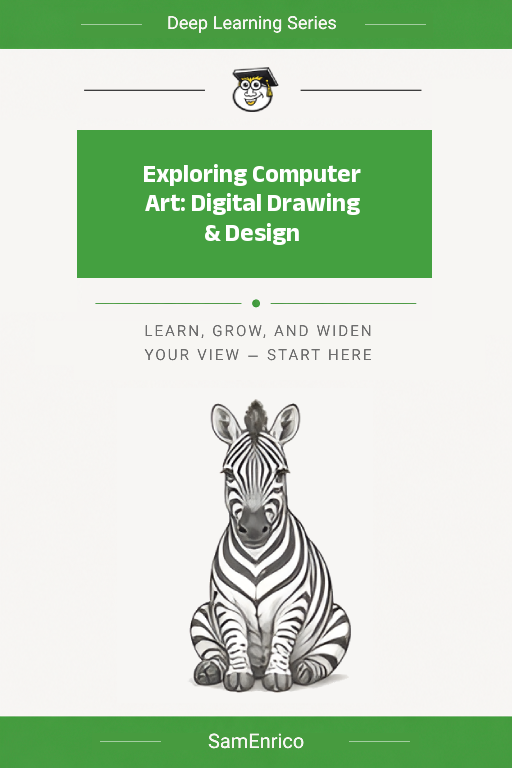
Non-FictionInformativeEducational
Exploring Computer Art: Digital Drawing & Design eBook
This publication, published by SamEnrico, covers E
by Haynes Sheri
This publication, published by SamEnrico, covers Exploring Computer Art: Digital Drawing & Design
Formats
Free sample
Chapter 1: The Digital Lie--–- Every beginner believes the same lie. You probably believe it too, because the lie is everywhere—on You Tube thumbnails, in software advertisements, in the way your friends talk about their i Pads. The lie sounds like this: "Digital art is easier than traditional art. The computer does half the work. You just need the right tablet and a brush pack, and you'll be making professional art in weeks."The lie is seductive because it promises a shortcut.
And because a tiny grain of it is technically true—the Undo button exists, layers can save you from ruined paintings, and you never have to wash a brush. But that grain of truth makes the lie more dangerous, not less. Because when you sit down with your new tablet, open your software, and try to draw a simple circle, you will discover the terrible secret that every digital artist learns within their first hour: digital art is not easier. It is harder.Not different. Not "just a new medium." Harder.
The hand-eye coordination required to draw on a tablet while looking at a screen is a skill your brain has never practiced. The pressure sensitivity that promises expressive lines will, for the first week, produce only jagged, trembling strokes that look nothing like what you intended. Every tutorial you watch will show an artist with years of practice making it look effortless—while your canvas remains a graveyard of broken lines and accidental marks.This chapter exists to save you from quitting on day three. It will not teach you how to draw. It will not teach you software shortcuts.
It will teach you something more fundamental: how to set up your digital studio so that your tools work for you, not against you. You will learn which hardware to buy (and which to avoid), how to configure your workspace for comfort and efficiency, and—most importantly—how to retrain your hand-eye coordination so that the tablet becomes an extension of your arm, not a frustrating obstacle.By the end of this chapter, you will have drawn your first digital apple. It will be ugly. That is the point. Because ugly is the first step toward competent, and competent is the first step toward mastery.
The lie dies when you accept that digital art is hard—and then decide to do it anyway.The Myth of Easy Let me tell you a story. In 2018, I bought my first pen tablet—a small, entry-level Huion for sixty dollars. I had been drawing with pencil and paper for fifteen years. I could draw a decent portrait. I understood perspective, value, anatomy.
I was not a beginner to art. But when I plugged in that tablet, opened Photoshop, and tried to draw a simple box, the result looked like a drunk spider had crawled across my screen. The lines wobbled. The corners didn't meet. The box looked more like a deflated balloon.I almost returned the tablet the next day.
I thought: "Maybe digital art isn't for me. Maybe I'm too old to learn new tools." What I did not understand was that my fifteen years of traditional drawing had actually made the transition harder, not easier. My brain had deeply wired pathways: hand moves, eye watches hand, mark appears on paper. With a tablet, those pathways shattered. Hand moved on my desk, but my eye had to look at a screen two feet away.
The feedback loop that took me fifteen years to build broke in an instant.This is the myth of "easy." Digital art requires you to learn a completely new sensorimotor skill. Your brain must construct new neural pathways for coordinating hand movement with screen-based visual feedback. Neuroscientists call this "cross-modal sensorimotor adaptation." You will call it "frustrating." It takes time—typically ten to twenty hours of deliberate practice before the awkwardness fades. No brush pack, no expensive tablet, no software trick can bypass that neurological reality.But here is the good news: once you build those pathways, you gain abilities that traditional artists can only dream of. Undo.
Layers. Non-destructive editing. Infinite colors. The ability to paint with light itself rather than light-absorbing pigment. Digital art is not easier.
It is more powerful. And power requires a steeper learning curve.This chapter is your map up that curve.Hardware Deep Dive: What to Buy (And What to Avoid)The first question every beginner asks is: "What tablet should I buy?" The answer depends on your budget, your goals, and—crucially—your tolerance for frustration. Let me break down the three main categories of tablets, from least expensive to most expensive, with honest assessments of each.Pen Tablets (Screenless)These are the tablets that look like a black rectangle with no screen. You draw on the surface while looking at your computer monitor. Examples include the One by Wacom (around $60), the Huion Inspiroy series ($40-$80), and the Wacom Intuos ($80-$200).Pros: Cheap, durable, portable, never needs charging (if wired), and forces you to learn hand-eye coordination quickly because there is no screen to hide behind.Cons: The steepest learning curve—the hand-eye disconnect is extreme for the first week.
No direct visual feedback on the drawing surface means you will feel lost at first.Who should buy: Beginners on a tight budget. Students. Anyone willing to push through one week of frustration for long-term gain.The honest truth: Most professional concept artists started on screenless tablets. The hand-eye coordination you build on a screenless tablet transfers perfectly to screen tablets later. If you can learn on a screenless tablet, you can draw on anything.
I still use my old One by Wacom when I travel because it fits in a laptop sleeve and I never worry about breaking a screen.Screen Tablets (Pen Displays)These tablets have an integrated screen. You draw directly on the display, similar to drawing on paper. Examples include the Wacom One ($300-$400), the Huion Kamvas series ($250-$600), the Wacom Cintiq ($650-$3,500), and the i Pad Pro with Apple Pencil ($800+).Pros: Intuitive—what you see is where you draw. A much shorter learning curve because the hand-eye feedback is direct. Feels more like traditional drawing.Cons: Expensive.
Screen glare can be an issue in bright rooms. Requires more desk space. Cheaper models have noticeable parallax—a small gap between the pen tip and the digital cursor that can be disorienting.Who should buy: Hobbyists with a budget. Professionals who draw all day and want to reduce wrist fatigue. Anyone who tried a screenless tablet and genuinely could not adapt after two weeks.The honest truth: A $300 screen tablet will not make you a better artist than a $60 screenless tablet.
The art comes from your brain, not the hardware. But a screen tablet will reduce the initial frustration, which might be worth the money if you are easily discouraged. If you have the budget, buy a screen tablet. If you do not, do not let that stop you.i Pad Pro + Procreate The i Pad Pro with Apple Pencil has become a phenomenon, and for good reason. Procreate is a one-time purchase ($10) that offers 90 percent of Photoshop's painting power with…
This is the end of the free sample. Get the eBook to keep going. Buy now
About this book
Details
- Author
- Haynes Sheri
- Publisher
- SamEnrico
- Language
- English
- Genre
- Non-Fiction, Informative, Educational
- Released
- 2026-06-02
- Pages (approx.)
- 153
- Available as
- eBook, Audiobook

Read better in the ZLOADR app
Your eBooks on your phone or tablet. Sign in with your SamEnrico account and start reading.
More by Haynes Sheri
 Immigrants Who Started Over After FiftyHaynes Sheri$11.99
 Facebook Envy Recovery WorkbookHaynes Sheri$11.99
 Menopause Sexuality GuideHaynes Sheri$11.99
 Personal Branding on Social MediaHaynes Sheri$11.99
 Weekly Screen Time ReviewHaynes Sheri$11.99
 Risk Taking Confidence HypnosisHaynes Sheri$11.99
 Inbox Triage Decision MatrixHaynes Sheri$11.99
 Time Blocking for BeginnersHaynes Sheri$11.99
 The Outback Pioneers: Building Australia’s FrontierHaynes Sheri$11.99
 The Last Empress: A Forgotten Dynasty in the ShadowsHaynes Sheri$11.99
 How to Produce Play VehiclesHaynes Sheri$11.99
 How to Produce Disposable CupsHaynes Sheri$11.99
You may also like
 Hong Kong Handover 1997Dunn Johnnie$11.99
 Zumba For Postnatal Recovery CourseNeal Christian$11.99
 Zumba for BeginnersLadner Nikia$11.99
 YouTube Comment Mining GuideHumes Pandora$12.99
 Worry Box MeditationCarlin Rudy$11.99
 Workplace Stress MeditationNguyen Lynn$11.99
 Workplace Stress and Sleep RepairHawley Ivory$11.99
 Workplace Perfectionism CureDelaney Jeffry$11.99
 Workplace Injustice Anger GuideWallen Isabelle$11.99
 Work Addiction and Burnout LinkGreenwood Ester$11.99
 Women in Yoga and WellnessBeattie Galina$11.99
 Women in Stand Up ComedyChun Evangeline$11.99