
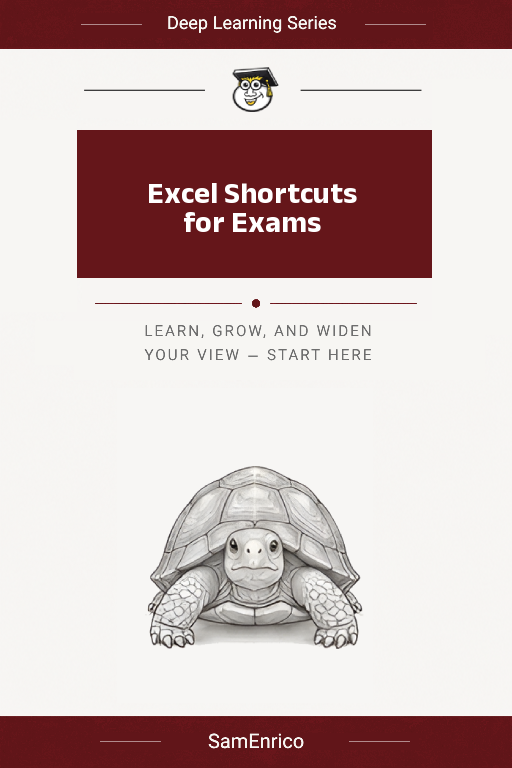
Non-FictionStudent's ShortcutShortcuts
Excel Shortcuts for Exams
Master time saving keyboard shortcuts in Excel to
Master time saving keyboard shortcuts in Excel to speed up calculations during timed economics exams.
Formats
About this book
Free sample
Chapter 1: The Eight-Minute Tragedy--–- Sarah had studied for three months. She knew the difference between Keynesian and Classical models cold. She could derive the IS-LM curve in her sleep. But when the exam clock hit zero, she had left two entire questions unanswered – worth 15% of her grade. Her crime?
She had touched her mouse 147 times in 90 minutes. Each click cost her roughly 1.5 seconds of cognitive friction. That's 220 seconds – nearly four minutes – lost to nothing but the mechanical act of moving a cursor. Add in scrolling, dragging, and hunting for menu items, and she had bled out eight minutes she desperately needed.This is the eight-minute tragedy. And it happens to thousands of economics students every semester.You are about to learn how to never let it happen to you.The Hidden Cost of Pointing and Clicking Most students believe that Excel proficiency means knowing fancy functions – VLOOKUP here, a pivot table there.
They are wrong. In a timed economics exam, speed is not about knowing more functions. Speed is about reducing the milliseconds between every single action.Let us perform a simple thought experiment.You need to calculate the average GDP growth rate over ten years. The data sits in cells B2 through B11. The mouse method: reach for mouse, click on B2, drag down to B11 (1.5 seconds), move cursor to the formula bar (0.5 seconds), click to activate (0.3 seconds), type =AVERAGE( (0.5 seconds), click back to the spreadsheet (0.3 seconds), press Enter (0.1 seconds).
Total: approximately 3.2 seconds.The keyboard method: with your hands already on the keyboard, press Ctrl+Space to select column B (0.2 seconds), then Alt+= (0.2 seconds), notice Auto Sum defaults to SUM, so press the down arrow twice to reach AVERAGE (0.3 seconds), press Enter (0.1 seconds). Total: approximately 0.8 seconds.That single operation saved 2.4 seconds. It seems trivial. But an economics exam contains hundreds of such operations. Saving 2.4 seconds on twenty operations saves nearly a minute.
Saving 2.4 seconds on a hundred operations saves four minutes. You have just found four extra minutes to check your work, answer that final question, or simply breathe.The mathematics of speed is simple: small savings compound…
This is the end of the free sample. Get the eBook to keep going. Buy now
Contents
- Chapter 1
- Chapter 2
- Chapter 3
- Chapter 4
- Chapter 5
- Chapter 6
- Chapter 7
- Chapter 8
- Chapter 9
- Chapter 10
- Chapter 11
- Chapter 12
Details
- Author
- Spradlin Latonya
- Publisher
- SamEnrico
- Language
- English
- Genre
- Non-Fiction, Student's Shortcut, Shortcuts
- Released
- 2026-06-01
- Pages (approx.)
- 149
- Available as
- eBook, Audiobook

Read better in the ZLOADR app
Your eBooks on your phone or tablet. Sign in with your SamEnrico account and start reading.
More by Spradlin Latonya
 Paleo Meal Prep GuideSpradlin Latonya$11.99
 EC 130 Commando SoloSpradlin Latonya$11.99
 The Immigrant FinTech FounderSpradlin Latonya$11.99
 Miracle Morning MethodSpradlin Latonya$11.99
 Caffeine Timing For FocusSpradlin Latonya$11.99
 Santorini Sunset GuideSpradlin Latonya$11.99
 TMS for Apathy GuideSpradlin Latonya$11.99Miracle Morning MethodSpradlin Latonya$11.99
 Resilience for ParentsSpradlin Latonya$11.99
 The Siege of Eger: Hungary's Defiant Stand Against the OttomansSpradlin Latonya$11.99
 The Mastermind of the Pink Panthers: The Rise and Fall of a Global Diamond Heist SyndicateSpradlin Latonya$11.99
 Service Providers Guide to Craft Supplies CatalogsSpradlin Latonya$11.99
You may also like
 Hong Kong Handover 1997Dunn Johnnie$11.99
 Zumba For Postnatal Recovery CourseNeal Christian$11.99
 Zumba for BeginnersLadner Nikia$11.99
 YouTube Comment Mining GuideHumes Pandora$12.99
 Worry Box MeditationCarlin Rudy$11.99
 Workplace Stress MeditationNguyen Lynn$11.99
 Workplace Stress and Sleep RepairHawley Ivory$11.99
 Workplace Perfectionism CureDelaney Jeffry$11.99
 Workplace Injustice Anger GuideWallen Isabelle$11.99
 Work Addiction and Burnout LinkGreenwood Ester$11.99
 Women in Yoga and WellnessBeattie Galina$11.99
 Women in Stand Up ComedyChun Evangeline$11.99