
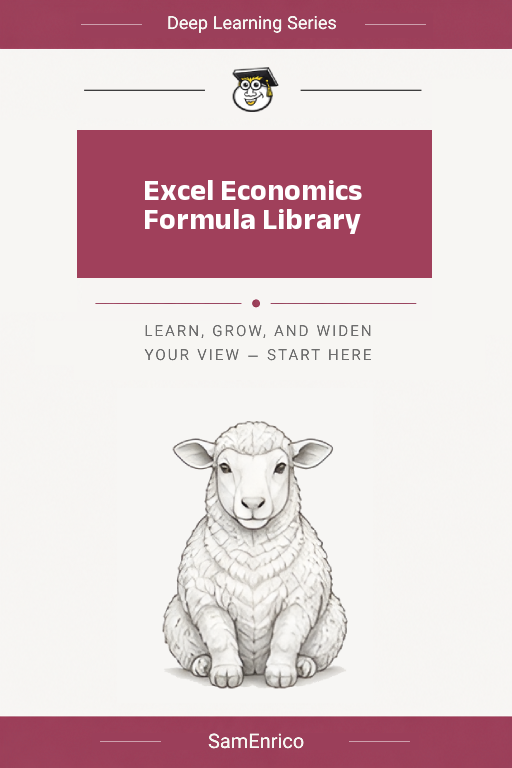
Non-FictionReference LibraryComprehensive Guide
Excel Economics Formula Library
Reference guide to every Excel function mentioned
Reference guide to every Excel function mentioned in economics exams. Indexed by economic concept for quick lookup.
Formats
About this book
Free sample
Chapter 1: The Retrieval Trinity--–- Every economics student eventually faces the same silent panic. You have a dataset—perhaps GDP figures for 180 countries across 30 years. You need one specific number: Brazil's GDP in 2018. Your professor wants it. Your problem set demands it.
The clock is ticking. You stare at the spreadsheet. Thirty thousand cells stare back. Scrolling manually is not an option. Ctrl+F finds the right row but not the right column.
You know the economic concept—data retrieval, panel data indexing, the simple act of finding a needle in a haystack of numbers—but you do not know which Excel button transforms that concept into an answer.This book exists to close that gap. Every chapter translates economic ideas into Excel actions. This first chapter tackles the most fundamental skill: finding what you need, exactly when you need it. We call it The Retrieval Trinity.The Economic Problem: Panel Data and the Retrieval Crisis Economics loves panel data. A panel dataset tracks multiple entities—countries, firms, people—over multiple time periods.
It looks deceptively simple:Country Year GDP (billions)Unemployment Rate Brazil20172,05311.8%Brazil20181,91612.3%Canada20171,6476.3%Canada20181,7125.8%This structure is powerful for analysis but miserable for manual retrieval. Your exam or project will ask: "What was Brazil's GDP in 2018?" Or, worse: "Create a table showing GDP for all countries in 2019." Or, even worse: "Match inflation data from one sheet to unemployment data from another sheet based on country and year."The economic concept here is data retrieval—the act of locating a specific value based on one or more identifiers, which database specialists call "keys." In Excel terms, you have three weapons. Choose the wrong one, and you waste hours. Choose the right one, and you finish early.Let me introduce you to each weapon, then teach you the decision framework that separates students who finish exams from those who run out of time.The Retrieval Trinity: Three Weapons, One Mission Weapon 1: XLOOKUP – The Modern Standard Introduced: 2020 (Excel for Microsoft 365, Excel 2021 and later)The one-sentence summary: XLOOKUP searches a range for a value and returns a matching value from another range. It can look…
This is the end of the free sample. Get the eBook to keep going. Buy now
Contents
- Chapter 1
- Chapter 2
- Chapter 3
- Chapter 4
- Chapter 5
- Chapter 6
- Chapter 7
- Chapter 8
- Chapter 9
- Chapter 10
- Chapter 11
- Chapter 12
Details
- Author
- Tillery Missy
- Publisher
- SamEnrico
- Language
- English
- Genre
- Non-Fiction, Reference Library, Comprehensive Guide
- Released
- 2026-06-01
- Pages (approx.)
- 149
- Available as
- eBook, Audiobook

Read better in the ZLOADR app
Your eBooks on your phone or tablet. Sign in with your SamEnrico account and start reading.
More by Tillery Missy
 401k Hardship Withdrawal GuideTillery Missy$11.99
 Deadline Overload Management HandbookTillery Missy$11.99
 From Soap Operas to SimpsonsTillery Missy$11.99
 Loving Kindness for Dental FearTillery Missy$11.99
 Abruption and Preterm Premature RuptureTillery Missy$11.99
 The Phantom of the Ring: Sugar Ray Robinson's Lost Title Fight in Paris (1952)Tillery Missy$11.99
 Goethite MiningTillery Missy$11.99
 A Beginners Guide to Glima (Volume 1)Tillery Missy$11.99
 Lululemon SWOT GuideTillery Missy$12.99
 Understanding Nephrogenic Diabetes InsipidusTillery Missy$17.99
You may also like
 Hong Kong Handover 1997Dunn Johnnie$11.99
 Zumba For Postnatal Recovery CourseNeal Christian$11.99
 Zumba for BeginnersLadner Nikia$11.99
 YouTube Comment Mining GuideHumes Pandora$12.99
 Worry Box MeditationCarlin Rudy$11.99
 Workplace Stress MeditationNguyen Lynn$11.99
 Workplace Stress and Sleep RepairHawley Ivory$11.99
 Workplace Perfectionism CureDelaney Jeffry$11.99
 Workplace Injustice Anger GuideWallen Isabelle$11.99
 Work Addiction and Burnout LinkGreenwood Ester$11.99
 Women in Yoga and WellnessBeattie Galina$11.99
 Women in Stand Up ComedyChun Evangeline$11.99