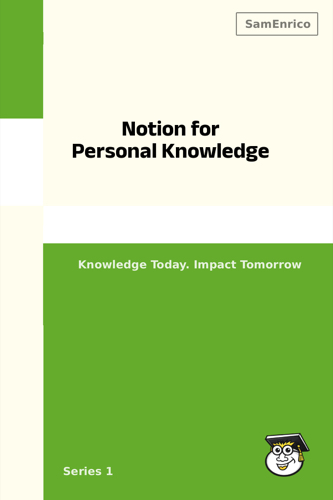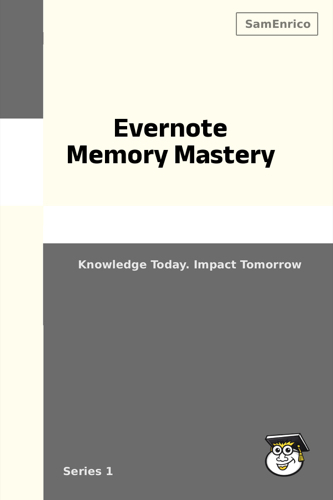
Evernote Memory Mastery eBook
Store and retrieve information using tags and sear
Store and retrieve information using tags and search with this practical digital guide.
Formats
Free sample
Chapter 1: The Librarian’s Secret–- On a Tuesday morning in March, a freelance graphic designer named Priya lost a contract worth $12,000. She didn’t lose it because her work was poor or her proposal was weak. She lost it because she couldn’t find a single email attachment from six weeks earlier—a signed non-disclosure agreement that the client’s legal team required before approving the final milestone payment. Priya had saved the NDA. She was certain of that.
She remembered skimming it, forwarding it to her accountant, even thinking, “I should file this somewhere safe.” But “somewhere safe” turned out to be a digital black hole spanning four different email accounts, two cloud drives, and an Evernote database containing 3,847 notes with no consistent naming scheme, no folder structure, and tags that had been abandoned sometime during the Obama administration.Priya searched for forty-five minutes. She used keywords. She used file type filters. She even tried scrolling backward through her Evernote timeline note by note, hoping a visual cue would trigger her memory. Nothing worked.
When she finally confessed to the client that she couldn’t produce the document, the client’s legal team gave the project to another designer within the hour. Priya closed her laptop, walked into her kitchen, and stared at the wall for a long time. She wasn’t just frustrated. She was humiliated. She had done everything right—saving, organizing, backing up—and yet her digital brain had failed her completely.Priya’s story is not unusual.
It is, in fact, the normal experience of most knowledge workers today. We have been told for decades that the solution to information overload is to save more, organize more, and build better folder hierarchies. We have been taught that being organized means creating the perfect system before we put anything into it. And we have been lied to—not maliciously, but systematically—by every productivity guide that insists the problem is our lack of discipline.The real problem is not that you save too much. The real problem is that you save without a retrieval plan.
And until you understand the difference between collecting and retrieving, you will continue to lose time, money, and peace of mind to a problem that has a surprisingly simple solution.The Hoarder’s Fallacy Every Evernote user begins with good intentions. You install the app, create a few notebooks with sensible names like “Work” and “Personal” and “Recipes,” and for the first few weeks, everything feels manageable. You clip a web article about productivity. You scan a receipt for your taxes. You photograph a whiteboard from a client meeting.
Each new note lands in its proper place, and you feel a quiet satisfaction—the same satisfaction you might feel after organizing a messy closet.But then something shifts. The volume of incoming information accelerates. You start using the “Save to Evernote” button in your browser without thinking. You forward emails to your Evernote address because it feels faster than filing them. You take photos of business cards at networking events and promise yourself you’ll tag them later.
“Later” never comes. Within six months, your neatly organized system has become a digital landfill. You have thousands of notes, hundreds of untagged screenshots, and a growing sense of dread every time you open the app because you know that finding anything specific will require a frustrating scavenger hunt.This is what I call the Hoarder’s Fallacy: the mistaken belief that saving information is the same as owning it. You do not truly possess a piece of information unless you can retrieve it within a few seconds. A book buried in a landfill is not a book you own; it is trash that you are storing at great emotional cost.
The same is true for every note in your Evernote database. If you cannot find it, you do not have it.The typical Evernote user is a digital hoarder. They save articles they never read, receipts they never reconcile, and meeting notes they never reference. They mistake the act of saving for the act of remembering. And they pay for this mistake every single day in small increments of lost time—five minutes here, ten minutes there—that add up to something truly staggering.The Real Cost of Digital Chaos Let us quantify the damage.
According to a 2022 survey by the International Data Corporation, the average knowledge worker spends approximately 2.5 hours per day searching for information across various apps, email accounts, and file systems. That is over six hundred hours per year. Six hundred hours. To put that number in perspective, you could fly around the world twelve times in six hundred hours. You could learn a new language to conversational fluency.
You could write three novels. Instead, you are hunting for files you already saved, in a system you already built, because that system was built for storage rather than retrieval.But the cost is not just measured in hours. There is also the cost of what psychologists call attention residue—the cognitive friction that occurs when you interrupt a focused task to search for a missing file. Even if you find what you are looking for in only two minutes, your brain requires another ten to fifteen minutes to fully re-engage with your original task. Each interruption fragments your focus.
Each search leaves a small scar on your productivity. Over the course of a year, these micro-interruptions accumulate into a massive drain on your cognitive capacity.Then there is the emotional cost. Every time you fail to find a note, you experience a small failure of competence. You begin to doubt your memory. You question whether you are organized enough, disciplined enough, or smart enough to manage your own information.
This doubt erodes your confidence not just in your tools but in yourself. I have spoken to hundreds of professionals who have abandoned perfectly good note-taking apps not because the software was flawed but because they felt personally inadequate for failing to master it.Finally, there is the cost of lost opportunities. Priya lost a $12,000 contract because she could not retrieve a single NDA. A lawyer I worked with lost a motion because he could not find a precedent he knew he had saved. A physician lost valuable time during a patient emergency because her clinical notes were buried under years of uncategorized journal articles.
These are not edge cases. They are the predictable consequences of a system optimized for input rather than output.The Three Pillars of Mastery If the Hoarder’s Fallacy is the disease, then retrieval-centered design is the cure. Retrieval-centered design means building your digital system backward from the question “How will I find this later?” rather than forward from the question “Where should I put this now?” This simple inversion transforms everything about how you use Evernote.At the heart of retrieval-centered design are what I call the Three Pillars of Mastery. These are not features of the software. They are habits of mind that you will develop over the course of this book.
Every chapter, every exercise, and every workflow is designed to strengthen one or more of these pillars.Pillar One: Tags as…
This is the end of the free sample. Get the eBook to keep going. Buy now
About this book
Details
- Author
- Garvin Calista
- Publisher
- SamEnrico
- Language
- English
- Genre
- Non-Fiction, Self-Help, Knowledge Management
- Released
- 2026-06-06
- Pages (approx.)
- 143
- Available as
- eBook, Audiobook

Read better in the ZLOADR app
Your eBooks on your phone or tablet. Sign in with your SamEnrico account and start reading.
More by Garvin Calista
 TM for Empty Nest SyndromeGarvin Calista$11.99
 Empathy For Political DividesGarvin Calista$11.99
 From Activist to ExecutiveGarvin Calista$11.99
 Sleep Apnea MistakesGarvin Calista$11.99
 Partner Snoring Meditation CopingGarvin Calista$11.99
 Medium Follower ComparisonGarvin Calista$11.99
 Varda GleanersGarvin Calista$11.99
 Pomodoro For Side HustlesGarvin Calista$11.99
 The Last Waltz of Empress Elisabeth: Love, Betrayal, and a CrownGarvin Calista$11.99The Last Waltz of Empress Elisabeth: Love, Betrayal, and a CrownGarvin Calista$11.99
 The Angel of Death: The Untold Story of the 'Good Nurse'Garvin Calista$11.99
 Hops & Hooch: The Untold Story of the American Craft Beer BoomGarvin Calista$11.99