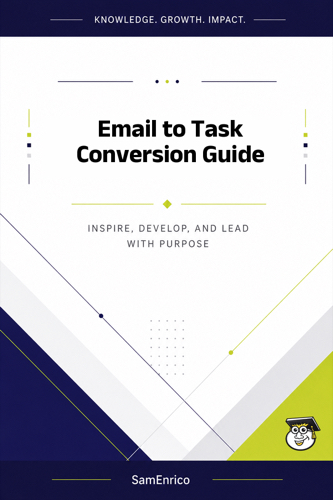
Email to Task Conversion Guide eBook
Turns action emails into project management system
Turns action emails into project management system tasks.
Formats
Free sample
Chapter 1: The Inbox Trap--–- The ping arrives at 9:47 AM. A calendar notification. Then another ping at 9:52 – a customer support ticket. At 9:58, the email you were waiting for finally appears. By 10:15 AM, you have opened your inbox seventeen times.
You have answered three quick questions, flagged two messages for later, left twelve unread, and completely forgotten what you were working on before the first ping.This is not a failure of discipline. It is a failure of design.Your inbox is not a to-do list, despite how desperately you have tried to make it one. Every morning, you open your email client with the best intention: process everything, prioritize, reply, and get back to real work. And every afternoon, you find yourself still swimming in messages, with nothing truly important accomplished. You have flagged emails, starred them, color-coded them, filed them into folders, and snoozed them until tomorrow.
Yet the gnawing feeling remains – something is slipping through the cracks.The problem is not you. The problem is that you are asking email to do something it was never built to do.Email was invented in 1971 by Ray Tomlinson as a way to send simple text messages between computers on ARPANET. Fifty years later, email has become the default task management system for millions of knowledge workers. We have taken a communication tool – designed for back-and-forth dialogue – and forced it to act as a project management system, a filing cabinet, a calendar, a CRM, and a to-do list all at once. And it is failing spectacularly at every single one of those roles.This chapter will show you exactly why that failure is inevitable.
You will learn the psychological and operational costs of treating email as a task system, the five hidden drains on your productivity that you have normalized, and the single mental shift that will free you from the inbox trap forever. By the end of this chapter, you will never look at your email the same way again. And you will understand precisely why this book exists.The Psychology of Open Loops In the 1920s, a Russian psychologist named Bluma Zeigarnik made a discovery that would shape our understanding of productivity for the next century. While observing waiters in a Vienna café, she noticed something remarkable: the waiters could remember complex, unpaid orders with perfect accuracy, but as soon as the bill was paid, the details of the order vanished from their memory.Zeigarnik’s subsequent research confirmed what the waiters demonstrated instinctively. The human brain has a powerful tendency to hold onto incomplete or interrupted tasks.
Once a task is completed, the brain releases its grip. But while the task remains open – unfinished, unresolved, unclosed – it consumes mental energy. It sits in what psychologists now call the “Zeigarnik effect,” a cognitive loop that continuously checks back on incomplete items.David Allen, the author of Getting Things Done, popularized the term “open loop” to describe this phenomenon. An open loop is any commitment, task, or obligation that you have not yet closed. It could be an email that needs a reply.
A promise to send a document. A question that requires an answer. A project waiting for approval. Every open loop occupies a portion of your working memory, whether you are aware of it or not.Here is what most people do not realize: every unprocessed email in your inbox is an open loop. Each one is a tiny mental thread dangling from your attention.
And when you have fifty, one hundred, or five hundred unprocessed emails, you are carrying an enormous cognitive load without even knowing it.The Hidden Costs of Email-as-Task-System The psychological cost of using email as a task system is real, but it is not the only cost. Over the past decade, researchers and productivity experts have identified five specific, measurable ways that email-driven task management drains your effectiveness. These are not theoretical problems. They are the daily reality of millions of knowledge workers.Cost One: Missed Follow-Ups When your task list lives inside your email, tasks get buried. It is simple physics.
New emails arrive constantly, pushing older messages down the screen. A request that came in last week – even if you flagged it, starred it, or moved it to a folder – is now hidden beneath a mountain of newer messages. Out of sight, out of mind.The statistics are sobering. A study by Mc Kinsey & Company found that the average knowledge worker spends 28% of their workweek reading and responding to email. That is nearly eleven hours per week.
And within that same study, respondents reported that nearly 40% of emails requiring action were either delayed or forgotten entirely.When a task is buried in email, it does not disappear. It simply becomes invisible. And invisible tasks do not get done. They get rediscovered weeks later, often with an apologetic note: “So sorry for the delay – this got buried in my inbox.”Cost Two: Duplicated Work Email is inherently siloed. When you receive a request, you act on it (or try to).
But your colleague across the department might receive the same request from the same client. Or a different version. Or a follow-up that contradicts the original.Because email lacks a shared, centralized view of who is doing what, duplication runs rampant. Two people answer the same question. Three people download the same attachment.
Four people spend ten minutes each searching for the same piece of information. The waste multiplies across teams, departments, and organizations.A study by Qatalog and Git Lab found that knowledge workers waste an average of 3.6 hours per week searching for information that exists somewhere in their email or shared drives. Much of that time is spent re-creating work that someone else has already done, simply because email made that existing work invisible.Cost Three: No Prioritization Your email inbox has no concept of importance. It treats a message from your CEO and a marketing newsletter with identical urgency. Both arrive in chronological order.
Both appear in the same list. Both demand the same visual attention.This is catastrophic for prioritization. When everything looks equally urgent, your brain defaults to recency – the newest message feels most important. Or it defaults to anxiety – the message from the angry client feels most pressing. Or it defaults to ease – the two-minute reply that makes you feel productive.None of these defaults align with actual business priorities.
The truly important work – the strategic project, the deep analysis, the creative breakthrough – rarely arrives in an email marked “URGENT.” It arrives quietly. It requires focus. And it drowns in the noise of your inbox.Cost Four: No Time Estimates A task system without time estimates is a recipe for overcommitment. Yet email provides no way to know how long a request will take. A message that says “Can you look at this?” could mean thirty seconds or three hours.
Without that information, you cannot make rational decisions about what to do now versus later.The result is a chronic underestimation of workload. You agree to requests because they appear small. But appearances are deceiving. A series of “small” email requests accumulates into hours of unplanned work, pushing your real priorities further down the list.Cost Five: No…
This is the end of the free sample. Get the eBook to keep going. Buy now
About this book
Details
- Author
- Richard Nicol
- Publisher
- SamEnrico
- Language
- English
- Genre
- Non-Fiction, Business Brief, Workflow
- Released
- 2026-06-09
- Pages (approx.)
- 132
- Available as
- eBook, Audiobook

Read better in the ZLOADR app
Your eBooks on your phone or tablet. Sign in with your SamEnrico account and start reading.
More by Richard Nicol
 Pinterest VA Group Board StrategiesRichard Nicol$11.99
 The TMJ Meditation GuideRichard Nicol$11.99
 Conversation Starters for Golf OutingsRichard Nicol$11.99
 The Cloud Forest Chronicles: Ancient Inca Ecologists of the AndesRichard Nicol$11.99
 Seams of Power: The Untold Story of Anna Wintour’s Rise in 1980s New YorkRichard Nicol$11.99
 Chalkboard YC ApplicationRichard Nicol$12.99
 Calendar Color Coding GuideRichard Nicol$12.99
 Chalcopyrite MiningRichard Nicol$11.99
 Understanding Cohen–hayden SyndromeRichard Nicol$17.99
 How to Start a Cartoning Machinery Business (Beginners Guide)Richard Nicol$11.99