
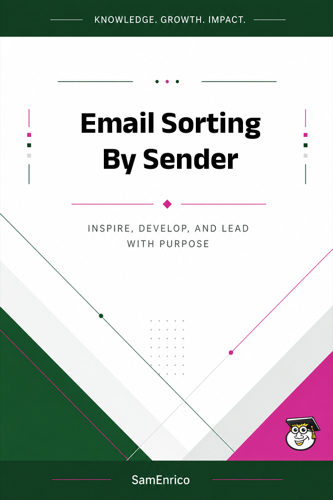
Non-FictionBusiness BriefEmail Strategy
Email Sorting By Sender eBook
Group emails by sender to process all messages fro
Group emails by sender to process all messages from one person at once.
Formats
Free sample
Chapter 1: The Invisible Thief--–- Let me tell you about the most expensive free feature in the history of software.It comes pre-installed on every email client. It costs nothing to use. It requires no training, no special hardware, no subscription fee. And it is quietly stealing between twenty-three and thirty-one minutes of your life every single day. Not your money.
Not your coffee break. Your actual, irreplaceable, never-coming-back minutes.The feature is called "sort by date." And it is a trap.I realize that sounds dramatic. I realize you have been sorting your email by date for years, perhaps decades, and you have never thought twice about it. That is precisely the problem. The chronological inbox has become so invisible, so unquestioned, that most people do not even realize it is a choice.
They assume email just works that way. They assume the person who emailed most recently is the person who deserves their attention next.That assumption is costing you hours every week. It is fragmenting your focus, eroding your relationships, and leaving you exhausted at the end of days when you feel like you accomplished nothing. The culprit is not your workload, not your boss, not your clients. The culprit is a design decision made in the 1990s that everyone copied and no one has challenged.This chapter is going to make you angry about that design decision.
It is going to show you, with research and stories and hard numbers, how the chronological inbox has been quietly taxing your attention. And by the time you finish reading, you are going to see your email client in a completely different way. Not as a neutral tool. As a system with hidden biases. Biases that you can finally correct.The Hidden Tax on Your Attention Let me start with a number that should bother you: twenty-eight.That is the average number of minutes per day that knowledge workers lose to context switching while processing email.
I did not invent this number. It comes from multiple peer-reviewed studies on task-switching costs in digital work environments. Researchers have measured the time it takes for the human brain to disengage from one task and reorient to another. They have tracked how often people switch between senders. They have calculated the cumulative loss.Twenty-eight minutes per day.
One hundred and forty minutes per five-day workweek. Over eleven hours per month. Nearly six full workweeks per year.That is the hidden tax. You pay it every time you open your inbox. And unlike income tax, you get nothing back for it.
No roads, no schools, no public services. Just fragmentation and fatigue.Here is what actually happens when you process email chronologically. You open your inbox. The first message is from your boss, asking for an update on the Henderson project. Your brain loads a complex context: your relationship with your boss (authority, expectations, recent interactions), the Henderson project (status, deadlines, outstanding questions), and the emotional tone of previous communications.
You read. You respond.Seven seconds later, you open the second message. It is from a vendor with an invoice. Your brain now has to unload the boss context and load the vendor context: payment terms, budget availability, whether this matches your records. You read.
You forward to accounting.Eleven seconds later, the third message. Your child's school about parent-teacher conferences. Unload vendor. Load family. Different emotional register, different urgency, different expectations.By the tenth message, you have switched contexts ten times.
Each switch costs between thirty and sixty seconds of cognitive overhead—the time it takes to reorient, to recall where you left off, to remember what you last told this person. On a hundred-email day, that is fifty to one hundred minutes of pure switching cost. Not processing. Not responding. Just switching.This is not multitasking.
This is task-switching, and your brain is terrible at it. Every switch leaves behind something psychologists call "attention residue"—a lingering mental trace of the previous task that reduces your cognitive capacity for the new one. You think you have moved on, but part of your mind is still thinking about your boss while you read the vendor's invoice. You are operating at partial capacity. You are spending your attention twice—once on the task you left and once on the task you started.The chronological inbox does not just make you slower.
It makes you dumber, in the moment, with every switch.The Scattered Client Day: A True Story Let me make this concrete with a story about a project manager I will call Sarah. Sarah works for a marketing firm. She has one large client that generates about twelve emails per day across various projects. These emails arrive interspersed with messages from thirty other senders—her boss, other clients, vendors, team members, newsletters, her gym, her mother.On a typical day, Sarah processes her email chronologically because that is how her Outlook has been configured since she started working there nine years ago. She has never changed it.
She has never considered changing it. Email comes in, she answers it, she moves on.Here is what happens on one particular Tuesday.Email #2 from the client: a minor question about a logo file. Sarah answers it immediately. "Yes, we can use the blue version." Done.Email #7 from the client: an urgent request to revise a project deadline. Sarah panics, adjusts the schedule, and responds.
"Deadline moved to Friday." Done.Email #11 from the client: a clarification that completely changes the context of email #2. The client explains that the blue version of the logo is being retired. They need the green version. But Sarah already answered email #2. She told them to use blue.
Her earlier response is now incorrect, even embarrassing. She has to send a follow-up apology. "Correction: please use the green version."The client is confused. Sarah is frustrated. And the entire problem could have been avoided if she had seen all twelve client emails together.Now imagine Sarah had grouped her inbox by sender instead of by date.
All twelve client emails would appear in a single cluster. She would open the group. She would read the most recent message first (email #11), see that it changes the context of earlier messages, read backward through the conversation, and then respond to everything in one coherent batch. No contradiction. No confusion.
No apology.The chronological inbox set Sarah up to fail. It presented information out of order. It forced her to act on incomplete context. And then it punished her for not being omniscient. This is not a personal failing.
This is a systems failure. And it happens hundreds of times per day to millions of workers.The Executive Assistant's Whiplash Consider another story, this one about Marcus, an executive assistant who supports three C-suite executives at a technology company. Marcus processes roughly two hundred emails per day. His inbox is not a tool. His inbox is his job.When Marcus processes chronologically, his day is a blur of whiplash.9:02 AM: Email from the CEO about board meeting logistics.
Marcus responds.9:04 AM: Email from the CFO about an expense report. Marcus responds.9:07 AM: Email from the CEO again, this time about a client proposal. Marcus…
This is the end of the free sample. Get the eBook to keep going. Buy now
About this book
Details
- Author
- Unger Leighann
- Publisher
- SamEnrico
- Language
- English
- Genre
- Non-Fiction, Business Brief, Email Strategy
- Released
- 2026-06-07
- Pages (approx.)
- 152
- Available as
- eBook, Audiobook

Read better in the ZLOADR app
Your eBooks on your phone or tablet. Sign in with your SamEnrico account and start reading.
More by Unger Leighann
 Personal Branding for Sales ProfessionalsUnger Leighann$11.99
 Freddie Mercury Untold JourneyUnger Leighann$11.99
 Small Town Moves After FiftyUnger Leighann$11.99
 Decision Making Stress CouplesUnger Leighann$11.99
 Posture Confidence HypnosisUnger Leighann$11.99
 Grieving Job Loss GuideUnger Leighann$11.99
 Scheduling for EntrepreneursUnger Leighann$11.99
 The Iron Spine of Europe: Gustave Eiffel and the Age of SteelUnger Leighann$11.99
 Love and Liberty: The Siege of Yorktown Through the Eyes of a Spy and a SoldierUnger Leighann$11.99
 How to Produce Plumbing FixturesUnger Leighann$11.99
 Exploring Flemish Painting: Van Eyck to RubensUnger Leighann$11.99
 How to Produce Diving and Snorkeling Equipment SetsUnger Leighann$11.99
You may also like
 Hong Kong Handover 1997Dunn Johnnie$11.99
 Zumba For Postnatal Recovery CourseNeal Christian$11.99
 Zumba for BeginnersLadner Nikia$11.99
 YouTube Comment Mining GuideHumes Pandora$12.99
 Worry Box MeditationCarlin Rudy$11.99
 Workplace Stress MeditationNguyen Lynn$11.99
 Workplace Stress and Sleep RepairHawley Ivory$11.99
 Workplace Perfectionism CureDelaney Jeffry$11.99
 Workplace Injustice Anger GuideWallen Isabelle$11.99
 Work Addiction and Burnout LinkGreenwood Ester$11.99
 Women in Yoga and WellnessBeattie Galina$11.99
 Women in Stand Up ComedyChun Evangeline$11.99