
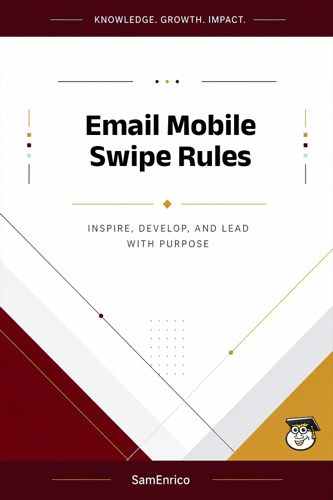
Non-FictionBusiness BriefMobile
Email Mobile Swipe Rules eBook
Set up swipe gestures on mobile email apps to arch
Set up swipe gestures on mobile email apps to archive or delete quickly.
Formats
Free sample
Chapter 1: The Thumb Decides--–- The average smartphone user touches their screen over 2,600 times per day. Of those touches, nearly 300 are inside their email app. And yet, almost none of those touches are deliberate. They are taps of frustration, swipes of indecision, and the slow, agonizing drag of a finger that doesn't know where to go. This book exists because your thumb—that unassuming, opposable digit—is currently the most underutilized productivity tool you own.
And it's costing you hours every single week.Let me paint a scene you will recognize. You are standing in a grocery store checkout line. Your phone buzzes. You pull it from your pocket and see the notification: "Re: Q3 projections" from your boss. You tap it.
The email opens. It's a detailed spreadsheet attachment, a paragraph of questions, and a request to "circle back by EOD." You stare at it for ten seconds. You lock the phone. You put it back in your pocket. The email remains unread, unarchived, undeleted.
It sits there like a ticking time bomb. Two hours later, you've forgotten it entirely. At 11 PM, while brushing your teeth, you remember. Panic sets in. You open your phone.
The email is now buried under seventeen new messages. You spend five minutes scrolling to find it. You reply hastily at midnight. You go to bed stressed.That ten-second stare in the grocery line was not neutral. It was a decision to not decide.
And that non-decision created a cascade of costs: mental load (the email occupied your subconscious for two hours), time waste (five minutes of scrolling), emotional tax (11 PM panic), and quality loss (a rushed, midnight reply). All because your thumb didn't know what to do.This chapter is about ending that paralysis. It is about transforming your thumb from a passive pointer into an active decision-maker. It is about understanding that on a mobile device, you are not a knowledge worker—you are a triage nurse. And triage nurses do not read patient files from cover to cover.
They glance, they categorize, they send the patient to the right room, and they move to the next body. That is your job now.The Great Misunderstanding: Mobile vs. Desktop Before we talk about swipes, we must talk about context. Most people make a catastrophic error: they treat their phone like a tiny desktop computer. They open emails on mobile with the same intention they would on a laptop—to read, to understand, to analyze, to reply.
This is a mistake. It is like using a scalpel to chop wood. The tool is wrong for the task.Let me be explicit. On a desktop computer—with a full keyboard, a large screen, a mouse, and the ability to have multiple windows open simultaneously—you are equipped for what productivity experts call "deep work." You can write a ten-page report. You can analyze a complex spreadsheet with twelve tabs.
You can compare three documents side by side. You can draft a thoughtful, nuanced reply to a difficult email. The desktop is a workshop.Your phone is not a workshop. Your phone is an emergency room.Consider the physical realities of mobile email processing. You are almost certainly doing it while distracted: standing in line, walking down a street, sitting in a waiting room, half-watching television, or—let's be honest—sitting on a toilet.
Your screen is between four and seven inches diagonally. Your typing speed is one-third of your desktop speed. Your ability to cross-reference information is nearly zero because switching between apps on mobile is cumbersome. Your battery might be at 12 percent. Your train might be arriving in ninety seconds.
These are not conditions for deep work. These are conditions for triage.Triage, in medical terms, is the process of determining the priority of patients based on the severity of their condition. A triage nurse does not perform surgery. A triage nurse does not run diagnostic tests. A triage nurse looks at a patient for a few seconds, asks two or three questions, and makes a split-second decision: "Go to Room 1 now," "Wait in the chairs," or "This is not an emergency; see your GP tomorrow." That is precisely what you need to do with every email that arrives on your phone.The triage mindset has four possible outcomes for any email, and only four.
Memorize them now:Outcome One: Delete. This email has no value. It is a shipping notification for an item that already arrived. It is a one-time password you already used. It is a confirmation for a meeting that already happened.
It is noise. Delete it. It leaves your life forever. (We will discuss the critical distinction between Delete and Unsubscribe in Chapter 11, but for now, know this: deleting a recurring newsletter is not enough—you must unsubscribe. Delete is for one-time ephemera.)Outcome Two: Archive.
This email has value as a reference but requires no action. It is a receipt for a major purchase you might need to return. It is a legal document. It is a personal note from a friend. It is something you want to be able to find via search in six months.
Archive it. Archiving does not delete. It simply moves the email out of your inbox and into a searchable repository. You will learn to trust search in Chapter 2.Outcome Three: Snooze. This email requires action, but not right now.
It is a bill due next Friday. It is a flight check-in that opens in twenty-four hours. It is a reminder to follow up with a client in three days. Snooze it. The email will disappear from your inbox and reappear at the exact moment you need it.
Snoozing is not procrastination. It is intelligent calendaring. We will devote all of Chapter 5 to mastering this superpower.Outcome Four: Move. This email requires action, but the action cannot be completed on your phone. It is a request to review a thirty-page document.
It is a complex question from your boss requiring research. It is an article you want to read but not right now. Move it to one of four holding folders: Hold (temporary, time-bound items), Act (tasks requiring your action), Read (articles and long-form content), or File (permanent reference). The Move action is the only two-step gesture in this entire system—a swipe followed by a single tap to select the folder. It is worth the extra fraction of a second because it keeps your inbox pristine.That's it.
There are no other legitimate outcomes for an email processed on mobile. You do not "leave it in inbox for later." You do not "mark it as unread to remember it." You do not "star it and hope." You choose one of four outcomes, execute the corresponding swipe (which you will learn in Chapter 3), and the email leaves your screen within two seconds.The Two-Second Rule This brings us to the most important discipline in this book: the Two-Second Rule. Here it is in plain language: If an email requires longer than two seconds of thought to categorize, you do not process it on mobile. Period. End of discussion.Let me repeat that because every reader will be tempted to ignore it.
Two seconds. That is the time it takes to inhale once. That is the time it takes to blink three…
This is the end of the free sample. Get the eBook to keep going. Buy now
About this book
Details
- Author
- Knudson Kennith
- Publisher
- SamEnrico
- Language
- English
- Genre
- Non-Fiction, Business Brief, Mobile
- Released
- 2026-06-07
- Pages (approx.)
- 134
- Available as
- eBook, Audiobook

Read better in the ZLOADR app
Your eBooks on your phone or tablet. Sign in with your SamEnrico account and start reading.
More by Knudson Kennith
 Global Tech Talent Migration ReportKnudson Kennith$11.99
 Sinead OConnor Nothing ComparesKnudson Kennith$11.99
 Remote Worker Time BlockKnudson Kennith$11.99
 H&M Outfit Comparison GuideKnudson Kennith$11.99
 The Startup Financial ModelKnudson Kennith$11.99
 Time Blocking for ChefsKnudson Kennith$11.99
 Scripting for Study FocusKnudson Kennith$11.99
 The Cairo Library Wars: A Battle for Knowledge in the Heart of Egypt (1920s)Knudson Kennith$11.99
 The Lion’s Den: The 1920s Nairobi Zoo Murders and the Hunt for a KillerKnudson Kennith$11.99
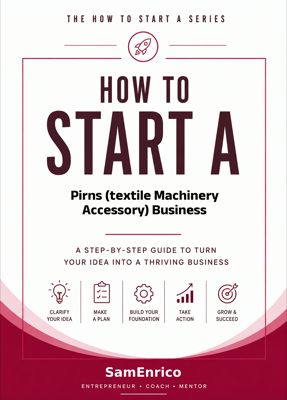 How to Start a Pirns (textile Machinery Accessory) Business (Beginners Guide)Knudson Kennith$11.99
 How to Produce Pommel HorsesKnudson Kennith$11.99
 Exploring Panel Painting: Wood Support & TemperaKnudson Kennith$11.99
You may also like
 Hong Kong Handover 1997Dunn Johnnie$11.99
 Zumba For Postnatal Recovery CourseNeal Christian$11.99
 Zumba for BeginnersLadner Nikia$11.99
 YouTube Comment Mining GuideHumes Pandora$12.99
 Worry Box MeditationCarlin Rudy$11.99
 Workplace Stress MeditationNguyen Lynn$11.99
 Workplace Stress and Sleep RepairHawley Ivory$11.99
 Workplace Perfectionism CureDelaney Jeffry$11.99
 Workplace Injustice Anger GuideWallen Isabelle$11.99
 Work Addiction and Burnout LinkGreenwood Ester$11.99
 Women in Yoga and WellnessBeattie Galina$11.99
 Women in Stand Up ComedyChun Evangeline$11.99