
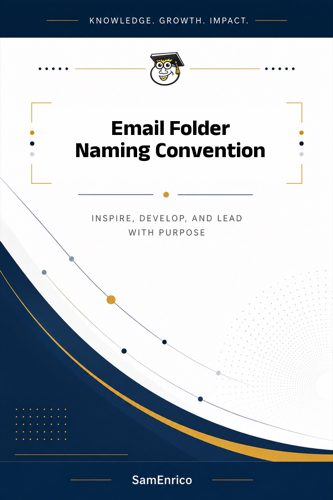
Non-FictionBusiness BriefStandards
Email Folder Naming Convention eBook
Standardizes folder names for team wide understand
by Reiter Maris
Standardizes folder names for team wide understanding.
Formats
Free sample
Chapter 1: The $10,000 Search--–- The email landed in my inbox at 2:47 PM on a Tuesday. The subject line read: "URGENT: Bid Submission Deadline Tomorrow." The problem was not the urgency. The problem was that I had no idea where the previous six months of correspondence with that client had gone. I typed "Acme Corp" into the search bar. Nothing.
I tried "Acme." Still nothing. I tried "invoice," "contract," "Q3 proposal," and the name of the project manager. Forty-five minutes later, I found the thread buried in a folder named "Miscellaneous – Old Stuff." My colleague had filed it there before leaving the company three months earlier. We lost the bid. Not because our work was weak, but because we could not find our own documentation in time.
That single folder name cost the firm $187,000.This is not a story about bad luck. This is a story about a broken system. And if you are reading this book, you have felt the same frustration. You have scrolled through a folder pane filled with names like "Stuff," "To Sort," "Archive," "Old," "Temp," or the most dangerous folder of all: a former employee's initials. You have wasted hours searching for emails you knew existed.
You have asked a colleague "Where did you file that?" and received a blank stare or a shrug. You have told yourself that the solution is simply to search better, to remember more keywords, or to clean everything up "next quarter."Here is the truth that will save your team thousands of hours and dollars: Search is not a strategy. Organization is not a personality trait. And folder names are not neutral.This chapter will quantify the true cost of naming chaos, dismantle the myths that keep teams stuck, and introduce the foundational principle upon which every subsequent chapter builds: the "Zero-Cognitive-Load" taxonomy. By the time you finish these pages, you will never look at a folder named "Misc" the same way again.The Real Cost of "I'll Just Search for It"Let us begin with a simple exercise.
Gather your team—or just yourself if you are a solo operator—and answer this question honestly: In an average workweek, how many minutes do you spend searching for emails that you know exist but cannot immediately locate?Do not guess. Track it for three days. Every time you open the search bar because you cannot find a filed email, start a timer. Every time you open a folder, close it, open another, close it, and then try a third, count that time. Every time you ask a teammate "Where did you put the invoice from last month?" log the minutes.The data from organizations that have done this exercise is sobering.
Across industries—legal, healthcare, technology, non-profit, education—the average knowledge worker loses between 15 and 30 minutes per day to email search friction. That is 1.25 to 2.5 hours per week. For a team of ten people, that translates to 12.5 to 25 hours per week. At a conservative blended salary of $50 per hour (including benefits and overhead), that is $625 to $1,250 per week. Over 48 working weeks per year, that is $30,000 to $60,000.
And that calculation excludes the cost of errors, missed deadlines, duplicated work, and the quiet burnout that comes from constant context switching.The architectural firm mentioned at the opening of this chapter did not lose $187,000 because of a single search failure. They lost that money because their chaotic naming system had created a slow, cumulative drag on every single employee, every single day, for years. The misfiled invoice was simply the moment when that drag became visible as a catastrophic loss.This is the first myth that must die: Email search tools are good enough.They are not. Search relies on keywords. Keywords rely on memory.
Memory fails when you are tired, when you are distracted, when you are new to a team, or when you are searching for something filed by someone else. Search also fails when emails are archived, when attachments are stripped, when threads are broken, or when a well-meaning colleague renames a folder without telling anyone. Search is a safety net, not a foundation. You would not build a house on a trampoline. Do not build your information system on search alone.The Psychology of Digital Clutter Why do smart, well-intentioned people create terrible folder names?
The answer is not laziness or incompetence. The answer is cognitive load.Your brain has a limited amount of working memory. Every decision you make—what to eat for lunch, how to respond to an email, what to name a folder—consumes a small amount of that mental energy. When you are filing an email at 4:45 PM on a Friday, your brain is exhausted. It does not want to invent a precise, descriptive, future-proof folder name.
It wants to put the email somewhere, anywhere, and go home. So you type "Misc" or "To Sort" or "Later." You tell yourself that you will clean it up next week. But next week brings its own exhaustion, and the folder grows.This is not a moral failing. This is a design problem. Your naming system must work with human psychology, not against it.
If the correct folder name requires more than three seconds of thought, your system will fail. If the folder name requires remembering an acronym, a code, or a proprietary abbreviation, your system will fail. If the folder name can be interpreted in two different ways, your system will fail.The most successful naming conventions are what information scientists call "zero-cognitive-load" taxonomies. A new employee should be able to look at your folder list and know, instantly and without training, where to file an email from a client, an invoice, a legal notice, or an internal meeting request. If they have to ask, the system has already lost.Consider an example.
Which of these folder names requires zero cognitive load?Option A: "Cust_Comm_Q3"Option B: "Client Correspondence - Q3"Option C: "Clients_2024_Q3_Correspondence"Option A fails because "Cust" could mean customer, custody, or custom. Option B uses spaces, which will break sorting and cross-platform compatibility (a topic we will explore in Chapter 4). Option C—with underscores, a clear date hierarchy, and unambiguous terms—succeeds because a stranger can read it aloud and understand exactly what it contains.The "Just Use Search" Fallacy, Deconstructed Let me anticipate an objection. Some readers will say, "I never file anything. I just archive everything and use search.
It works fine for me."To that reader, I ask: Do you work entirely alone? Do you never need to find an email that someone else received? Do you never take vacation, get sick, or change roles? Do you never need to produce an email for an audit, a legal request, or a client dispute?If the answer to any of these questions is "no," then your personal search habit is a liability for everyone else on your team. Search works for you because you remember your keywords, your phrasing, and your mental model of where things belong.
But when you are out sick, and a colleague needs to find the signed contract you received last month, they are not inside your head. They are staring at a folder…
This is the end of the free sample. Get the eBook to keep going. Buy now
About this book
Details
- Author
- Reiter Maris
- Publisher
- SamEnrico
- Language
- English
- Genre
- Non-Fiction, Business Brief, Standards
- Released
- 2026-06-10
- Pages (approx.)
- 146
- Available as
- eBook, Audiobook

Read better in the ZLOADR app
Your eBooks on your phone or tablet. Sign in with your SamEnrico account and start reading.
More by Reiter Maris
 The Interstitial Cystitis GuideReiter Maris$11.99
 Pinterest VA For Recipe BloggersReiter Maris$11.99
 Conversation Starters for TailgatesReiter Maris$11.99
 Oral Contraceptives Breast CancerReiter Maris$11.99
 Into the Abyss: The Deep-Sea Pioneers of the Mariana TrenchReiter Maris$11.99
 Echoes of the Cosmic Dawn: The Voyager Golden Record's Time CapsuleReiter Maris$11.99
 Understanding Coloboma of Macula Type B BrachydactylyReiter Maris$17.99
 Development Impact TaxReiter Maris$11.99
 Pre Seed Runway PlanningReiter Maris$12.99
 Customer Call BlockingReiter Maris$12.99
 How to Start a Short Line Railroads BusinessReiter Maris$11.99
You may also like
 Hong Kong Handover 1997Dunn Johnnie$11.99
 Zumba For Postnatal Recovery CourseNeal Christian$11.99
 Zumba for BeginnersLadner Nikia$11.99
 YouTube Comment Mining GuideHumes Pandora$12.99
 Worry Box MeditationCarlin Rudy$11.99
 Workplace Stress MeditationNguyen Lynn$11.99
 Workplace Stress and Sleep RepairHawley Ivory$11.99
 Workplace Perfectionism CureDelaney Jeffry$11.99
 Workplace Injustice Anger GuideWallen Isabelle$11.99
 Work Addiction and Burnout LinkGreenwood Ester$11.99
 Women in Yoga and WellnessBeattie Galina$11.99
 Women in Stand Up ComedyChun Evangeline$11.99