
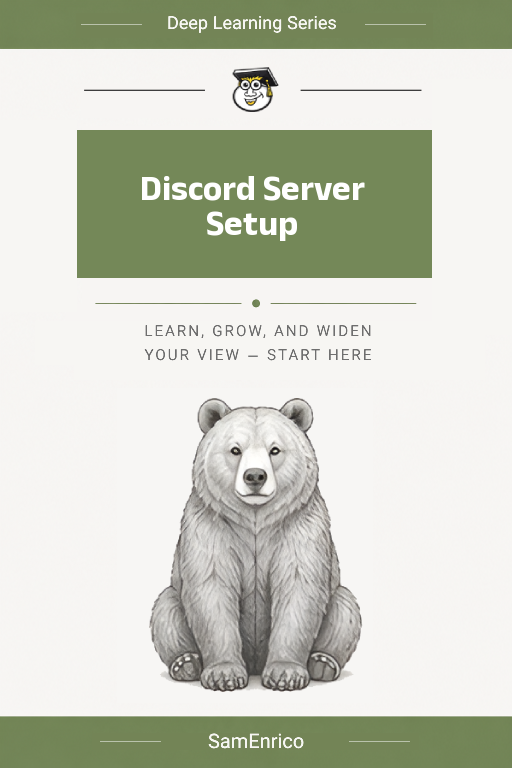
Non-FictionStartup GuideDiscord SetupChannel Planning
Discord Server Setup eBook
Create three channels: announcements, feedback, an
Create three channels: announcements, feedback, and off-topic for early users.
Formats
Free sample
Chapter 1: The Digital Clubhouse...–- The first time Mira opened Discord, she felt lost. Text channels lined the left side like a crowded filing cabinet. Voice channels lurked below them, promising real-time conversation she was not ready for. Icons, emojis, and notification badges competed for her attention. She had clicked “Create Server” with a clear goal—build a community for her small business’s beta testers—but the interface offered no handrails, no welcome mat, no “start here” arrow.
She was the owner of a server she did not understand. Three hours later, after accidentally @everyone pinging her fourteen members at 2:00 AM and creating a channel named “new-channel-5” that she could not delete, Mira closed her laptop and wondered if she had made a terrible mistake.Mira’s story is not unusual. It is the default. Discord has grown into the most powerful community platform on the internet—over 500 million registered users, millions of active servers, and a ecosystem that supports everything from homework help to billion-dollar businesses—but its power comes with complexity. Unlike the social media platforms that trained us to scroll, like, and move on, Discord demands deliberate construction.
You cannot post your way into a thriving server. You have to build it.This chapter is your foundation. Before you create a single channel or invite a single member, you need to understand what Discord actually is under the hood. Not the buttons and menus—those change. The architecture.
The three fundamental building blocks that every server, from a three-person study group to a hundred-thousand-member gaming empire, is built from: servers, channels, and permissions. Master these, and you will never feel lost again. Skip them, and you will be Mira at 2:00 AM, wondering why your server feels like chaos.What Is a Discord Server? (The Virtual Clubhouse)A Discord server is a persistent, invitation-only digital space where communities gather to communicate. Think of it as a virtual clubhouse that you own.
You decide who gets a key. You decide which rooms exist. You decide who can speak in which rooms and who gets to make decisions. Unlike a physical clubhouse, your Discord server exists everywhere and nowhere—accessible from Tokyo at 3:00 PM and New York at 2:00 AM, from a gaming PC or a phone at a bus stop.Servers are not public by default. They exist behind invite links that you control.
This privacy is what makes Discord different from Twitter, Reddit, or public forums. You are not broadcasting to the world. You are building a space for a specific group of people around a specific purpose. That purpose might be gaming, but it might also be a book club, a professional association, a customer support hub, a creative collective, a classroom, or a group of friends who just want to stay in touch.The size of a server can range from two people to two hundred thousand. Discord scales seamlessly—the same tools that work for a small friendship server also work for massive public communities.
But scaling requires structure. A server with ten friends can survive on a single #general channel and a single voice channel. A server with ten thousand members needs categories, channels, roles, permissions, bots, and moderation teams. The difference between a server that thrives at scale and one that collapses is not luck. It is architecture.Friend Servers vs.
Community Servers. Discord offers two primary server types, and understanding the difference saves confusion later. Friend Servers are private, invitation-only spaces designed for small groups of people who already know each other. These servers prioritize ease of use over advanced features. They come with fewer setup requirements and assume a baseline of trust among members.
Friend servers are perfect for gaming groups, study circles, or keeping in touch with close friends across distances.Community Servers are larger, structured spaces designed for public-facing communities. They include advanced features like server analytics (tracking member growth and engagement), welcome screens (customizable landing pages for new members), announcement channels that other servers can follow (extending your reach), and discovery tools that help new members find you through Discord’s Server Discovery feature. Community servers also have additional safety requirements: enabled 2FA for moderators, a dedicated rules channel, and verification level minimums. Most servers start as Friend Servers and evolve into Community Servers as they grow past a few hundred members. This book covers both, but the architecture principles apply equally.The Building Block: Channels (Where Conversation Lives)Inside every server are channels.
Channels are where communication actually happens. If the server is the clubhouse, channels are the rooms—the living room for general chat, the library for focused discussion, the game room for voice chat, the auditorium for presentations. Discord offers three channel types, each serving a different communication mode. Choosing the right channel type for the right purpose is the first design decision you will make.Text Channels: The Written Word. Text channels are for written conversation.
Members type messages, share files, post links, react with emojis, and reply to each other. Everything sent in a text channel remains visible to members with access, creating a persistent, searchable history. This persistence is a feature, not a bug. Unlike ephemeral chat apps where messages disappear, Discord’s text channels become an archive of your community’s knowledge. When a new member asks a question that was answered last month, someone can link to the old message.
When a decision was made, the reasoning is still visible.Text channels work best when they have clear topics. A channel named #general signals “talk about anything within our community’s purpose.” A channel named #game-discussion signals “keep it focused on game strategy, not off-topic banter.” A channel named #announcements signals “only server news here—no replies.” Without clear topics, text channels devolve into noise. Members do not know where to post, so they post everywhere. Moderators spend their time moving messages instead of building community.Voice Channels: Real-Time Connection. Voice channels are for real-time audio conversation.
When you join a voice channel, you can speak with anyone else in that channel using your microphone. Voice channels do not ring or send notifications when someone joins. Members simply appear, and others can see them and join the conversation naturally. This low-friction design is intentional—voice channels are meant to feel like walking into a room where people are already talking, not like receiving a phone call.Voice channels also support video, screen sharing, and game streaming. You can see your friends’ faces, watch them play games, or share your own screen for collaboration.
A design team can walk through a prototype together. A study group can review a document. A gaming group can watch each other’s gameplay. The voice channel becomes a multimodal space, not just audio.Stage Channels: Presentations and Panels. Stage channels are a special type of voice channel designed for presentations and events.
In a Stage channel, a small group of “speakers” address an audience of “listeners.” Listeners cannot speak unless they raise their hand and the moderator grants them permission. Stage channels are ideal for AMAs (Ask Me Anything), lectures, panels, community town halls, and live readings. They create a clear distinction between performers and…
This is the end of the free sample. Get the eBook to keep going. Buy now
About this book
Details
- Author
- Slocum Sharleen
- Publisher
- SamEnrico
- Language
- English
- Genre
- Non-Fiction, Startup Guide, Discord Setup, Channel Planning
- Released
- 2026-05-29
- Pages (approx.)
- 142
- Available as
- eBook, Audiobook

Read better in the ZLOADR app
Your eBooks on your phone or tablet. Sign in with your SamEnrico account and start reading.
More by Slocum Sharleen
 Messner South Tyrol YouthSlocum Sharleen$11.99
 Desk Plant Focus AnchorSlocum Sharleen$11.99
 NVC For Jealousy GuideSlocum Sharleen$11.99
 Teresa's Reform of CarmelSlocum Sharleen$11.99
 Restless Leg Syndrome Vitamin D GuideSlocum Sharleen$11.99
 Assertiveness vs Aggression at WorkSlocum Sharleen$11.99
 Cash Flow for HotelsSlocum Sharleen$11.99
 Thatcher Iron LadySlocum Sharleen$11.99
 Downward Arrow Anger ProbeSlocum Sharleen$11.99
 The Lost Codex: How a 14th-Century Bible Vanished from a Spanish MonasterySlocum Sharleen$11.99
 The Abyss Below: Edmund Halley’s Lost River and the Birth of SpeleologySlocum Sharleen$11.99
 Simon Fraser: The Pathfinder of British ColumbiaSlocum Sharleen$11.99
You may also like
 Hong Kong Handover 1997Dunn Johnnie$11.99
 Zumba For Postnatal Recovery CourseNeal Christian$11.99
 Zumba for BeginnersLadner Nikia$11.99
 YouTube Comment Mining GuideHumes Pandora$12.99
 Worry Box MeditationCarlin Rudy$11.99
 Workplace Stress MeditationNguyen Lynn$11.99
 Workplace Stress and Sleep RepairHawley Ivory$11.99
 Workplace Perfectionism CureDelaney Jeffry$11.99
 Workplace Injustice Anger GuideWallen Isabelle$11.99
 Work Addiction and Burnout LinkGreenwood Ester$11.99
 Women in Yoga and WellnessBeattie Galina$11.99
 Women in Stand Up ComedyChun Evangeline$11.99