
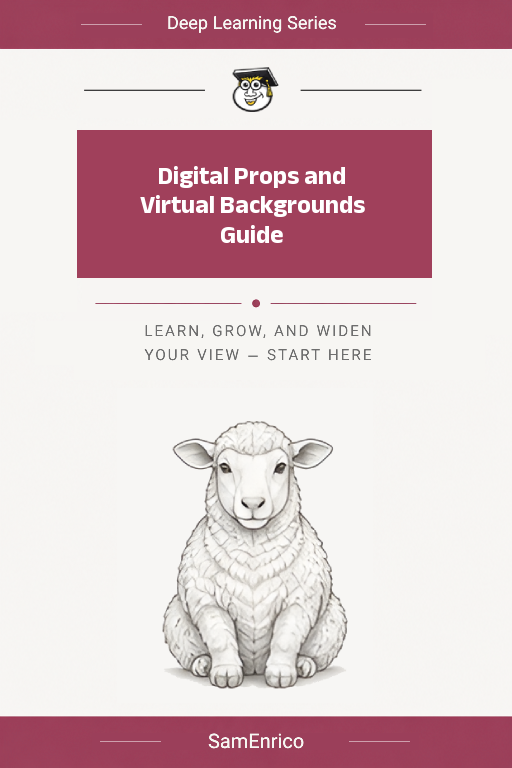
Non-FictionSide Hustle ArchitectVirtual Teaching
Digital Props and Virtual Backgrounds Guide eBook
Uses engaging digital props, reward systems, and v
Uses engaging digital props, reward systems, and virtual backgrounds to keep Chinese students focused during online English lessons.
Formats
Free sample
Chapter 1: The Plastic Graveyard...–- It was 10:47 PM on a Tuesday when Jessica, a veteran online English teacher with over 2,000 lessons under her belt, found herself crawling on her hands and knees behind her desk. She was searching for a plush banana that had fallen off her green screen for the third time that evening. Her next student, a seven-year-old boy in Shanghai named Leo, was already waiting in the virtual classroom. The timer on her screen showed 00:02:34 – two minutes and thirty-four seconds of dead air. Jessica could see Leo’s mother peeking over his shoulder, her expression shifting from patience to concern and then, unmistakably, to judgment.
In that moment, Jessica wasn’t a professional educator with a degree in TESOL. She was a woman holding a dusty banana, questioning every career choice she had ever made.The banana was supposed to be a prop for a food vocabulary lesson. But it had rolled off her makeshift desk, taking with it Jessica’s confidence, her student’s focus, and quite possibly her next contract renewal. Leo, meanwhile, had started drawing on his screen with the Zoom annotation tool – a sure sign of disengagement that every online teacher dreads. By the time Jessica resurfaced, breathless and apologetic, the lesson was already lost.
Leo answered in monosyllables. The mother’s feedback after class was polite but chilly: “Thank you. We will consider other options.”Jessica’s story is not unique. It is repeated thousands of times every single day across the online teaching universe. And it reveals a fundamental truth that most teacher training programs refuse to acknowledge: physical props are quietly sabotaging your online classroom.This chapter is not a condemnation of your favorite stuffed animals or your lovingly laminated flashcards.
They served you well in physical classrooms. But the digital medium has different physics, different psychology, and different expectations. What worked in a brick-and-mortar school will actively work against you when your students are separated from you by a screen, a firewall, and a thousand miles of fiber optic cable. We are going to examine why traditional props fail online, introduce the concept of digital prop layering, and establish the Hybrid Rule – a practical compromise that acknowledges reality while pushing you toward a more effective future.The Four Fatal Flaws of Physical Props in a Virtual Classroom Before we can embrace what works, we must understand why what we used to do no longer serves us. Physical props are not merely less effective online; in many cases, they are destructive to the learning experience.
Let us dissect the four fatal flaws.Flaw #1: The Gaze Shift (or Why You Look Like You’re Lying)When you look away from your webcam to reach for a prop, you break eye contact. In a physical classroom, glancing at a flashcard on your desk is natural; students see you, the card, and their classmates simultaneously. But online, your webcam is the only window into your face. When you look down or to the side, you appear to be looking away from the student. Psychologically, this triggers a sense of abandonment or disinterest.
The student’s brain, wired for in-person social cues, interprets your shifted gaze as a sign that you are no longer fully present. Children, especially those aged five to twelve, are exquisitely sensitive to this. They will not consciously think, “My teacher looked away for three seconds.” Instead, they will feel a subtle drop in connection, and their attention will wander to the spinning loading icon, their own reflection, or the toy beside their keyboard.Flaw #2: The Auditory Assault (Muffled Chaos)Your microphone is not a human ear. It cannot filter out the sound of paper crinkling, Velcro tearing, or plastic squeaking the way your brain can. When you shuffle through a box of props, your students hear a distracting, often unpleasant noise that competes with your voice.
Worse, many USB microphones are sensitive to vibrations; placing a heavy prop down on your desk can transmit a low-frequency thump that sounds like distant thunder. If you are using a headset microphone, the sound of your own hands rifling through a drawer is often picked up and amplified. The result is a lesson that sounds cluttered and unprofessional. Parents paying premium rates for one-on-one instruction do not want to hear the audio equivalent of someone rummaging through a junk drawer.Flaw #3: The Vanishing Act (Proportional Disaster)Consider the size of your face on a student’s screen. On a typical laptop or tablet, your head occupies perhaps 10 to 15 percent of the display area.
A physical flashcard held up to your webcam must be small enough to fit within the frame, but large enough to read. This is a narrow window. If you hold the card too close, it blurs (webcams have fixed focal lengths). If you hold it too far, the text is illegible. If you tilt it slightly, glare from your ring light obscures the image.
And if you have multiple props, you will inevitably drop one, fumble another, or knock over your carefully arranged background. The physical prop becomes a liability – a small, awkward object that demands precise manipulation at the worst possible moments.Flaw #4: The Context Collapse (Why a Plush Bear Means Nothing)In a physical classroom, a teddy bear can be a conversation partner. You hold it up, wiggle it, and speak in a silly voice. The children laugh and respond. Online, however, the same teddy bear appears flat, motionless (unless you animate it manually), and significantly less magical.
The student has seen You Tube videos with 3D animated characters. They have played i Pad games where rewards explode into confetti. Your static, slightly pixelated plush bear cannot compete. The context of the internet has raised expectations. Physical props, when viewed through a webcam, look like what they are: objects held in front of another object.
The illusion of shared reality is broken. The student is reminded that you are not in the same room, that this is a broadcast, not a conversation.The Digital Alternative: Layering Over Reaching The solution is not to eliminate props entirely – that would be like removing all visual aids from a kindergarten classroom. The solution is to layering digital assets over your video feed, rather than reaching for physical objects. This distinction is critical.Digital prop layering means that images, animations, text, and effects appear on the screen without you moving, touching, or even looking away from the camera. They are triggered by keyboard shortcuts, mouse clicks, or even voice commands (with the right software).
The student sees a star fly across the screen, a trophy appear beside your head, or a background change from a classroom to a jungle – all while you maintain perfect eye contact and continue speaking without interruption.The difference in student response is not subtle. In a controlled comparison (discussed in more detail in Chapter 5), teachers who used digital layered rewards saw a 40 percent increase in student speaking turns compared to those using physical stickers or toys. Why? Because digital rewards are instantaneous and non-disruptive. The student answers correctly, and within the same second, a visual reward appears.
There is no pause, no fumbling, no apology. The flow of conversation continues, and the student is motivated to produce…
This is the end of the free sample. Get the eBook to keep going. Buy now
About this book
Details
- Author
- Healy Angelia
- Publisher
- SamEnrico
- Language
- English
- Genre
- Non-Fiction, Side Hustle Architect, Virtual Teaching
- Released
- 2026-05-29
- Pages (approx.)
- 143
- Available as
- eBook, Audiobook

Read better in the ZLOADR app
Your eBooks on your phone or tablet. Sign in with your SamEnrico account and start reading.
More by Healy Angelia
 Progressive Muscle Relaxation WorkHealy Angelia$11.99
 MBSR For Anger Management GuideHealy Angelia$11.99
 PCOS Travel Eating GuideHealy Angelia$11.99
 Empty Room Visualization GuideHealy Angelia$11.99
 The William Lawrence Bragg Youngest WinnerHealy Angelia$11.99
 The Timbuktu Scholars: Guardians of the Golden Age of KnowledgeHealy Angelia$11.99
 Terms of Service Privacy Combo GuideHealy Angelia$12.99
 Toner Cartridge Replacement (Large Copiers)Healy Angelia$11.99
 Understanding Osteopathia Condensans Disseminata With OsteopoikilosisHealy Angelia$17.99
 How to Start a Christmas Decorations Made of Paper Business (Beginners Guide)Healy Angelia$11.99
You may also like
 Hong Kong Handover 1997Dunn Johnnie$11.99
 Zumba For Postnatal Recovery CourseNeal Christian$11.99
 Zumba for BeginnersLadner Nikia$11.99
 YouTube Comment Mining GuideHumes Pandora$12.99
 Worry Box MeditationCarlin Rudy$11.99
 Workplace Stress MeditationNguyen Lynn$11.99
 Workplace Stress and Sleep RepairHawley Ivory$11.99
 Workplace Perfectionism CureDelaney Jeffry$11.99
 Workplace Injustice Anger GuideWallen Isabelle$11.99
 Work Addiction and Burnout LinkGreenwood Ester$11.99
 Women in Yoga and WellnessBeattie Galina$11.99
 Women in Stand Up ComedyChun Evangeline$11.99