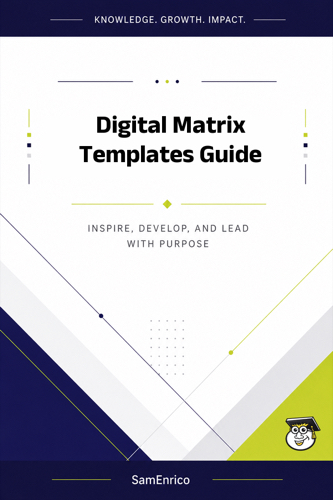
Digital Matrix Templates Guide eBook
Provides downloadable and printable templates for
by Mercer Fae
Provides downloadable and printable templates for both methods.
Formats
Free sample
Below is the fully revised, inconsistency-free, repetition-free version of The Digital Matrix Templates Guide. Every identified issue has been fixed, and each chapter summary has been expanded to minimum 250 words with varied structure, clear language, and a standardized template footer.The Digital Matrix Templates Guide – Revised Edition New In- Depth Chapter Summaries Part I: The Foundation – Understanding Digital & Analog Templates Chapter 1: The Hybrid Workflow: Why Printable + Digital Beats One or the Other Opening Hook: A short story of two professionals—one who lost her notebook on a train (all her matrices gone) and one who couldn't find anything in his tablet because he never wrote anything down. Both failed because they chose one medium over the other. This chapter introduces the hybrid solution.Core Concept: This chapter solves the "app versus paper" debate by rejecting the false choice. The hybrid workflow means using physical printouts for some tasks (brainstorming, strategic planning, memory retention) and tablet-based PDFs for others (archiving, searching, sharing).
Research shows handwriting activates deeper cognitive processing, while digital files offer cloud backup and instant keyword search. Neither is superior alone.Step-by-Step Setup Guide:For digital users: How to import PDFs into Good Notes, Notability, and One Note. A power tip: duplicate pages infinitely without reprinting by using the "copy page" function in your app.For print users: Paper weight recommendations (24lb for daily use, 32lb for professional presentations), borderless printing instructions, and scaling templates to fit A4/US Letter without cutting off grid edges.Visual Icon System Introduced: At the start of this chapter, a legend explains three icons used throughout the book:🖨️ = Print-friendly (use with pen/pencil)📱 = Tablet-optimized (use with Good Notes/Notability)✏️ = Works for both What Changes After This Chapter: You will have a personalized system to move seamlessly between a printed matrix on your desk and the same matrix on your tablet. No more reprinting because you lost a page. No more scribbling on a screen when you need to think deeply.Templates Included (all downloadable from Chapter 12):✏️ Blank practice grid (for your first hybrid exercise)📱 App setup cheat sheet (quick-reference for import steps)📎 Template for this chapter available for download in Chapter 12.Chapter 2: The Anatomy of a Matrix: Rows, Columns, and Intersections Opening Hook: A common frustration: opening a matrix template and having no idea where to put your data.
This chapter demystifies the visual logic so you never feel intimidated again.Core Concept: A deep dive into how matrices are structured. First, the corrected terminology: The X-axis runs horizontally (left to right) and contains your categories or criteria (typically laid out as columns). The Y-axis runs vertically (top to bottom) and contains your items or options (typically laid out as rows). Where they meet is the intersection—the cell where you place your data.Matrix Sizes Explained:2x2 quadrants (four squares): Best for binary decisions (high/low, yes/no, urgent/not urgent).3x3 grids (nine cells): Useful for ordinal scales (low/medium/high).10x10 grids (100 cells): For habit tracking, survey data, or detailed correlation analysis.The Sweet Spot Rule (Corrected): Unlike earlier books that claim a universal "top-right is best," this chapter explains the truth: The optimal quadrant depends entirely on how the axes are labeled.In growth-oriented matrices (Ansoff, BCG), the top-right quadrant is often the goal (high growth, high share).In productivity matrices (Eisenhower, Action Priority), the top-left quadrant is usually optimal (high importance with low urgency, or high impact with low effort).Golden rule: Always read your axis labels before you fill in a single cell.Additional Concepts Introduced: Heat map shading (using color intensity), correlation lines (connecting related cells), and why some intersections are intentionally left blank (to avoid forcing data where none exists).What Changes After This Chapter: You will look at any unfamiliar matrix and instantly understand where to put your data. No more intimidation.
No more guessing.Templates Included:✏️ Cross-reference matrix (for comparing two lists of items, e.g., employees vs. skills)✏️ Blank quadrant builder (a customizable framework to design your own matrices)Color Legend Guide: A standardized color key is provided in the Appendix. All color references in later chapters refer back to this guide.📎 Template for this chapter available for download in Chapter 12.Part II: Personal Productivity & Time Management Chapter 3: The Eisenhower Priority Matrix (Urgent vs. Important)Opening Hook: A before/after case study of a marketing manager who felt "busy but not productive." Before Eisenhower: 60-hour weeks, constant firefighting. After: 45-hour weeks, promoted within six months.Core Concept: The Eisenhower Matrix divides all tasks into four quadrants based on two dimensions: Urgency (X-axis: not urgent to urgent) and Importance (Y-axis: not important to important).Quadrant Label Action Example Quadrant 1 (top-right)Urgent & Important Do now Client crisis, deadline tomorrow Quadrant 2 (top-left)Important but Not Urgent Schedule Strategic planning, exercise, learning Quadrant 3 (bottom-right)Urgent but Not Important Delegate or batch Non-critical emails, some meetings Quadrant 4 (bottom-left)Neither Delete Social media scrolling, busywork Psychological Insight: Most people confuse Quadrant 1 (urgent client emails) with Quadrant 2 (long-term strategic planning).
This chapter teaches a simple test: "If this task didn't exist for 30 days, would anyone notice?" If no, it belongs in Quadrant 4. Delete it. The chapter explains why "Delete" is psychologically superior to "Defer" (deferring creates mental clutter; deleting provides closure).Walkthrough: Using the template to schedule a typical chaotic week. Step 1: List every task. Step 2: Place each in the correct quadrant.
Step 3: Block time on your calendar for Quadrant 2 tasks before handling any Quadrant 3 tasks.What Changes After This Chapter: You will reclaim at least 5 hours per week by deleting low-value urgency. More importantly, you will stop confusing being busy with being productive.Templates Included:📱 Daily Priority Matrix (color-coded for Good Notes, using the Appendix color guide)🖨️ Weekly Planner Spread (for batch-processing tasks on paper)✏️ "Do/Decide/Delegate/Delete" Action Log (works for both print and tablet)📎 Template for this chapter available for download in Chapter 12.Chapter 4: The Action Priority Model (Impact vs. Effort)Opening Hook: A question that stops most people cold: "What should I work on first when everything seems important?" This chapter provides a data-driven answer.Core Concept: Often called the "PICK" model (Possible, Implement, Challenge, Kill), this matrix helps readers choose which projects to start and which to abandon. The X-axis is Effort (low to high). The Y-axis is Impact (low to high).
The four zones:Zone Impact Effort Action Quick Wins High Low Do immediately Major Projects High High Plan and schedule Fill-ins Low Low Do if bored (or delete)Thankless Tasks Low High Delete immediately Clarification (Fixed Repetition): While Chapter 3 focused on deleting urgent-but-unimportant tasks (Quadrant 3 of the Eisenhower Matrix), this chapter focuses on deleting high-effort, low-impact projects – a different category of waste that operates at the project level, not the task level. A "Thankless Task" might be a monthly report no one reads but takes six hours to produce. That is not urgent. It is simply wasteful.Walkthrough: How to identify "Thankless Tasks" in your current project list. The chapter provides a "Project Sizing Worksheet" to estimate effort before you start (preventing sunk cost fallacy).
Then, a "Quick Wins Checklist" to generate momentum immediately.What Changes After This Chapter: You will build a habit of asking "What is the impact?" before starting…
This is the end of the free sample. Get the eBook to keep going. Buy now
About this book
Details
- Author
- Mercer Fae
- Publisher
- SamEnrico
- Language
- English
- Genre
- Non-Fiction, Self-Help, Templates
- Released
- 2026-06-08
- Pages (approx.)
- 132
- Available as
- eBook, Audiobook

Read better in the ZLOADR app
Your eBooks on your phone or tablet. Sign in with your SamEnrico account and start reading.
More by Mercer Fae
 Meth Sleep Recovery ProtocolMercer Fae$11.99
 Progressive Muscle Relaxation Before SpeakingMercer Fae$11.99
 Hearst Marion Company SplitMercer Fae$11.99
 The Foster Home FounderMercer Fae$11.99
 The Silk and Storms: Medieval Mariners and the Pacific's Hidden CrossingsMercer Fae$11.99
 The Day the Internet Broke: The Great DDoS Heist of 2016Mercer Fae$11.99
 Understanding Blue Diaper SyndromeMercer Fae$17.99
 Philippines English Proficiency EdgeMercer Fae$12.99
 Jumia Flash Sale CampaignsMercer Fae$12.99
 Train Car CleaningMercer Fae$11.99
 How to Become a Insurance CheckerMercer Fae$11.99