
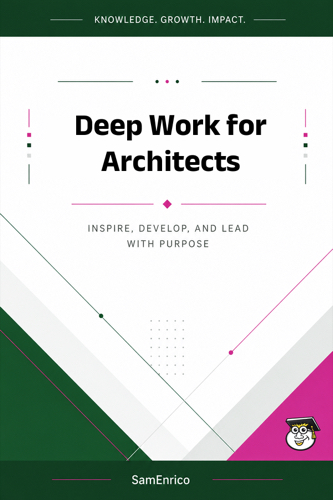
Non-FictionBusiness BriefArchitecture
Deep Work for Architects eBook
Block design and rendering hours during schematic
by House Mei
Block design and rendering hours during schematic and development phases.
Formats
Free sample
Chapter 1: The Myth of Motion--–- Elena’s cursor hovered over the render button. It was 6:47 PM on a Thursday. The client had emailed fourteen times since lunch. The structural engineer had left three voicemails about a column that didn’t align. Her team had asked her the same question about the stair core four times in two hours.
Her rendering software had been running in the background for the last ninety minutes, consuming sixty percent of her computer’s processing power and, she now realized, about the same percentage of her sanity.She clicked render.The screen went gray. A progress bar appeared: 0% – Estimating remaining time…Her phone buzzed. A text from her partner: “Dinner is cold. Again.”Elena looked at the progress bar. Then at her phone.
Then at the fourteen unread emails in her inbox. Then at the column that didn’t align, which she still hadn’t fixed because she kept switching back and forth between the render settings and the structural model and the client’s markups and her team’s questions.She was, by any objective measure, very busy.She was also, by any objective measure, getting nothing of value done.This book is for Elena. And for you. And for every architect who has ever looked up from their screen at 7:30 PM, realized they haven’t eaten, haven’t solved the problem that was supposed to be solved at 2:00 PM, and wondered: Where did the day go?The answer is not that you lack talent. It is not that you lack software.
It is not that you lack time. The answer is that you have been lied to. You have been told that busy equals productive, that multitasking is a skill to be mastered, and that the architect who answers emails fastest wins.All of this is wrong.This chapter will prove, using cognitive science, real-world architectural case studies, and a simple exercise you can complete today, that the architecture industry’s biggest profit leak is not bad software, slow computers, or even difficult clients. It is the human cost of task-switching. And the first step to reclaiming your design hours is admitting that multitasking is a lie.The Scene: A Typical Architectural Workday Let us reconstruct Elena’s day.
Not because she is uniquely disorganized, but because her day looks exactly like yours.8:00 AM: Elena arrives at the office. She opens Revit to review the structural grid she was adjusting yesterday. She takes one look at it and realizes the core is off by two feet relative to the site boundary.8:05 AM: Before she can fix it, an email arrives from the client. “Quick question – can we move the main entrance to the north facade?” Elena spends three minutes typing a response explaining why that would affect the entire ground floor circulation.8:08 AM: She returns to Revit. She has forgotten where she was.
She scrolls around for two minutes to reorient herself.8:10 AM: A junior architect taps her shoulder. “Hey, sorry to interrupt, but the structural engineer is asking about the column spacing on grid C.” Elena opens the structural engineer’s email, reads it, and types a quick response.8:12 AM: She returns to Revit again. She has lost her place again. She takes a deep breath and begins adjusting the core.8:17 AM: Her rendering software finishes a test frame. She switches over to look at it.
The lighting is wrong. She spends ten minutes tweaking the sun angle.8:27 AM: Back to Revit. She has now spent twenty-seven minutes on a task that should have taken fifteen. She has accomplished roughly five minutes of actual work. The rest has been switching costs.This pattern repeats, with minor variations, for the entire day.
By 6:47 PM, Elena has switched tasks approximately seventy times. Each switch cost her between five and twenty minutes of lost focus. She has lost somewhere between six and twenty-three hours of productive time in a single day.She is not lazy. She is not incompetent. She is the victim of a system that rewards motion over progress.The Cognitive Science of Switching Costs To understand why Elena’s day collapsed, we need to understand how the human brain handles multiple tasks.
The short answer is: it doesn’t.The longer answer comes from cognitive psychology research, specifically the work of Dr. David Meyer and Dr. Jeffrey Evans at the University of Michigan. In a series of landmark studies, Meyer and Evans demonstrated that even brief mental blocks created by shifting between tasks can cost as much as forty percent of someone’s productive time.Here is what happens when you switch from Revit to email and back to Revit:Step 1 – Goal Shifting: Your brain stops working on the first task (adjusting the structural grid) and activates the rules and mental models for the second task (reading and responding to an email). This takes a fraction of a second, but it is not free.Step 2 – Rule Activation: Your brain must retrieve the specific rules, procedures, and knowledge associated with the second task.
For email, this is relatively easy. For a complex spatial problem like adjusting a structural grid, this is expensive.Step 3 – The “Residue” Effect: When you switch back to the original task, your brain does not return to a clean slate. A “residue” of the previous task remains in your working memory, consuming cognitive resources and slowing you down. In Meyer’s research, this residue persisted for up to twenty minutes after a switch.This means that every time Elena answered an email, responded to a junior’s question, or checked her rendering settings, she was not simply losing the time it took to perform those actions. She was losing the time it took to recover from those actions.The math is brutal.
If Elena switches tasks seventy times in a day, and each switch costs her an average of ten minutes of residue recovery, she has lost seven hundred minutes – nearly twelve hours – to switching costs. She is working a twelve-hour day and producing perhaps two hours of actual focused work.The Rework Trap: When Task-Switching Becomes Financial Waste The problem is worse than lost time, because lost time in architecture has a specific, measurable consequence: rework.Rework is the term architects use for doing something twice because it was not done correctly the first time. In a well-managed firm, rework accounts for perhaps ten to fifteen percent of project hours. In a typical firm – one where task-switching is the norm – rework can account for forty percent or more of total hours.Let us return to Elena’s mid-rise mixed-use building. The project is in Schematic Design (SD).
The structural grid has not been locked. The core location is still moving. The team is producing renders for client presentations while the plan is still shifting.Here is what happens next:Because the structural grid was never locked, the junior architect drafting the foundation plan has to re-draw it three times as the grid shifts. That is twelve hours of rework.Because the core was never locked, the MEP engineer has to relocate the vertical shafts twice. That coordination costs Elena’s team six hours of meetings and model updates.Because the client has seen…
This is the end of the free sample. Get the eBook to keep going. Buy now
About this book
Details
- Author
- House Mei
- Publisher
- SamEnrico
- Language
- English
- Genre
- Non-Fiction, Business Brief, Architecture
- Released
- 2026-06-06
- Pages (approx.)
- 135
- Available as
- eBook, Audiobook

Read better in the ZLOADR app
Your eBooks on your phone or tablet. Sign in with your SamEnrico account and start reading.
More by House Mei
 Binaural Beats Study GuideHouse Mei$11.99
 Senior Real Estate Specialist Hiring BriefHouse Mei$11.99
 Remote Retreats for ParentsHouse Mei$11.99
 Norwegian Resistance PostmenHouse Mei$11.99
 The Fire Makers: How Prehistoric Chemists Tamed the FlameHouse Mei$11.99
 Understanding Chromosome 1, Deletion Q21 Q25House Mei$17.99
 JEE College Selection GuideHouse Mei$12.99
 Startup Department BudgetingHouse Mei$12.99
 Recreation SpecialistHouse Mei$11.99
 How to Become a Inspection Supervisor IHouse Mei$11.99
You may also like
 Hong Kong Handover 1997Dunn Johnnie$11.99
 Zumba For Postnatal Recovery CourseNeal Christian$11.99
 Zumba for BeginnersLadner Nikia$11.99
 YouTube Comment Mining GuideHumes Pandora$12.99
 Worry Box MeditationCarlin Rudy$11.99
 Workplace Stress MeditationNguyen Lynn$11.99
 Workplace Stress and Sleep RepairHawley Ivory$11.99
 Workplace Perfectionism CureDelaney Jeffry$11.99
 Workplace Injustice Anger GuideWallen Isabelle$11.99
 Work Addiction and Burnout LinkGreenwood Ester$11.99
 Women in Yoga and WellnessBeattie Galina$11.99
 Women in Stand Up ComedyChun Evangeline$11.99