
Non-FictionStartup GuideVideo EditingColor Grading
DaVinci Resolve Free Video Editor
Edit color grade and master professional video usi
by Will Jarrett
Edit color grade and master professional video using DaVinci Resolve instead of paying for Adobe Premiere.
Formats
About this book
Free sample
Chapter 1: The $600 Question...--If you are reading this sentence, you have likely already paid Adobe somewhere between 240and240 and 240and600 in the last twelve months just for the right to edit video. Not for new features you asked for. Not for better performance. Just for continued access to software you may already feel ambivalent about. And here is the uncomfortable question this book intends to answer on page one: what if the best video editor on the planet cost exactly zero dollars?The short answer is that it already exists.
It has existed for years. And millions of professionals have quietly switched to it while you kept paying your monthly subscription fee, assuming that free software must be limited, buggy, or suitable only for You Tube beginners. That assumption is wrong. Expensively wrong.This chapter is called "The $600 Question" because that is approximately what a single year of Adobe Creative Cloud costs for the full suite, and roughly what two years of the Premiere Pro single-app plan costs before you have nothing to show for it except a canceled subscription and a library of project files you can no longer open. By the time you finish this chapter, you will understand exactly why Blackmagic Design gives away Da Vinci Resolve for free, what you are actually getting compared to what you are currently paying for, and why the biggest mistake you can make is assuming that "free" means "inferior."We will also confront the single most important concept in this entire book: the node-based workflow.
If you come from Premiere Pro, you are used to layers. Layers stack vertically. Effects on higher layers cover effects on lower layers. Adjusting something at the bottom means moving everything above it. Nodes work differently.
Nodes are like a flowchart. Each node performs one operation, and you can connect nodes in any order, disable any node without losing its settings, and branch your signal into parallel paths that recombine later. This is not a minor difference. This is the difference between fighting your software and having your software fight for you.By the end of…
This is the end of the free sample. Get the eBook to keep going. Buy now
Contents
- Chapter 1
- Chapter 2
- Chapter 3
- Chapter 4
- Chapter 5
- Chapter 6
- Chapter 7
- Chapter 8
- Chapter 9
- Chapter 10
- Chapter 11
- Chapter 12
Details
- Author
- Will Jarrett
- Publisher
- SamEnrico
- Language
- English
- Genre
- Non-Fiction, Startup Guide, Video Editing, Color Grading
- Released
- 2026-05-30
- Pages (approx.)
- 153
- Available as
- eBook, Audiobook

Read better in the ZLOADR app
Your eBooks on your phone or tablet. Sign in with your SamEnrico account and start reading.
More by Will Jarrett
 Work Addiction Support Group GuideWill Jarrett$11.99
 Social Media Anger Trigger AuditWill Jarrett$11.99
 Jordanian Labor MigrationWill Jarrett$11.99
 GamBan Software GuideWill Jarrett$11.99
 Calisthenics Motivation GuideWill Jarrett$11.99
 The Last Broadcast: A Tale of Two TransmissionsWill Jarrett$11.99
 The Boardroom Blitz: How Coca-Cola and Pepsi Fought the Cola Wars to the DeathWill Jarrett$11.99
 Understanding Chromosome 6, Trisomy 6pWill Jarrett$17.99
 Energy Sector Strategic BuyersWill Jarrett$12.99
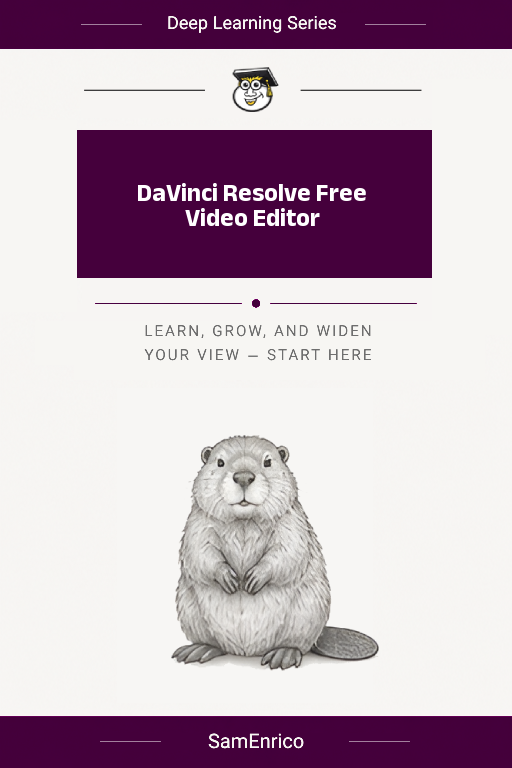 DaVinci Resolve Free Video EditorWill Jarrett$12.99
 How to Start a Consular Service Abroad Administration and Operation (public Sector) Business (BeginnWill Jarrett$11.99
 Real Estate Business ConsultantWill Jarrett$11.99
You may also like
 Hong Kong Handover 1997Dunn Johnnie$11.99
 Zumba For Postnatal Recovery CourseNeal Christian$11.99
 Zumba for BeginnersLadner Nikia$11.99
 YouTube Comment Mining GuideHumes Pandora$12.99
 Worry Box MeditationCarlin Rudy$11.99
 Workplace Stress MeditationNguyen Lynn$11.99
 Workplace Stress and Sleep RepairHawley Ivory$11.99
 Workplace Perfectionism CureDelaney Jeffry$11.99
 Workplace Injustice Anger GuideWallen Isabelle$11.99
 Work Addiction and Burnout LinkGreenwood Ester$11.99
 Women in Yoga and WellnessBeattie Galina$11.99
 Women in Stand Up ComedyChun Evangeline$11.99