
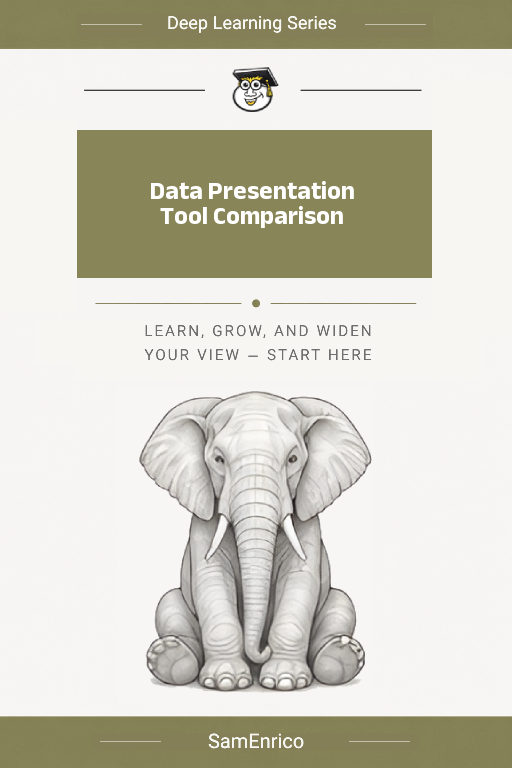
Data Presentation Tool Comparison eBook
Choose between PowerPoint, Google Slides, Keynote,
Choose between PowerPoint, Google Slides, Keynote, and Canva for data presentation needs.
Formats
Free sample
Chapter 1: The Attention Thief--–- You have ninety seconds. That is the average window before your audience’s mind begins to drift, their phone becomes more interesting than your data, and the carefully constructed charts you spent hours building dissolve into visual noise. Cognitive load researchers have known this for decades, yet the corporate world continues to produce slide decks that violate every principle of how the human brain processes information. The result is not merely boring presentations. It is wasted money, missed opportunities, and data that dies before it has a chance to persuade.–- Most people blame themselves.
They assume their data is not interesting enough, their speaking skills are inadequate, or their story simply does not matter. But what if the problem was not you? What if the real culprit is the tool you chose before you wrote a single word?–- This chapter reveals a truth that software companies do not want you to know: most presentation failures are not failures of content, design, or delivery. They are failures of tool alignment. Using Power Point for a highly collaborative brainstorm is like driving a cement truck to a Formula One race.
Using Canva for a dense financial audit is like painting the Mona Lisa with a garden hose. The tool itself is not inherently good or bad. But using the wrong tool for your specific combination of audience, data, and goals is a guaranteed path to losing attention before you ever say a word.–- By the end of this chapter, you will understand the five dimensions that determine whether a presentation tool helps or hurts you. You will learn to diagnose your past failures through a new lens. And you will commit to a simple rule that will save you hours of frustration and countless lost opportunities: never open software until you have defined your dimension priorities.The Statistic That Should Terrify You–- Let us start with the raw numbers.
Researchers at the University of California, Irvine, studying workplace attention spans, found that after a single interruption or distraction, it takes an average of twenty-three minutes to return to the original task. Apply this to presentations: when a slide confuses an audience member, their brain begins to wander. Even if they return their eyes to the screen, their cognitive focus has shifted. They are no longer processing your data. They are wondering what to eat for lunch.–- A separate study published in the Journal of Educational Psychology examined how audiences retain information from slide-based presentations.
Participants viewed three versions of the same financial data: one presented as dense bullet points in Power Point, one as well-designed charts in Keynote, and one as interactive infographics in Google Slides with live demonstrations. The results were not subtle. Forty-eight hours later, the bullet-point group retained less than fifteen percent of the key information. The well-designed chart group retained forty-two percent. The interactive group retained sixty-eight percent.–- Here is what the study did not measure: how many business decisions were made based on that lost information.
How many deals collapsed because a key data point was presented unclearly. How many careers stalled because a presentation failed to persuade.–- The problem is not that presenters are lazy or unintelligent. The problem is that most professionals have been trained to think of presentation software as neutral. Open a blank slide deck. Paste your data.
Add some formatting. Present. This workflow treats the tool as a transparent container, like a cardboard box that simply holds your content. But presentation tools are not neutral. Each one encodes a philosophy about how data should be seen, how collaboration should work, and how attention should be captured.The Five Dimensions of Choice–- To understand why tool alignment matters, we first need a shared language.
This book introduces the Five Dimensions of Choice. Every presentation you will ever build sits somewhere on each of these dimensions. The tool that serves you best depends entirely on where your specific project falls.Dimension One: Collaboration–- How many people need to edit this presentation? How synchronous will that editing be? Do you need to work simultaneously with colleagues in different time zones, or will you create this deck alone and hand it off for review?–- Collaboration exists on a spectrum.
At one end is the solo deep-dive: an analyst building a financial model with no input from others until the final review. At the other end is real-time co-authoring: a marketing team of twelve people editing the same deck during a two-hour sprint.–- The mistake most people make is assuming all collaboration tools are interchangeable. Google Slides was built from the ground up for real-time co-authoring. Power Point added collaboration as an afterthought, and it shows. Keynote's collaboration features are almost nonexistent outside the Apple ecosystem.
Canva assumes a centralized designer who shares finished assets rather than a collaborative drafting process.–- If you rank Collaboration as your highest priority, you are making a very different choice than someone who ranks it lowest.Dimension Two: Customization–- How much control do you need over every pixel, every font, every animation? Do you have strict brand guidelines that require exact color matches and specific margin widths? Or are you building a one-off internal deck where "good enough" is genuinely sufficient?–- Customization is often mistaken for quality, but the two are not the same. A highly customized presentation can be ugly. A template-driven presentation can be beautiful.
The question is not about aesthetics. It is about control.–- Power Point offers granular control over almost every visual element, but that control comes at a cost: complexity. Keynote offers similar customization with a more intuitive interface, but only for Mac users. Google Slides sacrifices customization for speed and accessibility. Canva offers customization through templates and Brand Kits, but exports lose editability.–- The highest priority for Customization often belongs to regulated industries (banking, healthcare, legal) where every slide must conform to strict formatting rules, and to creative professionals for whom every visual choice is a statement.Dimension Three: Speed–- How quickly do you need to go from a blank screen to a finished presentation?
Are you building a deck an hour before a meeting, or do you have three days to polish every transition?–- Speed is the dimension most professionals underestimate. The hidden cost of choosing a slow tool is not just the extra hours you spend formatting slides. It is the opportunity cost of what you could have done with those hours: refining your argument, practicing your delivery, or simply getting more sleep.–- Google Slides is the undisputed champion of speed for collaborative drafting. Canva is the champion for speed to visual polish for non-designers. Power Point and Keynote are slower for initial creation but faster for certain specialized tasks like Excel integration (Power Point) or cinematic transitions (Keynote).–- If Speed is your top dimension, you are prioritizing iteration and feedback over pixel-perfect polish.
That is a strategic choice, not a failure of professionalism.Dimension Four: Aesthetics–- How visually polished does the final presentation need to be? Is this an internal team meeting where clarity matters more than beauty…
This is the end of the free sample. Get the eBook to keep going. Buy now
About this book
Details
- Author
- Conaway Kenton
- Publisher
- SamEnrico
- Language
- English
- Genre
- Non-Fiction, Professional's Cheat Sheet, Tool Guide
- Released
- 2026-05-29
- Pages (approx.)
- 132
- Available as
- eBook, Audiobook

Read better in the ZLOADR app
Your eBooks on your phone or tablet. Sign in with your SamEnrico account and start reading.
More by Conaway Kenton
 The Self Regulation CourseConaway Kenton$11.99
 Reverse 1031 Exchange GuideConaway Kenton$11.99
 Senior Public Speaking Self Esteem WorkbookConaway Kenton$11.99
 The Self Worth After Chronic Illness ChildhoodConaway Kenton$11.99
 Body Neutrality Practice ManualConaway Kenton$11.99
 Raven’s Deception: The Trickster’s Great HeistConaway Kenton$11.99
 Life Counter DesignerConaway Kenton$11.99
 Urban Logistics Warehousing GuideConaway Kenton$12.99
 Understanding Macrothrombocytopenia Progressive DeafnessConaway Kenton$17.99
 A Beginners Guide to Drag boat racing (Volume 1)Conaway Kenton$11.99