

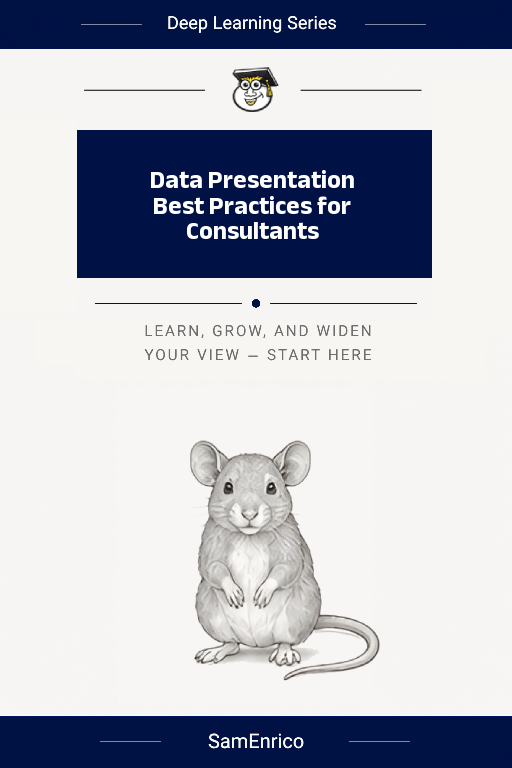
Non-FictionConsulting SkillsClient Communication
Data Presentation Best Practices for Consultants eBook
Deliver client-ready data slides that justify reco
Deliver client-ready data slides that justify recommendations without confusion. Master the insight-first layout, the appendix-proof main slide, and the before-after comparison that sells any solution.
Formats
Free sample
Chapter 1: The 3-Second Verdict--The partner’s face turned gray before you finished your sentence.You had just spent seventy-two hours building the deck. The data was immaculate. The charts were think-cell perfect. You had cross-checked every number against the client’s ERP system, validated every source, and rehearsed the narrative flow with three different colleagues who all said it was “solid.”None of that mattered.Because when the CEO flipped to your second slide—a beautifully formatted, meticulously sourced bar chart showing regional sales performance—she didn’t lean in. She didn’t ask a clarifying question.
She picked up her phone.The partner, sitting next to you, didn’t need to say a word. His expression told you everything: You just lost them. And you may have just lost us the engagement.This scene plays out thousands of times every day in boardrooms, conference rooms, and Zoom calls around the world. A consultant presents a deck built on weeks of analysis. The data is correct.
The logic is sound. And yet the client disengages before the story reaches its conclusion.The problem is not the quality of your analysis. The problem is the structure of your slide.This chapter introduces the single most important concept in data presentation for consultants: the 3-Second Verdict. It is the foundation upon which every other practice in this book rests. Master it, and your slides will command attention before you speak a word.
Ignore it, and you will spend the rest of your career watching clients check their email while you present.The Anatomy of a Catastrophic Failure Let us examine exactly what happened in that boardroom. The consultant—bright, hardworking, technically excellent—had done what most consultants are trained to do. She built a logical narrative that started with context, moved through analysis, and culminated in a recommendation. This is how business schools teach case method. This is how most consulting firms structure their internal trainings.
This is, by almost any measure, the “correct” way to build an argument.There is only one problem. It is completely wrong for the way executives actually consume information.A 2023 study by Mc Kinsey’s client insights group found that 78 percent of C-suite executives want the conclusion presented immediately, at the beginning of a presentation. Yet the same study found that over 80 percent of consultant decks build toward the conclusion incrementally, saving the recommendation for the final slides.Think about what this means. The people paying for your advice have explicitly stated how they want to receive that advice. And the vast majority of consultants are ignoring that preference entirely.This is not a matter of style or preference.
It is a matter of cognitive psychology. Executive decision-makers operate under extreme time pressure. They are interrupted an average of every eleven minutes. They scan, they filter, and they decide in seconds whether something is worth their attention. A slide that does not immediately tell them what to think will be dismissed before the second sentence is read.The consultant in our opening story did not fail because her analysis was wrong.
She failed because her third slide—the beautiful bar chart—had a title that read “Q3 Sales by Region.” That is a label, not a verdict. It tells the CEO what she is looking at. It does not tell her what to think about it.By the time the consultant reached the conclusion on slide twenty-three, the CEO had already formed her own conclusion from the incomplete information she had gathered while scanning. And that conclusion, inevitably, was wrong.The So What? Test: Your New Best Friend Before any slide leaves your computer, you must apply a single question to it.
That question is: So what?This is not an existential inquiry. It is a ruthless editorial filter. Take your headline—the single sentence at the top of your slide—and read it aloud. Then ask yourself: if an executive read only this sentence and nothing else on the slide, would they know exactly what decision to make?If the answer is no, the slide fails. Not “it needs a little work.” Not “the chart will clarify it.” It fails.
You must rewrite the headline or delete the slide entirely.Let us test this on the slide that lost the engagement. The headline read: “Q3 Sales by Region.” Apply the So What? Test. Read it aloud. “Q3 Sales by Region.” Now ask: does this tell a busy executive what decision to make?
Of course not. It tells them nothing. It is a filing label, not a conclusion.Now consider an alternative. What if the headline read: “West Region Outperformed Northeast by 20 Percent in Q3, Driving Overall Growth”? Apply the test again.
Read it aloud. Now the executive knows something. They know that the West region is outperforming the Northeast. They know the magnitude of the gap. They know that this gap is the reason overall growth exists.
They may not know exactly what to do yet—that will come in later slides—but they know what is true. They have a verdict.This is the difference between a data reporter and a strategic advisor. The reporter shows you numbers and expects you to figure out what they mean. The advisor tells you what the numbers mean and then shows you the evidence to prove it.The So What? Test is simple to describe and brutal to execute.
Because it forces you to confront a painful truth: most of your slides do not have a clear point. They have data. They have context. They have careful qualifications and nuanced caveats. But they do not have a single, declarative sentence that a busy person can understand in three seconds.If that description makes you uncomfortable, good.
That discomfort is the beginning of improvement.Vertical Logic: Every Element Must Serve the Headline The So What? Test is the entry point. Once you have a headline that passes the test, you must ensure that everything else on the slide—every chart, every axis label, every annotation, every footer—reinforces that headline and nothing else.This is called Vertical Logic. The term comes from the consulting practice of structuring arguments like pyramids: the headline is the top of the pyramid, and every supporting element sits directly beneath it, connected by a clear line of logical support.Vertical Logic has a single, non-negotiable rule: If a piece of data does not prove the headline, it does not belong on the slide.Not “it can go in a smaller font at the bottom.” Not “it’s interesting context so we’ll keep it.” It does not belong. Delete it or move it to the appendix.
There is no third option.This rule is violated constantly. Consider a typical consulting slide showing market share across five competitors over four quarters. The headline might read: “Competitor A gained 5 percentage points of share in Q3 due to the launch of Product X.” This is a good headline—it tells a specific, causal story. But then look at the chart. It shows all five competitors.
It shows all four quarters. It has a legend in the corner and gridlines every five percent. There is no visual…
This is the end of the free sample. Get the eBook to keep going. Buy now
About this book
Details
- Author
- Tilton Francene
- Publisher
- SamEnrico
- Language
- English
- Genre
- Non-Fiction, Consulting Skills, Client Communication
- Released
- 2026-06-01
- Pages (approx.)
- 150
- Available as
- eBook, Audiobook

Read better in the ZLOADR app
Your eBooks on your phone or tablet. Sign in with your SamEnrico account and start reading.
More by Tilton Francene
 Condo vs Townhouse RetirementTilton Francene$11.99
 The Pain Support CircleTilton Francene$11.99
 Innovation Metrics For ManagersTilton Francene$11.99
 TOMS Shoes One for One MemoirTilton Francene$11.99
 Crisis Hotline Operator GuideTilton Francene$11.99
 The Floating Empire: How One Yacht Redefined Luxury (And Sparked a Billion-Dollar Feud)Tilton Francene$11.99
 Mirroring Madness: The Copycat Cult of the 1980sTilton Francene$11.99
 Phosphorite (Name Given to Impure Massive Apatite.) MiningTilton Francene$11.99
 Understanding Factor X Deficiency, CongenitalTilton Francene$17.99
 Procurement in DefenseTilton Francene$12.99
 How to Start a Cycles and Parts Business (Beginners Guide)Tilton Francene$11.99
You may also like
 Hong Kong Handover 1997Dunn Johnnie$11.99
 Zumba For Postnatal Recovery CourseNeal Christian$11.99
 Zumba for BeginnersLadner Nikia$11.99
 YouTube Comment Mining GuideHumes Pandora$12.99
 Worry Box MeditationCarlin Rudy$11.99
 Workplace Stress MeditationNguyen Lynn$11.99
 Workplace Stress and Sleep RepairHawley Ivory$11.99
 Workplace Perfectionism CureDelaney Jeffry$11.99
 Workplace Injustice Anger GuideWallen Isabelle$11.99
 Work Addiction and Burnout LinkGreenwood Ester$11.99
 Women in Yoga and WellnessBeattie Galina$11.99
 Women in Stand Up ComedyChun Evangeline$11.99