
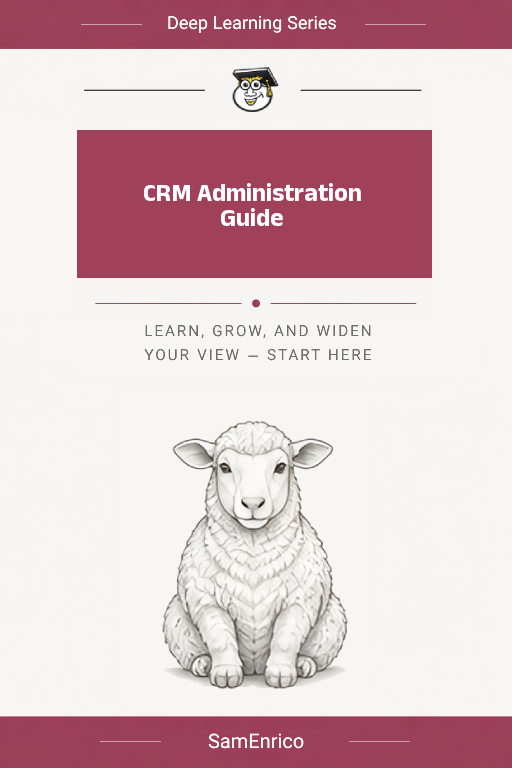
Non-FictionNon-Obvious CareerTech Administration
CRM Administration Guide eBook
Learn Salesforce, HubSpot, or Zoho CRM through fre
Learn Salesforce, HubSpot, or Zoho CRM through free academy trails including workflow automation, report building, and remote admin contract negotiation.
Formats
Free sample
Chapter 1: The Spreadsheet Graveyard--–- Every failed CRM project starts with the best intentions. A sales manager, frustrated by lost deals and missed follow-ups, finally convinces leadership to invest in “real software.” The CEO signs the check. The admin (maybe you, maybe some poor soul before you) gets to work. Six months later, the CRM is a ghost town. Users complain it’s too slow, too complicated, or just “not how we work.” And somewhere, on a shared drive, a spreadsheet named Final_Actual_Real_Leads_v7.xlsx becomes the unofficial source of truth again.This chapter is not about buttons.
It is not about where to click in Salesforce, Hub Spot, or Zoho. You will learn those buttons in later chapters. This chapter is about the single most important question you will ever ask as a CRM administrator: What problem are we actually trying to solve?If you skip this question, you will build a beautiful, logical, perfectly automated system that nobody uses. If you answer it honestly, you will become the kind of admin that companies fight to keep on retainer. This is the difference between a technician who clicks and an administrator who delivers value.The 70% Statistic That Should Scare You Industry research consistently shows that approximately 70% of CRM implementations fail to achieve user adoption.
Let that number land. Seven out of ten projects. The software works. The servers are stable. The data imports successfully.
And still, most people go back to their spreadsheets.Why? The answer is almost never bad software. Salesforce, Hub Spot, and Zoho are all mature platforms capable of handling nearly any sales process you can imagine. The culprit is almost always the same: mismatched processes.Here is what typically happens. A company buys a CRM.
An admin (or consultant) reads the documentation, watches some videos, and begins configuring. They create fields for everything. They build automations that make logical sense. They design dashboards that look impressive. Then they hand it to the sales team, and the sales team says, “This is not how we sell.”The admin has built a system that reflects how the CRM thinks sales should work, not how the sales team actually works.
The result is not just frustration. It is expensive. Every hour a salesperson spends fighting the CRM is an hour they are not selling. Every piece of data they refuse to enter is a blind spot in your forecast.This chapter exists to prevent you from becoming that admin. You will learn to resist the seduction of configuration.
You will learn to sit in the mess of the current process before you try to clean it up. And you will learn a simple, repeatable methodology that works for any CRM, any industry, and any team size.The Business Analyst Mindset Before you are a CRM administrator, you are a business analyst. This distinction is not semantic. It is the foundation of everything that follows.A technician asks: “How do I build this automation?” A business analyst asks: “Does this process need automation, or does it need to be eliminated?” A technician asks: “Which field type should I use?” A business analyst asks: “What decision will this field enable?”The technician sees a request and immediately opens the configuration menu. The business analyst sees a request and immediately asks five questions:Who is asking for this, and what problem are they trying to solve?What is the current process (even if it is broken)?What data is currently being captured, and where?Who else depends on this data?What would happen if we did nothing?These questions are not stalling tactics.
They are diagnostic tools. They uncover the gap between what the user says they want and what the business actually needs.Here is a real example from a consulting engagement. A client requested a custom field on their Opportunity object called “Reason for Loss.” They wanted it to be a required picklist with twenty options. The technician’s instinct would be to build the field, add the picklist values, and call it done. The business analyst’s instinct was different.
She asked, “What will you do with this data?” The client paused. “We’ll... look at it.” She asked, “Who will look at it? How often? What action will you take when you see that ‘Price’ is the most common loss reason?” The client admitted they had no plan.
They were collecting data for the sake of collecting data.She proposed an alternative. Instead of a required field that would frustrate salespeople, she built a simple dashboard that tracked lost deals by rep. When a rep lost three deals in a week without entering a loss reason, an automation sent a friendly reminder to their manager. The manager then had a conversation. The result was not more data.
The result was better coaching.That is the business analyst mindset. You are not a data entry enforcer. You are a process improvement specialist who happens to know how to configure a CRM.Process Mapping: The As-Is You cannot improve a process you do not understand. Before you build anything, you must document what is happening today. This is called As-Is Process Mapping.The rule is simple: do not judge.
Do not suggest improvements. Do not say, “That’s inefficient.” Just watch, listen, and write it down.How to map an As-Is process:First, identify the trigger. What starts the process? For a sales process, the trigger might be a web form submission, an inbound phone call, or a lead from a trade show. For a support process, the trigger might be an email to support@company.com.Second, follow the work.
Literally. Ask a salesperson to walk you through their day. What do they do first? Second? Third?
What software do they open? What spreadsheets do they check? What emails do they send? What happens when a deal is small versus large? What happens when a prospect is unresponsive?Third, document every step, even the ones that seem stupid.
Especially the ones that seem stupid. The fact that your sales team prints contracts and scans them back into the computer is not stupid to them. It is their solution to a problem that the current system does not solve.Fourth, identify the decision points. Where does the process branch? If the prospect says yes, what happens?
If they say no? If they say “call me next quarter”?Fifth, capture the handoffs. When does work move from one person to another? From the marketing qualified lead (MQL) to the sales development rep (SDR)? From the SDR to the account executive?
From the account executive to legal? Each handoff is a risk point where information gets lost.A concrete example:You are mapping the lead intake process for a B2B software company. You interview three salespeople. Here is what you learn:Lead comes in via a web form. The form data goes to a spreadsheet.An SDR checks the spreadsheet every morning and again after lunch.The SDR looks up the company on Linked In.
If the company has fewer than 50 employees, they mark it “low priority” and move on.For companies with more than 50 employees…
This is the end of the free sample. Get the eBook to keep going. Buy now
About this book
Details
- Author
- Workman Lakenya
- Publisher
- SamEnrico
- Language
- English
- Genre
- Non-Fiction, Non-Obvious Career, Tech Administration
- Released
- 2026-05-29
- Pages (approx.)
- 150
- Available as
- eBook, Audiobook

Read better in the ZLOADR app
Your eBooks on your phone or tablet. Sign in with your SamEnrico account and start reading.
More by Workman Lakenya
 Ken Rosewall The LegendWorkman Lakenya$11.99
 SEAL Team 3 Fallujah MemoirWorkman Lakenya$11.99
 Learning Center Referral Stigma GuideWorkman Lakenya$11.99
 Yahoo Hackers ArrestedWorkman Lakenya$11.99
 Whole Foods Recovery PlanWorkman Lakenya$11.99
 When the Sky Split Open: The Maori Birth of LightWorkman Lakenya$11.99
 The Golden Record: South America's Hidden Role in Humanity's Message to the StarsWorkman Lakenya$11.99
 How to Become a Director Of CounselingWorkman Lakenya$11.99
 International Travel Spending GuideWorkman Lakenya$12.99
 Customer Experience for Online CommerceWorkman Lakenya$11.99
 Understanding GastroenteritisWorkman Lakenya$17.99
You may also like
 Hong Kong Handover 1997Dunn Johnnie$11.99
 Zumba For Postnatal Recovery CourseNeal Christian$11.99
 Zumba for BeginnersLadner Nikia$11.99
 YouTube Comment Mining GuideHumes Pandora$12.99
 Worry Box MeditationCarlin Rudy$11.99
 Workplace Stress MeditationNguyen Lynn$11.99
 Workplace Stress and Sleep RepairHawley Ivory$11.99
 Workplace Perfectionism CureDelaney Jeffry$11.99
 Workplace Injustice Anger GuideWallen Isabelle$11.99
 Work Addiction and Burnout LinkGreenwood Ester$11.99
 Women in Yoga and WellnessBeattie Galina$11.99
 Women in Stand Up ComedyChun Evangeline$11.99