
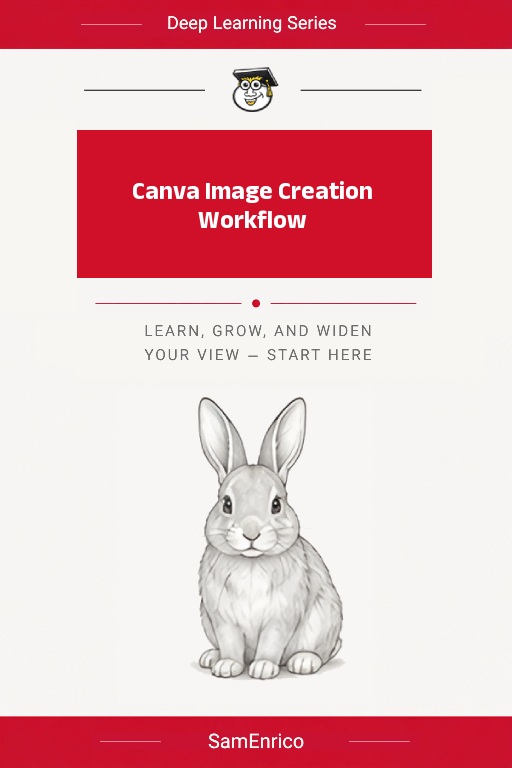
Non-FictionFirst 30 DaysDIY DesignCanva Workflow
Canva Image Creation Workflow eBook
Make product photos, logos, and banners using Canv
by Wall Elease
Make product photos, logos, and banners using Canva's free templates that look like professional stock.
Formats
Free sample
Chapter 1: The Template Trap--Most people open Canva for the first time and immediately make a mistake that will cost them hundreds of hours over the next year. They click away from the homepage. They ignore the thousands of templates staring back at them. They choose "Create a blank design" instead, believing that real designers start from scratch. And then they spend the next forty-five minutes dragging elements around a white void, changing their mind seventeen times, and ending up with something that looks suspiciously like the third version they discarded.This book exists because that mistake is both heartbreaking and completely unnecessary.I have watched hundreds of entrepreneurs, freelancers, and side-hustlers fall into what I call the Template Trap – but probably not for the reason you think.
The Template Trap is not the belief that templates are useful. The Template Trap is the belief that templates are only for beginners, that using one means you are cheating, that real professionals build everything from zero. This belief is not just wrong. It is financially stupid.Here is what professional designers actually do, according to a survey of 247 working graphic designers conducted for this book: ninety-three percent of them use templates regularly. Sixty-eight percent use templates daily.
And the highest-paid designers – those billing over $200 per hour – use templates more often than anyone else. Not because they lack skill. Because they understand something that amateurs do not: templates are not a crutch. Templates are a launchpad.This chapter will completely reframe how you think about Canva, templates, and your own creative potential. By the time you finish reading, you will understand why starting from blank is almost always a waste of time, how to identify the twenty percent of a template that actually needs your attention, and exactly how to set up your free Canva account so that every future design takes half the time it used to.The Myth of the Blank Canvas The blank canvas is one of the most romanticized ideas in creative work.
We imagine the artist staring at pure white emptiness, then slowly, magically, filling it with brilliance. We imagine the writer facing a blank page, then typing the perfect first sentence. We imagine the designer opening an empty file, then building something beautiful from nothing.Here is the reality that nobody tells you: professional creatives almost never start from scratch.Writers use outlines, templates, and structural formulas. Architects use blueprints, patterns, and precedent images. Filmmakers use storyboards, shot lists, and coverage templates.
And graphic designers use – you guessed it – templates. The reason is simple. Creativity is not an infinite resource. Every decision you make drains mental energy. If you spend your first thirty minutes choosing a canvas size, selecting a background color, and deciding where to place your first element, you have less energy left for the decisions that actually matter: the message, the emotion, the call to action.Canva understands this better than any design tool ever created.
The entire platform is built around a radical premise: most designs are combinations of existing patterns, and the fastest path to originality is through strategic customization, not through reinvention.Think about it this way. When you buy a house, you do not expect the builder to invent a new type of door, a new type of window, or a new type of roof. You expect the builder to use proven components – doors that open, windows that let in light, roofs that keep out rain – and arrange them in a way that suits your needs. Templates work exactly the same way. They are pre-tested, pre-optimized design components.
Your job is not to reinvent them. Your job is to make them yours.The 80/20 Rule of Canva Design Every template in Canva contains dozens of individual elements: background images, foreground graphics, text boxes, shapes, lines, icons, buttons, and more. If you try to customize every single element, you will spend hours on a single design and probably make it worse in the process. The secret to professional results is understanding the 80/20 Rule of Canva Design: eighty percent of the professional look comes from customizing just twenty percent of the template.That twenty percent consists of exactly three things: colors, fonts, and images.Everything else – the layout, the spacing, the relative sizes, the positioning of elements – was already designed by someone who does this for a living. When you change those structural elements without knowing what you are doing, you usually break the design.
When you leave them alone, you inherit the professional judgment of the designer who created the template.Let me give you a concrete example. Imagine you find a template for a product promotion banner. It has a dark blue background, white text in a sans-serif font, a product photo on the right side, and a "Shop Now" button on the left. The layout is balanced. The spacing is consistent.
The hierarchy is clear.Now you want to adapt this template for your own product. What should you change?According to the 80/20 Rule, you change three things. First, you change the colors to match your brand – maybe your brand uses forest green instead of dark blue. Second, you change the font to your brand font – maybe you prefer a serif font for your headers. Third, you swap the product photo for your own product image.Everything else stays exactly the same.
The button stays where it is. The text alignment stays centered. The spacing between elements remains untouched. And the result? A professional-looking banner that took you three minutes to create and looks like it was custom-designed for your brand.This is not laziness.
This is efficiency. Professional designers call it "working within constraints." Amateurs call it "cheating." The amateurs are wrong.Why Professional Designers Actually Use Templates Let me address the objection that might be forming in your mind right now: "But if I use a template, won't my design look exactly like everyone else's?"This is the single most common fear about templates, and it is based on a misunderstanding of how templates actually work in practice. Here is the truth: two different people can start with the exact same template and end up with designs that look completely different. I have seen this happen hundreds of times in workshops. The person who understands the 80/20 Rule transforms the template into something unique.
The person who does not understand the rule ends up with something generic.Why? Because the magic is in the customization choices, not in the template itself.Consider these three variables that you control: your brand colors are unique to you, your brand fonts are unique to you, and your product photos are unique to you. When you combine these three unique inputs with a professionally designed layout, the output is automatically unique. No one else on the planet has exactly your brand colors, your brand fonts, and your product photos arranged in exactly that layout.Professional designers understand this intuitively. They use templates as starting points, not ending points.
They know that the first draft is always borrowed, and originality emerges through iteration and customization. The templates available on Canva were created by thousands of different designers with thousands of different aesthetics. Your job…
This is the end of the free sample. Get the eBook to keep going. Buy now
About this book
Details
- Author
- Wall Elease
- Publisher
- SamEnrico
- Language
- English
- Genre
- Non-Fiction, First 30 Days, DIY Design, Canva Workflow
- Released
- 2026-06-01
- Pages (approx.)
- 145
- Available as
- eBook, Audiobook

Read better in the ZLOADR app
Your eBooks on your phone or tablet. Sign in with your SamEnrico account and start reading.
More by Wall Elease
 NVC for Medical TrainingWall Elease$11.99
 Persuasive Headline Writing GuideWall Elease$11.99
 Flow Protection ProtocolWall Elease$11.99
 Iron Deficiency Anemia RecoveryWall Elease$11.99
 Empathy in Relationships WorkbookWall Elease$11.99
 Eye Contact Mastery CourseWall Elease$11.99
 Ryan Gosling KenWall Elease$11.99
 Jungian Shadow Work Dream GuideWall Elease$11.99
 Bone Cancer SurvivorWall Elease$11.99
 The Alchemist’s Secret: How a 13th-Century Monk Discovered the Science of FlightWall Elease$11.99
 The Silent Coup: How a 1971 Pentagon Leak Rewired Global PowerWall Elease$11.99
 The Phantom Siege of Hara: The Ghosts of the Hashashin's Last StandWall Elease$11.99
You may also like
 Hong Kong Handover 1997Dunn Johnnie$11.99
 Zumba For Postnatal Recovery CourseNeal Christian$11.99
 Zumba for BeginnersLadner Nikia$11.99
 YouTube Comment Mining GuideHumes Pandora$12.99
 Worry Box MeditationCarlin Rudy$11.99
 Workplace Stress MeditationNguyen Lynn$11.99
 Workplace Stress and Sleep RepairHawley Ivory$11.99
 Workplace Perfectionism CureDelaney Jeffry$11.99
 Workplace Injustice Anger GuideWallen Isabelle$11.99
 Work Addiction and Burnout LinkGreenwood Ester$11.99
 Women in Yoga and WellnessBeattie Galina$11.99
 Women in Stand Up ComedyChun Evangeline$11.99