
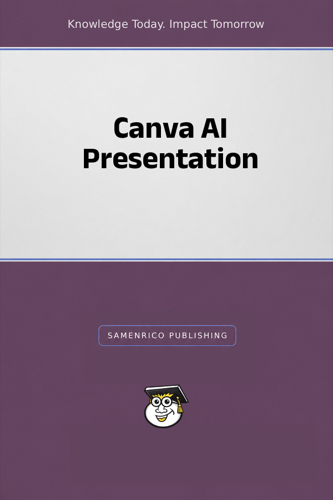
Canva AI Presentation eBook
Use Magic Design and AI features for rapid profess
Use Magic Design and AI features for rapid professional slide creation.
Formats
Free sample
Chapter 1: The Presentation Trap--–- David had spent four hours on ten slides. It was 11:47 PM on a Sunday, and he was manually adjusting the alignment of three bullet points that refused to sit still. His CEO had asked for a "quick deck" on Friday. Now, with the Monday morning meeting looming, David was trapped in the same ritual that had consumed his evenings for the past five years: choosing templates, searching stock photo sites for images that didn't look ridiculous, fighting with text boxes, and desperately trying to make his slides look like they belonged to a professional organization rather than a middle school project.He wasn't alone.Across the world, millions of professionals—marketers, educators, founders, managers, and consultants—were doing exactly the same thing. They were spending two to three hours on every ten slides.
They were downloading the same generic templates from the same websites. They were searching "business handshake" on stock photo sites and pretending that the seventh result looked authentic. They were copying data from Excel into Power Point, watching the formatting break, and fixing it manually, slide by slide, until their eyes glazed over and their coffee went cold.This is the Presentation Trap. And for most people, it has become an unavoidable cost of doing business.But here is the truth that the traditional software industry does not want you to know: the Trap is entirely optional.Everything David struggled with—the layout decisions, the copywriting, the image selection, the animation timing, even the narrative structure—can now be done by artificial intelligence in seconds. Not poorly.
Not generically. But at a quality level that rivals designs created by professional agencies. The tools exist. They are built into Canva, a platform that over 150 million people already use. And they are called Magic Design, Magic Write, Magic Media, and Magic Animate.This book is the instruction manual for those tools.
But more importantly, this book is an escape plan from the Presentation Trap.The Real Cost of Manual Design Before we touch a single button in Canva, we need to understand what we are escaping. The numbers are staggering, and they come from real productivity studies, time-tracking data, and the collective experience of thousands of professionals who have made the switch to AI-assisted presentation design.The average professional spends 2.2 hours building a ten-slide presentation from scratch. That figure comes from a 2023 survey of 1,500 knowledge workers across marketing, sales, education, and operations. Breaking it down further:45 minutes searching for and selecting a template that feels right30 minutes adjusting fonts, colors, and spacing to match brand guidelines35 minutes writing and rewriting slide text (headlines, bullet points, calls to action)25 minutes searching for and inserting images that don't look like stock photography15 minutes building charts and visualizing data10 minutes adding animations and transitions That is 160 minutes. For ten slides.
And that does not include the time spent on speaker notes, handouts, or resizing the deck for different audiences.Now multiply that by the number of presentations the average professional creates per year. According to the same study, knowledge workers produce an average of 18 presentations annually. That is nearly 2,900 minutes—almost 50 hours—per year spent on manual slide creation. That is more than a full work week. That is a week of vacation.
That is time that could have been spent on strategy, on client relationships, on product development, or simply on leaving the office before dark.The Presentation Trap is not just annoying. It is expensive.Why Traditional Tools Failed You To understand why AI is revolutionary for presentations, we first need to understand why traditional tools have remained stagnant for two decades.Microsoft Power Point was released in 1990. Google Slides launched in 2012. Both tools share the same fundamental assumption: you are the designer. The software provides a blank canvas, some templates, and a set of manual controls.
You choose where every text box goes. You select every font size. You position every image. You build every chart from scratch.This is like being given a hammer and a pile of lumber and being told to build a house. Yes, it is possible.
But it requires skill, time, and patience that most people do not have.The assumption made sense in 1990. Artificial intelligence did not exist. The only way to create a digital presentation was to give users manual controls and let them figure it out. But that assumption has not aged well. In 2024, we have AI that can generate paragraphs, images, code, and even video from simple text descriptions.
Yet most people are still dragging text boxes and searching for stock photos of "teamwork."The gap between what is possible and what most people are doing is enormous. And that gap represents wasted time, wasted energy, and wasted creative potential.The AI-First Paradigm Shift This book introduces a new way of working. We call it the AI-First Paradigm.In the old paradigm (let us call it Manual-First), you started with a blank canvas. You made every decision. You executed every pixel.
You were the designer, the writer, the researcher, and the editor. This approach is slow, inconsistent, and exhausting.In the AI-First Paradigm, you start with a prompt—a simple description of what you want to create. The AI generates a complete first draft in seconds: layout, copy, images, and even suggested animations. Then you step into a new role: Director and Editor. You review what the AI created.
You accept what works. You refine what needs improvement. You add the human touches that only you can provide—the emotional resonance, the specific context, the authentic voice that connects with your audience.This shift is not minor. It is fundamental.Think of it this way: Manual-First is like painting a portrait with a single fine brush. Every stroke requires precision and time.
AI-First is like being a film director. You describe the scene. Your crew (the AI) builds the set, lights the actors, and rolls the camera. Then you watch the footage and say, "Tighter on the lead actor's face. More light on the left.
Let's do another take." You are still in control. You are still the creative force. But you are not doing the manual labor.The Canva Magic Ecosystem: Your AI Crew Canva has built a suite of AI tools specifically designed for presentations. Unlike generic AI chatbots (which can generate text but not design), these tools are integrated directly into the visual design environment. They understand slide layouts, typography, color theory, and narrative flow.Here is your crew:Magic Design (The Architect) – This is your deck generator.
You give it a prompt or upload a document. In 5 to 10 seconds, it returns four to six complete presentation designs, each with a different visual style and narrative structure. You choose the one that fits your audience and brand. This tool alone eliminates the blank page anxiety that plagues most presenters.Magic Write (The Copywriter) – This is your on-board writer. After Magic Design creates the deck, Magic Write helps you refine the text.
It can shorten bullet points, expand thin concepts, change the tone from formal to friendly, generate speaker notes from slide headers, and even translate your entire deck into over 100 languages.…
This is the end of the free sample. Get the eBook to keep going. Buy now
About this book
Details
- Author
- Ransom Delmar
- Publisher
- SamEnrico
- Language
- English
- Genre
- Non-Fiction, AI Operator
- Released
- 2026-06-07
- Pages (approx.)
- 155
- Available as
- eBook, Audiobook

Read better in the ZLOADR app
Your eBooks on your phone or tablet. Sign in with your SamEnrico account and start reading.
More by Ransom Delmar
 FDA Warning Letter Recall LinkRansom Delmar$11.99
 Comparison Cessation WorkbookRansom Delmar$11.99
 Scarring Disfigurement Love GuideRansom Delmar$11.99
 Lucid Dreaming Journal MethodRansom Delmar$11.99
 Strength Training For HikersRansom Delmar$11.99
 Hungarian Logistics Hub PotentialRansom Delmar$11.99
 Creative Dream Play TherapyRansom Delmar$11.99
 D Day Survivor OmahaRansom Delmar$11.99
 The Harmonic Genius: Arthur Blythe and the Birth of Avant-Garde JazzRansom Delmar$11.99
 The Bitcoin Laundromat: How a Crypto Startup Became a Money Laundering SuperhighwayRansom Delmar$11.99
 Zapier Automation for Marketing and SalesRansom Delmar$11.99
 How to Become a Air-table OperatorRansom Delmar$11.99
You may also like
 AI Presentation WorkbookSommers Tonda$11.99
 PowerPoint Copilot MasteryConway Lanita$11.99
 Branded AI DecksWindham Loni$11.99
 AI Presentation CourseGrooms Olin$11.99
 AI Presentation CertificationBlank Dolly$11.99
 AI Deck Version ControlMedley Lorina$11.99
 AI Deck Update AutomationFraser Tresa$11.99
 AI Deck Myths DebunkedCrittenden Romelia$11.99
 AI Deck Customization GuideDove Hannelore$11.99
 AI Bullet to Slide ConverterKohn Eloisa$11.99
 AI Deck Notes CreatorBarela Sunday$11.99
 AI Deck Outline GeneratorAshmore Morgan$11.99