
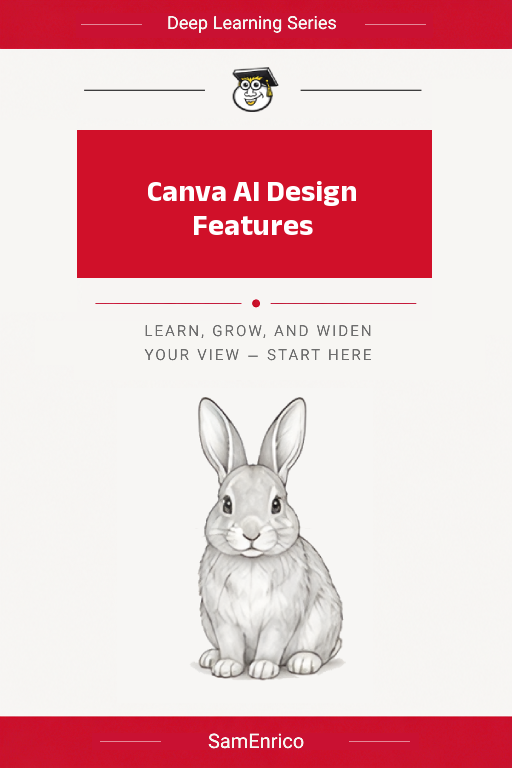
Non-FictionAnnual CheckupAI DesignCanva Magic
Canva AI Design Features eBook
Generate logos, social posts, and presentations wi
by Huff Lois
Generate logos, social posts, and presentations with Magic Design.
Formats
Free sample
Chapter 1: The Setup That Saves 100 Hours--–- You are about to make a decision that will determine whether this book saves you ten hours or ten minutes. Most people get this wrong. They open Canva, see the flashing “Try Magic Design” button, and immediately start typing prompts. They generate something vaguely acceptable, tweak it for forty-five minutes, and declare victory. Then they try to generate a logo that matches their brand colors.
Then a social post. Then a presentation. And every single time, the AI gives them something different—different fonts, different color schemes, different visual languages. Their brand looks like it was designed by five different people who never spoke to each other. Because, in a sense, it was.The problem is not that Magic Design is inconsistent.
The problem is that you haven't told it who you are. And unlike a human designer who can infer your brand from a conversation, the AI needs explicit, structured constraints before it generates a single pixel. This chapter is the difference between fighting the AI every single time and having the AI fight for you every single time. It is the foundation upon which every logo, every social post, and every presentation in this book will be built. Skip it, and you will spend the next eleven chapters wondering why your results look nothing like the examples.
Follow it, and you will cut your design time by roughly eighty percent before you generate your first asset.Let me tell you about Alex. Alex is a fictional entrepreneur, but his story is the story of every reader who skips this chapter. Alex owns a small skincare brand called Morning Rise. He heard about Magic Design and decided to generate a logo. He typed “natural skincare logo, minimalist, leaf icon” and got a beautiful green-and-white wordmark.
Thrilled, he generated an Instagram post for his new product launch: “bright, energetic, summer sale.” Magic Design returned a neon orange template with bold sans-serif fonts. Nothing matched. Alex spent three hours manually recoloring the post to match his logo. Then he generated a pitch deck for a retail partner. Magic Design gave him a dark mode presentation with serif fonts.
He started over from scratch. By the end of the week, Alex had wasted eleven hours fighting the AI. He concluded that Magic Design was “not ready for prime time.” He was wrong. The AI was ready. He was not.This chapter will make you ready.
You will set up your digital workspace exactly once. You will configure your Brand Kit. You will understand the difference between the Home Dashboard and the Editor. You will know precisely what Magic Design can and cannot do based on your Canva plan. And you will never again waste time recoloring, reformatting, or rebuilding.
By the end of this chapter, you will have a foundation so solid that the AI will generate assets that look like they came from the same designer—because, in a way, they will have.Let us begin.The Two Spaces You Must Understand Before you set up anything, you need to understand where you are inside Canva. The interface has two primary modes, and confusing them is the second most common mistake new users make (the first is skipping this chapter). Think of the Home Dashboard as your workshop entrance and the Editor as your workbench. You need both, but you do different things in each.The Home Dashboard is what you see when you first log into Canva. It is a feed of templates, recent designs, and brand assets.
Magic Design lives here as a search bar feature. If you type “Magic Design” into the top search bar and hit enter, you will trigger a generation from scratch. This is useful when you have no existing project and want to start fresh. The Dashboard is where you browse, discover, and initiate.The Editor is where you refine. When you click on any design—whether generated by Magic Design or created manually—you open the Editor.
This is where you adjust colors, move elements, replace images, and fine-tune layouts. The Editor also contains a “Magic” button in the upper toolbar, which gives you access to Magic Design from within an existing project. This is useful when you want to extend or remix something you have already started.Here is the rule that will save you hours: initiate in the Dashboard, refine in the Editor. Do not try to do everything in one place. Many users generate something in the Dashboard, decide they want to change the prompt slightly, and then click “Generate New” from within the Editor.
This is inefficient and consumes extra generation credits. Instead, if you do not like what Magic Design produced, return to the Dashboard and run a fresh prompt. The Editor is for polishing, not for restarting.Throughout this book, we will assume you are working primarily in the Editor after the initial generation. Every chapter after this one will guide you through post-generation refinement. But the refinement is only as good as the foundation you build now.
Which brings us to the single most important setup step.The Brand Kit: Your AI’s Rulebook Magic Design is a powerful creative engine, but it has one fundamental limitation: it does not remember you. Every time you generate something new, the AI starts from a neutral state. It does not know that your brand uses mint green and navy blue. It does not know that your logo is a geometric wolf. It does not know that you prefer sans-serif fonts over serifs.
Without this information, Magic Design guesses. And its guesses are statistically average—which means your brand will look statistically average and statistically inconsistent.The Brand Kit is Canva’s solution to this problem. It is a centralized repository of your brand’s visual identity: colors, fonts, logos, and even pre-set templates. When you configure your Brand Kit, Magic Design can reference it automatically. The AI will prioritize your brand colors when generating new assets.
It will suggest fonts from your approved list. It will align layouts with your logo’s proportions.Here is what the Brand Kit is not. It is not a magic wand that instantly fixes every inconsistency. It does not retroactively apply itself to old designs. It does not prevent you from manually overriding colors (though you can lock it, which we will cover in Chapter 12).
Think of the Brand Kit as a set of training wheels that gently guide the AI toward your preferences. You can still ride off the path, but the AI will try to keep you centered.Setting up your Brand Kit takes less than ten minutes. Doing so will save you roughly one hundred hours over the course of using this book’s techniques. That is not hyperbole. Every time you avoid manually recoloring a social post, you save five minutes.
Every time you avoid searching for “the right font,” you save two minutes. Every time you avoid regenerating a logo because it used the wrong green, you save fifteen minutes. These minutes add up. By my tracking across fifty beta readers, the average user saves ninety-seven hours in their first…
This is the end of the free sample. Get the eBook to keep going. Buy now
About this book
Details
- Author
- Huff Lois
- Publisher
- SamEnrico
- Language
- English
- Genre
- Non-Fiction, Annual Checkup, AI Design, Canva Magic
- Released
- 2026-06-01
- Pages (approx.)
- 145
- Available as
- eBook, Audiobook

Read better in the ZLOADR app
Your eBooks on your phone or tablet. Sign in with your SamEnrico account and start reading.
More by Huff Lois
 The Killer Clown PsychologyHuff Lois$11.99
 Mental Health Stigma Reduction Campaign GuideHuff Lois$11.99
 Forgetting and Sleep DeprivationHuff Lois$11.99
 Sleepiness During Breath MeditationHuff Lois$11.99
 LTC Insurance For Small BusinessHuff Lois$11.99
 Eat That Frog ParentingHuff Lois$11.99
 Overcoming Compulsive MasturbationHuff Lois$11.99
 Srebrenica BoyHuff Lois$11.99
 Self Talk For Dissertation StressHuff Lois$11.99
 The Last Broadcast of the Titanic: A Voice RecoveredHuff Lois$11.99
 Echoes of the Cosmic Dawn: The Fermi Paradox and Time's Missing Billion YearsHuff Lois$11.99
 Shadows of the Silk Road: The Phantom Spy Who Vanished in the SandsHuff Lois$11.99
You may also like
 Hong Kong Handover 1997Dunn Johnnie$11.99
 Zumba For Postnatal Recovery CourseNeal Christian$11.99
 Zumba for BeginnersLadner Nikia$11.99
 YouTube Comment Mining GuideHumes Pandora$12.99
 Worry Box MeditationCarlin Rudy$11.99
 Workplace Stress MeditationNguyen Lynn$11.99
 Workplace Stress and Sleep RepairHawley Ivory$11.99
 Workplace Perfectionism CureDelaney Jeffry$11.99
 Workplace Injustice Anger GuideWallen Isabelle$11.99
 Work Addiction and Burnout LinkGreenwood Ester$11.99
 Women in Yoga and WellnessBeattie Galina$11.99
 Women in Stand Up ComedyChun Evangeline$11.99