
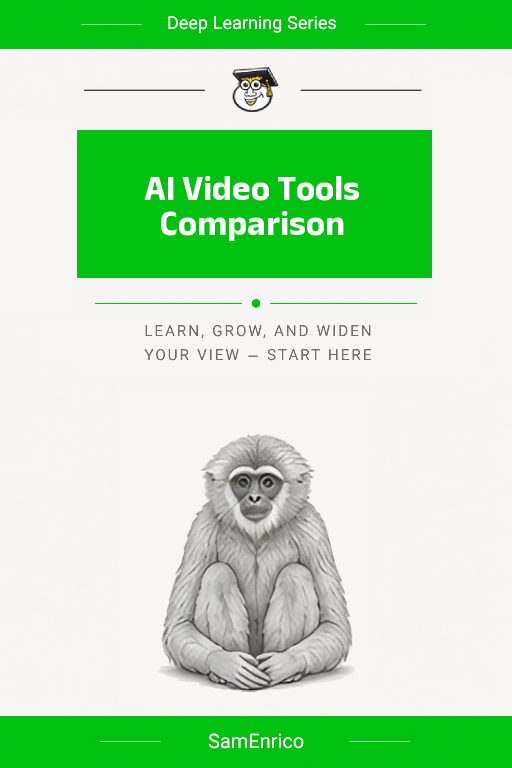
Non-FictionAI OperatorTool Guide
AI Video Tools Comparison eBook
Compare AI video production and editing tools incl
Compare AI video production and editing tools including features and pricing.
Formats
Free sample
Chapter 1: The Great Fork...--The first time I watched a colleague compare Runway’s text-to-video generator with Descript’s podcast editor, I knew the industry had a problem. He sat there, frustrated, flipping between two browser tabs, insisting that one of them must be “better.” It took me twenty minutes to explain that he was essentially asking whether a hammer was better than a screwdriver—while trying to build a house that required both. That conversation, and the dozens like it I’ve had since, is the reason this book exists.Welcome to the chaos of AI video tools in 2026. The landscape has exploded. What began as a handful of experimental platforms in 2023 has mushroomed into an ecosystem of over three hundred tools, each promising to revolutionize your video production workflow.
Some generate footage from nothing but a sentence. Others transcribe your interviews and let you edit by deleting words. A third category watches your two-hour podcast and autonomously extracts the seventeen seconds that will go viral on Tik Tok. And here’s the kicker: the tools that do one of these things well almost never do the others well. Yet every day, creators, marketers, and agency owners waste hours—and thousands of dollars—comparing apples to orangutans.This chapter will save you from that fate.
Before you can compare any two AI video tools, you need a framework for understanding what kind of tool you’re actually looking at. I call this framework The Four Pillars of AI Video. It is the single most important concept in this book. Master it, and every comparison, every pricing decision, and every workflow choice you make from Chapter 2 through Chapter 12 will become clear. Ignore it, and you will drown in feature lists and credit systems, just like my colleague with his two browser tabs.The Problem with the Way Everyone Compares AI Video Tools Let me start with a hard truth: most online comparisons of AI video tools are worse than useless.
They are actively misleading. A typical blog post titled “In Video vs. Descript vs. Runway” will list features in a neat table—pricing, supported formats, export resolution—and then declare a winner. This is like comparing a bicycle, a fishing boat, and a pickup truck by counting how many wheels each one has.
The bicycle has two. The boat has zero. The truck has four. The truck wins! But you can’t drive a truck across a lake, and you can’t haul gravel with a bicycle.The same absurdity plagues AI video comparisons.
A journalist will compare Synthesia (an avatar generator) with Opus Clip (an automated repurposing tool) and conclude that Synthesia is better because it creates original content. But if you need to turn a three-hour webinar into fifty Instagram Reels, Opus Clip will run circles around Synthesia. The tools aren’t competing. They inhabit completely different categories of software.This confusion has three root causes. First, the marketing departments of these companies all claim to be “AI video platforms,” lumping themselves together even when their underlying technologies share nothing in common.
Second, the rapid pace of innovation means that tools frequently add features that blur category boundaries—Descript now includes generative voice cloning, which was once the exclusive domain of avatar platforms. Third, and most importantly, users desperately want a single answer: “Which tool is best?” But that question is meaningless without the follow-up: “Best for what?”The Four Pillars framework solves this problem. Instead of asking which tool is universally best, you will learn to ask which pillar your task belongs to. Then you will compare tools within that pillar. And when a tool straddles multiple pillars—as an increasing number do in 2026—you will know exactly which features to evaluate and which to ignore.The Four Pillars of AI Video: A Complete Framework After analyzing over two hundred AI video tools and conducting user research with more than five hundred creators, marketers, and agency owners, I have refined the AI video landscape into four distinct categories.
Earlier guides used three pillars, but that model collapsed under the weight of avatar generators, which behave nothing like full-scene generators. The four-pillar model is stable, comprehensive, and practical.Here are the pillars:Pillar 1: Generative (Full Scene) – Tools that create arbitrary video scenes from text prompts or reference images. Think of them as AI cinematographers. You describe a shot—“a golden retriever wearing a spacesuit floating through the rings of Saturn”—and the tool generates that footage from scratch. Examples include Runway Gen-3, Pika 2.0, Sora, and Veo 3.Pillar 2: Generative (Avatar) – Tools that generate talking-head presenters from text or audio.
You provide a script (or record your voice), choose an avatar, and the tool produces a video of that avatar speaking your words. These tools do not generate arbitrary scenes—only a human-like figure against a background. Examples include Synthesia, Hey Gen, and the avatar features of In Video.Pillar 3: Assistive – Tools that accelerate human-led editing by automating specific tasks within existing footage. They do not generate new footage (or generate very little). Instead, they make it faster to cut, clean, caption, and color your video.
Examples include Descript (transcript-based editing), Adobe Firefly (generative fill inside Premiere Pro), Cap Cut Pro (AI captioning and effects), and Da Vinci Resolve (AI-powered color matching and rotoscoping).Pillar 4: Automated – Tools that repurpose long-form content into short clips without human direction. You feed them a podcast, webinar, or interview, and they autonomously identify highlight moments, extract them, reframe for portrait mode, add captions, and export ready-to-post clips. Examples include Opus Clip and Wisecut.Let’s examine each pillar in detail, because the distinctions matter more than you might think.Pillar 1: Generative (Full Scene) – The Cinematographers These are the tools that capture the public imagination. When someone says “AI video,” most people picture typing a sentence and watching a photorealistic scene unfold. That’s Pillar 1.
These tools use diffusion models (similar to image generators like Midjourney) extended across time, predicting not just what a frame should look like but how pixels should change from one frame to the next.The computational cost is staggering. Generating a single second of 4K video at 30 frames per second requires the model to render ninety individual images (three seconds of footage at thirty frames per second is ninety frames) while maintaining temporal coherence—meaning a dog’s tail that wags left in frame one must continue wagging left in frame ninety. This is why Pillar 1 tools are the most expensive per output minute, and why they consume credits at eye-watering rates.Here is what Pillar 1 tools excel at: cinematic shots, impossible scenes, visual effects, establishing shots, B-roll, and abstract sequences. If you need a shot that cannot be filmed in the physical world, Pillar 1 is your answer. A commercial for a luxury watch that takes place inside a flowing hourglass?
Pillar 1. A music video where the singer melts into a pool of liquid gold? Pillar 1. A historical documentary reenactment of a battle for which no footage exists? Pillar 1.Here is what Pillar 1 tools are terrible at: talking heads, lip-sync, long-form narrative coherence, and anything requiring precise control over character actions across multiple shots.
You cannot generate a ten-minute dialogue scene between two characters using Pillar 1 tools. The models will lose track of…
This is the end of the free sample. Get the eBook to keep going. Buy now
About this book
Details
- Author
- Cardoza Marlys
- Publisher
- SamEnrico
- Language
- English
- Genre
- Non-Fiction, AI Operator, Tool Guide
- Released
- 2026-05-29
- Pages (approx.)
- 149
- Available as
- eBook, Audiobook

Read better in the ZLOADR app
Your eBooks on your phone or tablet. Sign in with your SamEnrico account and start reading.
More by Cardoza Marlys
 Morning Workout DemographicsCardoza Marlys$11.99
 Dolphin Swim JoyCardoza Marlys$11.99
 African Union OAU BirthCardoza Marlys$11.99
 Weight Loss Affirmation GuideCardoza Marlys$11.99
 The Gacy Victim Families StatementsCardoza Marlys$11.99
 The Dragon’s Heart: A Ballad of Fire and FleshCardoza Marlys$11.99
 Understanding Müller–barth–menger SyndromeCardoza Marlys$17.99
 Radio OperatorCardoza Marlys$11.99
 Remote Manager Emotional IntelligenceCardoza Marlys$12.99
 How to Become a Label CoderCardoza Marlys$11.99
You may also like
 Hong Kong Handover 1997Dunn Johnnie$11.99
 Zumba For Postnatal Recovery CourseNeal Christian$11.99
 Zumba for BeginnersLadner Nikia$11.99
 YouTube Comment Mining GuideHumes Pandora$12.99
 Worry Box MeditationCarlin Rudy$11.99
 Workplace Stress MeditationNguyen Lynn$11.99
 Workplace Stress and Sleep RepairHawley Ivory$11.99
 Workplace Perfectionism CureDelaney Jeffry$11.99
 Workplace Injustice Anger GuideWallen Isabelle$11.99
 Work Addiction and Burnout LinkGreenwood Ester$11.99
 Women in Yoga and WellnessBeattie Galina$11.99
 Women in Stand Up ComedyChun Evangeline$11.99