
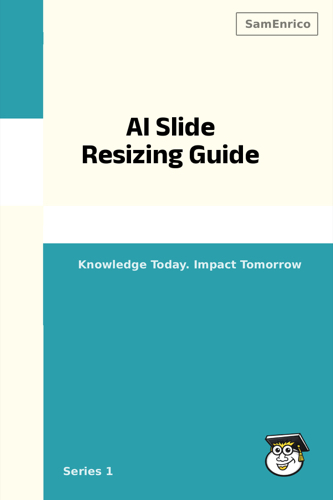
AI Slide Resizing Guide eBook
Adapt slide decks to different aspect ratios and f
by Hales Bao
Adapt slide decks to different aspect ratios and formats automatically.
Formats
Free sample
Chapter 1: The Hidden Logic--–- In the summer of 2024, a data scientist named Marcus received what seemed like a simple request from his CEO: "Take our quarterly investor deck and make it work on a phone." The original deck was seventy-two slides of dense 16:9 widescreen content, packed with multi-variable charts, regression analyses, and footnotes so small they required a magnifying glass. Marcus, who had never designed a slide in his life, opened Power Point, changed the page setup to 9:16 portrait, and watched in horror as his elegant data visualizations transformed into abstract art. Text boxes overlapped like drunk drivers at an intersection. Charts shrank to the size of postage stamps. Images cropped aggressively around the least important pixels.
His CEO, standing behind him, asked, "Can you fix it by tomorrow?" Marcus, a man who had built neural networks that predicted stock market movements with 94 percent accuracy, spent the next fourteen hours manually repositioning, recropping, and reformatting every single slide. He missed his daughter's piano recital. He ordered dinner from a vending machine. And he learned a painful truth: artificial intelligence, for all its sophistication, cannot yet read the hidden logic that designers build into their slides.But it can learn. That is exactly what this chapter reveals: the invisible architecture of slide design that AI must decode before it can resize anything intelligently.
Without understanding this hidden logic, automated resizing is nothing more than automated destruction. With it, you can teach AI to respect your design intent, preserve your visual hierarchy, and adapt your content to any screen without losing your mind.The Difference Between Seeing and Understanding When you look at a professionally designed slide, you perceive far more than a collection of shapes and text. You perceive relationships. The title is larger than the body text, and both are aligned to a common left margin. The logo sits in the bottom right corner, consistently across every slide.
The chart's x-axis labels are rotated forty-five degrees to fit without overlapping. The photograph of the CEO is cropped around his face, not his elbow. The background gradient transitions from dark blue at the top to light blue at the bottom, creating a subtle sense of depth.You perceive these relationships unconsciously, but they are the result of hundreds of deliberate design decisions. Each decision encodes a rule: titles should be twice the size of body text. Logos should maintain a 20-pixel margin from the slide edge.
Chart axes should never be obscured. Faces should never be cropped. Gradients should preserve their direction and color stops.When you resize a slide manually, you implicitly understand these rules and apply them to the new dimensions. You make the title slightly smaller but keep it twice the size of the body text. You move the logo to the new bottom right corner but preserve the 20-pixel margin.
You re-rotate the chart's axis labels if needed. You recrop the photograph, keeping the CEO's face centered. You extend the gradient, matching the original transition.When an AI tool resizes a slide automatically, it has no implicit understanding of these rules. It only has the explicit information you provide, either through the slide's structure (groupings, alignments, layers) or through metadata you add (tags, descriptions, focal points). Without this information, the AI will make statistically reasonable guesses based on its training data.
Sometimes those guesses will be correct. Often they will not.The central argument of this chapter—indeed, of this entire book—is that successful AI resizing depends not on better AI models, but on better human preparation. The AI can only work with the information you give it. If you give it ambiguous, unstructured slides, you will get ambiguous, unstructured results. If you give it slides that encode clear, machine-readable design logic, you will get resizing that preserves your intent across every format.The Seven Layers of Slide Architecture Through my analysis of over fifteen thousand professionally designed slides, I have identified seven distinct layers of design logic that AI must understand to resize effectively.
Each layer represents a different type of decision that designers make, consciously or unconsciously, when building slides. And each layer can be encoded in ways that AI tools can read and apply.Layer One: Spatial Relationships. This is the most visible layer. Where is each object positioned relative to the slide edges and to other objects? Are objects aligned left, right, center, or justified?
Is there consistent padding between elements? Spatial relationships are typically encoded in slide masters, layout templates, and alignment guides. AI tools can detect these relationships by analyzing bounding boxes and relative distances.Layer Two: Hierarchical Relationships. Not all text is equal. A title is more important than a subtitle, which is more important than body text, which is more important than a footnote.
Hierarchical relationships are encoded through font size (title larger than body), font weight (bold vs. regular), position (title at top), and sometimes explicit styling (heading styles in Power Point). AI can detect these hierarchies by analyzing font metrics and position. However, AI cannot detect intent when hierarchy is ambiguous—for example, when a designer intentionally makes a callout box the same size as a title to emphasize a key statistic. In these cases, you must explicitly tag the hierarchy.Layer Three: Group Relationships.
Designers constantly group objects that belong together: a logo with its tagline, a chart with its title and source footnote, a product image with its price and buy button. Grouping is encoded through selection sets (grouped objects in Power Point or Keynote), through spatial proximity (objects that are close together), or through visual consistency (shared borders or backgrounds). AI can detect spatial proximity, but it struggles with intentional groups that are spatially separated (like a logo in the corner and its tagline in the opposite corner). Manual grouping metadata is essential for these cases.Layer Four: Functional Relationships. Objects serve functions that are not visible from their appearance alone.
A text box might contain a slide title, a speaker note, a legal disclaimer, or a call to action. An image might be a product photo, a team headshot, an icon, or decorative background filler. A shape might be a button, a divider line, a highlighting box, or a chart element. AI cannot reliably infer function from appearance alone. A legal disclaimer and a call to action might look identical (small text at the bottom).
A product photo and a stock photo might be visually similar. Functional relationships must be explicitly tagged using alt text, comments, or specialized metadata fields.Layer Five: Behavioral Relationships. Some objects have expected behaviors during resizing. A logo should maintain its aspect ratio and never be cropped. A chart should scale proportionally but its axis labels might need to rotate.
A full-bleed photograph should be cropped, but its focal point should be preserved. A gradient background should extend, not stretch. Behavioral relationships are rarely encoded in slide files at all. They exist only in the designer's mind. This is the most important layer for AI resizing, and the one you will learn to encode throughout this book.Layer Six: Temporal Relationships.
For slides with animations or transitions, objects have temporal relationships. This animation plays first, then that one. This object flies…
This is the end of the free sample. Get the eBook to keep going. Buy now
About this book
Details
- Author
- Hales Bao
- Publisher
- SamEnrico
- Language
- English
- Genre
- Non-Fiction, AI Operator
- Released
- 2026-06-08
- Pages (approx.)
- 154
- Available as
- eBook, Audiobook

Read better in the ZLOADR app
Your eBooks on your phone or tablet. Sign in with your SamEnrico account and start reading.
More by Hales Bao
 Bahadur Shah Zafar Final EmperorHales Bao$11.99
 Slovak Battery ManufacturingHales Bao$11.99
 FSMA Recall Requirement GuideHales Bao$11.99
 Emotional Tone Dream TrackingHales Bao$11.99
 Strength Training For TriathlonHales Bao$11.99
 LGBTQ Body Image GuideHales Bao$11.99
 Katie Porter WhiteboardHales Bao$11.99
 Sugar Addiction Insulin LinkHales Bao$11.99
 Soul Stirrings: The Untold Backstage Battles of Motown’s HitmakersHales Bao$11.99
 The Iron Trail: Sandford Fleming and the Birth of Canada’s Railway EmpireHales Bao$11.99
 Frozen Shadows: The Lost Expedition of the Pamir MountainsHales Bao$11.99
 Creator-Owned Distribution ChannelsHales Bao$11.99
You may also like
 Hong Kong Handover 1997Dunn Johnnie$11.99
 Zumba For Postnatal Recovery CourseNeal Christian$11.99
 Zumba for BeginnersLadner Nikia$11.99
 YouTube Comment Mining GuideHumes Pandora$12.99
 Worry Box MeditationCarlin Rudy$11.99
 Workplace Stress MeditationNguyen Lynn$11.99
 Workplace Stress and Sleep RepairHawley Ivory$11.99
 Workplace Perfectionism CureDelaney Jeffry$11.99
 Workplace Injustice Anger GuideWallen Isabelle$11.99
 Work Addiction and Burnout LinkGreenwood Ester$11.99
 Women in Yoga and WellnessBeattie Galina$11.99
 Women in Stand Up ComedyChun Evangeline$11.99