
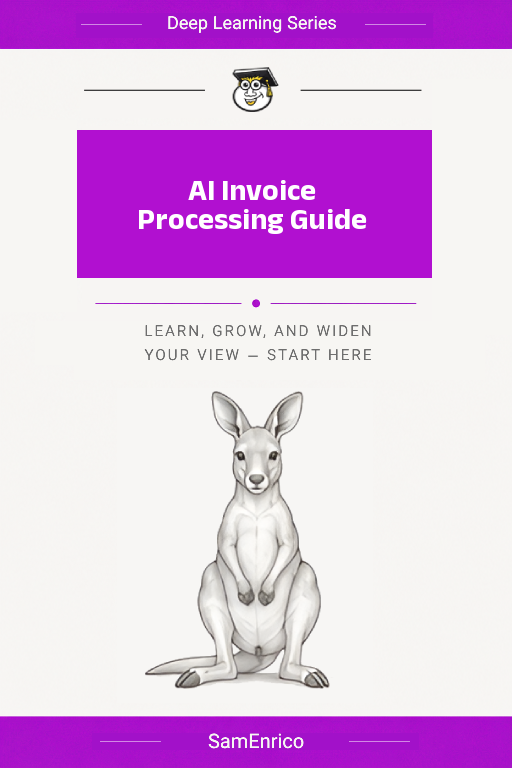
Non-FictionAnnual CheckupAP Automation
AI Invoice Processing Guide eBook
Use Vic.ai or Tipalti to automate accounts payable
Use Vic.ai or Tipalti to automate accounts payable and invoice data extraction for small biz.
Formats
Free sample
Chapter 1: The Invoice Nightmare--–- Keith Kinard, CFO of Prime Steak Concepts, had a problem. His company operated 10 upscale restaurants across six states. Each location received daily deliveries from dozens of vendors. Each vendor sent an invoice. Each invoice was faxed to the corporate office.
Each invoice was manually entered into the accounting system. Each invoice required approval from a manager who might be anywhere from Phoenix to Philadelphia. And each invoice was an opportunity for something to go wrong."Our stores would fax us invoices on a daily basis, and then we would enter those manually into our AP system," Kinard recalls. "It was incredibly manual."The manual process created bottlenecks. Invoices got lost.
Payments were delayed. Vendors grew frustrated. Early payment discounts—easy money—were missed because approvals took too long. The finance team spent their days typing instead of analyzing. And as the company grew, the problem got worse, not better.Prime Steak Concepts is not alone.
This chapter explains why manual invoice processing is broken, how much it is costing you, and why AI-powered automation is the only scalable solution.The Hidden Costs of Manual Invoice Processing When business owners think about the cost of accounts payable, they usually think about the obvious: the hours their bookkeeper spends entering invoices. But the true cost of manual processing is much larger.Direct Labor Costs The average cost to process a single invoice manually ranges from 12to12 to 12to20. For a small business processing 200 invoices per month, that is 2,400to2,400 to 2,400to4,000 per month, or 28,800to28,800 to 28,800to48,000 per year. For a business processing 500 invoices per month, that is 60,000to60,000 to 60,000to120,000 annually.Where does that cost come from? Not just data entry.
Consider everything that happens between receiving an invoice and paying it:Opening and sorting email attachments Renaming files to something recognizable Manually entering vendor names, invoice numbers, dates, line items, and totals Checking for math errors (does subtotal plus tax equal total?)Flagging the invoice for the right approver Sending follow-up emails when approvals stall Reconciling payments against bank statements Filing copies for audit purposes Each step adds time. Each step adds cost. Each step introduces risk.The Late Payment Penalty Manual processes are slow. Slow processes mean late payments. Late payments mean fees, interest charges, and damaged vendor relationships.But the real cost is the missed opportunity.
Most vendors offer early payment discounts—typically 1% to 2% if paid within 10 days instead of 30. For a business spending 500,000monthlywithsuppliers,a2500,000 monthly with suppliers, a 2% early payment discount is 500,000monthlywithsuppliers,a210,000 per month, or $120,000 per year.Manual approval workflows rarely capture these discounts because invoices sit in someone's inbox waiting for a signature. Automated workflows process invoices in hours or days, not weeks.The Hidden Labor Tax The most expensive cost is invisible. It is not the hours spent on manual processing. It is the hours not spent on higher-value work.When your finance team is buried in data entry, they are not analyzing vendor contracts.
They are not identifying cost-saving opportunities. They are not forecasting cash flow. They are not advising the business on financial strategy. They are typing numbers into boxes."I cannot state strongly enough how damaging it is to have smart, experienced finance professionals spending their time on clerical work," one CFO told me. "It is like hiring a Michelin-starred chef to wash dishes."The Error Rate Reality Even the most careful data entry produces errors.
Industry studies show manual entry error rates between 0.5% and 4% of all entries. That might sound small. But for a business processing 10,000 line items per month, 4% is 400 errors.Each error requires investigation. Each error may trigger a payment dispute. Each error damages trust with vendors.
And some errors—like paying the wrong invoice or paying the wrong amount—have direct financial consequences.The Traditional "Solutions" That Failed Small Businesses Before AI, businesses tried to solve the invoice problem with two approaches. Both failed for small businesses. (For a detailed explanation of why template-based OCR fails, see Chapter 2.)Electronic Data Interchange (EDI)EDI is a standardized electronic format for business documents. It works well for large enterprises with dedicated EDI teams and predictable trading partners.But EDI is expensive to set up, complex to maintain, and requires every supplier to adopt the same standard. For a small business with hundreds of vendors—each using their own invoice format—EDI is impossible.Template-Based OCR (Brief Mention)Optical character recognition (OCR) software scans documents and converts them to digital text.
Early OCR systems required fixed templates specifying where each field appears. The problem? Every vendor formats invoices differently. When an OCR system encounters an unfamiliar format, it fails. And every new vendor requires a new template.Template-based OCR is brittle.
It breaks when vendors change their formats. It cannot scale as your business grows. Chapter 2 explains this failure in detail, including the "maintenance death spiral" that traps so many businesses.Enter AI-Powered Invoice Processing Modern AI-powered invoice processing is fundamentally different from OCR and EDI. It does not rely on templates. It does not require standardized formats.
It reads invoices the way a human reads them—by recognizing patterns.How It Works (A Simple Explanation)Imagine showing a child 10,000 pictures of cats and dogs. Eventually, the child learns to recognize a cat without you explaining what whiskers are. AI works the same way.Vic.ai and Tipalti have been trained on millions of invoices from thousands of businesses. They have learned to recognize:Where the vendor name usually appears What an invoice number looks like How line items are structured Where to find subtotals, taxes, and totals When you upload an invoice—even from a vendor the system has never seen—the AI applies what it has learned to extract the data correctly. This is called "template-free extraction," and it is the key innovation that makes AI invoice processing work for small businesses.What "No-Touch" Really Means The goal of AI invoice processing is "no-touch" automation—invoices that flow from receipt to payment without human intervention.Based on published customer results, here is what you can realistically expect (these metrics are summarized in the table below):Metric90-Day Target12-Month Target Processing time per invoice5+ minutes → 1-2 minutes30-60 seconds Accuracy on standard digital invoices85-95% on first pass90-99%No-touch processing40-60% of invoices60-85% of invoices AP productivity increase20%40% or more These are not theoretical maximums.
They are results achieved by real businesses, documented in case studies and customer reviews.Central Network Retail Group (CNRG) achieved 60% no-touch processing while maintaining 90% coding accuracy. Strawberry, which operates 300+ hotel properties, processes 600,000 annual invoices with under 2-day approvals at 96% accuracy."No-touch does not mean no oversight," one finance director told me. "It means my team reviews exceptions instead of everything. We went from reviewing 100% of invoices to reviewing 20%. That is 80% of our time back."The Continuous Learning Advantage The most powerful feature of AI invoice processing is that it learns from corrections.
(Chapter 5 explains this concept in technical detail, including confidence scores.)When the AI makes a mistake—misreading a vendor name, misclassifying an expense—your correction teaches the system. Over time, accuracy improves. Error rates fall. No-touch rates rise.This is the opposite of template-based OCR…
This is the end of the free sample. Get the eBook to keep going. Buy now
About this book
Details
- Author
- Donohue Merrill
- Publisher
- SamEnrico
- Language
- English
- Genre
- Non-Fiction, Annual Checkup, AP Automation
- Released
- 2026-06-01
- Pages (approx.)
- 109
- Available as
- eBook, Audiobook

Read better in the ZLOADR app
Your eBooks on your phone or tablet. Sign in with your SamEnrico account and start reading.
More by Donohue Merrill
 Teen Affirmations That WorkDonohue Merrill$11.99
 Volunteer Leader Burnout GuideDonohue Merrill$11.99
 CrossFit Olympic Lifting PrimerDonohue Merrill$11.99
 Cyberstalking Corporate Espionage CasesDonohue Merrill$11.99
 Antwerp Diamond Heist Victim Impact StoriesDonohue Merrill$11.99
 The Frozen Unknown: Zheng He’s Lost Antarctic Voyage (1421-1422)Donohue Merrill$11.99
 Echoes of the Forgotten: The Battle of Khe Sanh and the Ghosts of VietnamDonohue Merrill$11.99
 How to Start a Ship Building and Repairing BusinessDonohue Merrill$11.99
 Sectoral Bargaining GuideDonohue Merrill$12.99
 Understanding Dominant Cleft PalateDonohue Merrill$17.99
 Business Development Representative InternshipDonohue Merrill$11.99
You may also like
 Hong Kong Handover 1997Dunn Johnnie$11.99
 Zumba For Postnatal Recovery CourseNeal Christian$11.99
 Zumba for BeginnersLadner Nikia$11.99
 YouTube Comment Mining GuideHumes Pandora$12.99
 Worry Box MeditationCarlin Rudy$11.99
 Workplace Stress MeditationNguyen Lynn$11.99
 Workplace Stress and Sleep RepairHawley Ivory$11.99
 Workplace Perfectionism CureDelaney Jeffry$11.99
 Workplace Injustice Anger GuideWallen Isabelle$11.99
 Work Addiction and Burnout LinkGreenwood Ester$11.99
 Women in Yoga and WellnessBeattie Galina$11.99
 Women in Stand Up ComedyChun Evangeline$11.99