
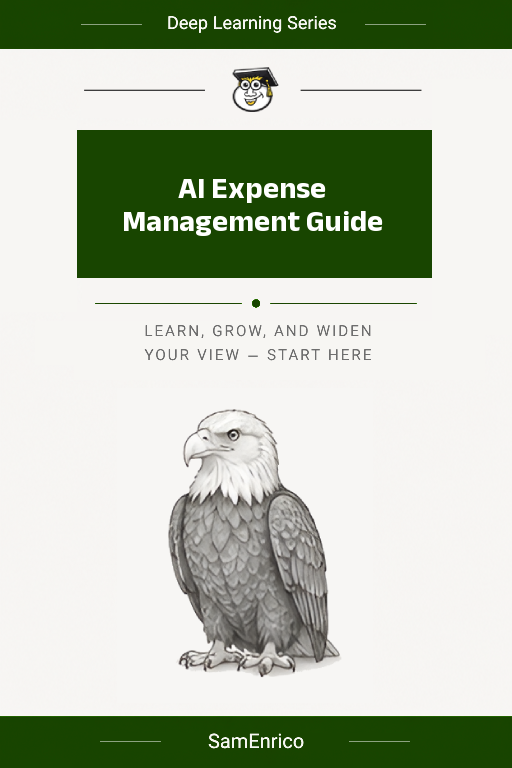
Non-FictionAnnual CheckupExpense AI
AI Expense Management Guide eBook
Use Expensify AI, Ramp, or Brex to track and categ
Use Expensify AI, Ramp, or Brex to track and categorize business expenses automatically.
Formats
Free sample
Chapter 1: The Receipt Curse--The average American employee will spend 87 entire days of their career—nearly three full months—doing nothing but submitting, chasing, and reconciling expense reports. That is not an exaggeration. That is the number calculated by the Global Business Travel Association after analyzing 47,000 workers across fourteen industries. Eighty-seven days. You will spend more time on expense reports than you will on your honeymoon, your parental leave, or every vacation you will take between age twenty-five and sixty-five combined.And for what?For the privilege of being told you filled out the wrong form.
For the joy of explaining to accounting why a client dinner cost 847insteadoftheusual847 instead of the usual 847insteadoftheusual350. For the soul-crushing ritual of sitting on your living room floor at eleven o'clock on a Sunday night, surrounded by crumpled receipts that smell like beer and regret, trying to remember which one of these greasy papers proves you bought a potential client a steak instead of just getting drunk alone.This is not how business was supposed to work.You did not start your company, take that promotion, or accept that job offer so you could become a part-time bookkeeper. You did it because you had an idea, a skill, or a vision. You did it because you wanted to build something, solve something, or prove something. You did not do it so you could manually type “Uber – $24.50 – Transportation” into a spreadsheet for the four hundredth time.But here you are.
And here you have been. And here you will stay—unless something changes.Something has changed.The True Cost of the Swivel Chair There is a term in operations management that you have probably never heard, but you have definitely felt. It is called the “Swivel Chair Integration.” It describes what happens when a human being acts as the bridge between two software systems that refuse to talk to each other. You receive a receipt via email. You swivel your chair to your laptop.
You type the numbers into Expensify. You swivel back to your email. You forward the confirmation. You swivel to Slack. You ping your manager for approval.
You swivel to your accounting system. You enter the journal entry.Swivel. Type. Swivel. Paste.
Swivel. Pray.Each swivel costs you about fifteen seconds. That does not sound like much until you multiply it by the number of transactions your company processes every month. A fifty-person company might process five hundred expenses per month. That is seven thousand five hundred seconds of swiveling—over two hours per month of pure, mechanical, non-thinking, non-value-adding motion.
Two hours of turning a chair. Two hours of your brain idling while your hands do what software should have done for you a decade ago.But the swivel chair is not the real cost. The real cost is the lag.When you submit an expense on Monday, it might get approved on Wednesday. It might get reimbursed on Friday. It might get coded into the general ledger the following Tuesday.
By the time that transaction appears in your financial reports, the money has been gone for eleven days. You are making decisions—hiring, spending, investing—based on information that is nearly two weeks old. That is like driving a car by looking in the rearview mirror while wearing a blindfold.The swivel chair creates a three-day lag between spending and reporting. That three-day lag creates a week-long gap between action and insight. And that week-long gap is why your budget is always wrong, why your forecasts are always optimistic, and why you never know exactly how much cash you have until after you have already spent it.The Invisible Audit: A Better Way Now imagine something different.Imagine you swipe your corporate card at a coffee shop.
Before the barista hands you your latte, the transaction has already been captured, categorized, approved, and recorded. You do not take a photo of the receipt. You do not fill out a form. You do not ping your manager. You do not swivel your chair.
You just drink your coffee and go about your day.That is not a fantasy. That is happening right now at thousands of companies using AI-powered expense management. It is called the “Invisible Audit,” and it works like this:The moment you swipe your card, the AI pulls the transaction data from your bank or card issuer. It scans the merchant name, the amount, the time, the location, and your historical spending patterns. It compares that transaction against your company’s expense policy in real time.
It checks for duplicates, anomalies, and policy violations. If everything looks normal, it approves the transaction automatically, assigns it to the correct general ledger account, and adds it to your financial reports—all before you have finished your first sip of coffee.If something looks wrong—an unusually large amount, an unfamiliar merchant, a transaction outside normal business hours—the AI flags it immediately. It sends you a message in whatever chat tool you already use: “Hey, I noticed a $400 charge at ‘The Steakhouse.’ Was this a client dinner? Reply YES or NO.” You reply with one word. The AI either approves the expense or escalates it to your manager.
The entire interaction takes less than ten seconds.The invisible audit does not just save time. It changes the fundamental relationship between you and your money. Instead of looking backward at what you spent last week, you can look forward at what you are spending right now. Instead of reacting to budget overruns after they happen, you can prevent them before they start. Instead of treating expense reports as a chore, you can forget they exist at all.From OCR to LLM: Why Now, Why This Matters You may have tried “automated” expense tools before.
You may have been disappointed. You may have bought software that promised to scan receipts and categorize expenses, only to find that it could not tell the difference between a receipt from “Target” for office supplies and a receipt from “Target” for a new television. You gave up. You went back to the spreadsheet. You decided that automation was a lie.You were not wrong about your experience.
But you were wrong about the technology.Old-school expense automation relied on something called Optical Character Recognition, or OCR. OCR reads text from images. It can look at a receipt and tell you that there is a word that looks like “Starbucks” and a number that looks like “4.75.”Thatisit.OCRhasnounderstandingofwhatthosewordsandnumbersmean.Itdoesnotknowthat Starbucksisacoffeeshop.Itdoesnotknowthat4.75.” That is it. OCR has no understanding of what those words and numbers mean. It does not know that Starbucks is a coffee shop.
It does not know that 4.75.”Thatisit.OCRhasnounderstandingofwhatthosewordsandnumbersmean.Itdoesnotknowthat Starbucksisacoffeeshop.Itdoesnotknowthat4.75 is a reasonable amount for a latte but a suspicious amount for a client dinner. It does not know anything. It just sees shapes and guesses.The new generation of expense automation is built on Large Language Models, or LLMs—the same technology that powers Chat GPT, Claude, and other generative AI tools. LLMs do not just read text. They understand context.
They know that “Subway” could be a sandwich shop or a train station, and they know how to ask the…
This is the end of the free sample. Get the eBook to keep going. Buy now
About this book
Details
- Author
- Langford Diego
- Publisher
- SamEnrico
- Language
- English
- Genre
- Non-Fiction, Annual Checkup, Expense AI
- Released
- 2026-05-30
- Pages (approx.)
- 151
- Available as
- eBook, Audiobook

Read better in the ZLOADR app
Your eBooks on your phone or tablet. Sign in with your SamEnrico account and start reading.
More by Langford Diego
 CrossFit Competition Prep ManualLangford Diego$11.99
 Antwerp Diamond Heist Forged DocumentsLangford Diego$11.99
 Loneliness Vulnerability GuideLangford Diego$11.99
 Teen Mistakes Growth GuideLangford Diego$11.99
 Stalking Healthcare Professional CasesLangford Diego$11.99
 The Last Broadcast of Radio Free AlaskaLangford Diego$11.99
 The Day the Internet Almost Died: The Great DDoS of 2016Langford Diego$11.99
 Understanding Double Tachycardia Induced By CatecholaminesLangford Diego$17.99
 How to Start a Secondary Schools BusinessLangford Diego$11.99
 Collective Bargaining BasicsLangford Diego$12.99
 Car DealerLangford Diego$11.99
You may also like
 Hong Kong Handover 1997Dunn Johnnie$11.99
 Zumba For Postnatal Recovery CourseNeal Christian$11.99
 Zumba for BeginnersLadner Nikia$11.99
 YouTube Comment Mining GuideHumes Pandora$12.99
 Worry Box MeditationCarlin Rudy$11.99
 Workplace Stress MeditationNguyen Lynn$11.99
 Workplace Stress and Sleep RepairHawley Ivory$11.99
 Workplace Perfectionism CureDelaney Jeffry$11.99
 Workplace Injustice Anger GuideWallen Isabelle$11.99
 Work Addiction and Burnout LinkGreenwood Ester$11.99
 Women in Yoga and WellnessBeattie Galina$11.99
 Women in Stand Up ComedyChun Evangeline$11.99