
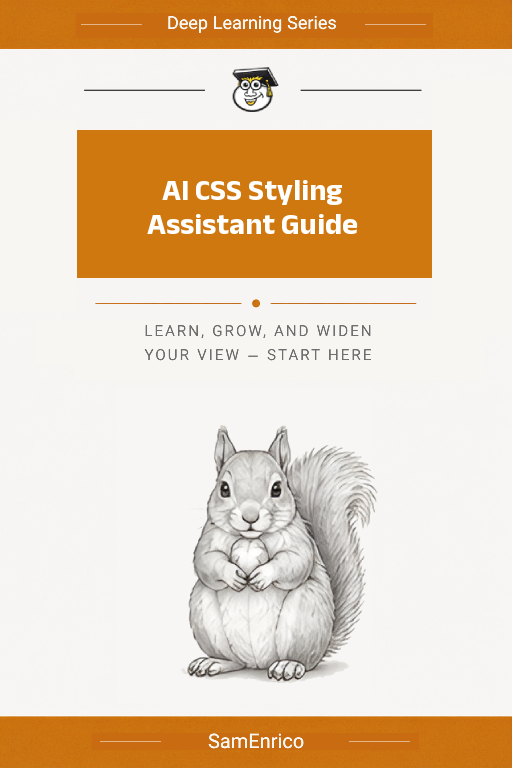
AI CSS Styling Assistant Guide eBook
Generate responsive CSS and Tailwind styles using
by Toler Gigi
Generate responsive CSS and Tailwind styles using natural language.
Formats
Free sample
Chapter 1: Your Silent Partner--–- The first time an AI wrote CSS for me, I felt like a fraud.I had spent six years learning the intricacies of the cascade, fighting with flexbox edge cases, and memorizing the 47 different ways to center a div. Then, in one afternoon, a junior designer on my team—someone who openly admitted she didn't know what z-index actually did—used Chat GPT to build a fully responsive, animated landing page that took me three days to replicate. She typed: "Create a modern product landing page with a hero section, three feature cards, and a sticky header that shrinks on scroll. Make it feel premium and use Tailwind." Thirty seconds later, she had working code.I was angry. Then I was curious. Then I became obsessed.That obsession led me to a discovery that changed how I build everything: The best front-end developer in the AI era is not the one who writes the most code. It is the one who writes the best prompts.This book is not about making you obsolete. It is about making you unstoppable.What This Chapter Will Teach You By the end of this chapter, you will be able to:Understand exactly how AI models "see" CSS and Tailwind Set up your complete AI-augmented development environment (no more setup split across multiple chapters)Write your first production-ready styling prompt using a four-part framework Review and refine AI-generated code like a senior architect Avoid the three most common mistakes beginners make when prompting for styles Let us begin with a question that surprises most readers.The Question Nobody Asks (But Everyone Should)What is the difference between asking an AI for code and directing an AI to build?Most people type something like: "Give me CSS for a blue button."The AI returns:css Copy Download.button {
background-color: blue; color: white; padding: 10px 20px; border: none; }The person copies it, pastes it, and moves on. This is using AI. It is fast. It is also fragile, generic, and often wrong for any real context.The prompt-directed stylist does something different. They type: *"I am building a checkout form for a luxury e-commerce site using Tailwind. Create a primary button class that uses our brand blue (#1a365d), has rounded corners, a subtle shadow on hover, and includes padding that matches our 8px grid system. The button should be accessible with a visible focus ring. Output only the Tailwind classes, not separate CSS."*The difference is not just length. It is context, intent, constraints, and output format—the four pillars of effective prompting. This chapter teaches you to speak that language fluently.But before you can direct an AI, you need to understand what you are directing.How AI Actually "Sees" CSS and Tailwind Here is something most tutorials get wrong. AI models like Chat GPT, Claude, and Git Hub Copilot do not "understand" CSS the way you do. They do not visualize a box model or feel the weight of a margin collapse. Instead, they have ingested millions of code repositories, documentation pages, and tutorials. They recognize patterns.When you type flex, the AI has seen that token appear next to justify-content, align-items, and display millions of times. It is not thinking. It is predicting the most statistically likely sequence of tokens based on patterns in its training data.This has three powerful implications for you.Implication One: AI Is Excellent at Common Patterns Ask for a responsive navigation bar, a product card, or a modal dialog. The AI has seen thousands of examples. It will generate something that looks correct immediately. This is where AI shines.Implication Two: AI Is Terrible at Novel Constraints Ask for something rare—a specific browser bug fix from 2017, an obscure CSS property, or a layout that violates normal conventions. The AI will confidently generate wrong code. This is where you must intervene.Implication Three: AI Reflects the Quality of Its Training Data The AI learned from the entire public web. That includes amazing code and terrible code. If you do not provide clear constraints, the AI defaults to the most common pattern—which is often mediocre. Your job is to elevate the output by providing specific, high-quality instructions.Understanding these three implications transforms how you approach every prompt. You stop treating the AI as a magical oracle and start treating it as a brilliant but inexperienced junior developer who needs clear direction.The Four-Part Prompt Framework Every effective styling prompt in this book follows the same structure. Memorize this framework. Write it on a sticky note. Keep it next to your monitor.Part One: Context Answer three questions: What are you building? What technology are you using? What existing code or constraints exist?Weak context: "Give me a card layout."Strong context: "I am building a blog post preview component for a Next.js application using Tailwind CSS. The component will display a featured image, title, excerpt, and read-more link. The existing design system uses a max-width of 1200px and an 8px spacing grid."The AI now knows what it is building, what tools to use, and what constraints to respect. This alone improves output quality by 50 percent.Part Two: Intent Describe the visual outcome. Use adjectives. Reference specific designs. Avoid technical implementation details.Weak intent: "Make it look nice."Strong intent: "The card should feel modern and clean. The image should span the full width of the card. The title should be bold and larger than the excerpt text. The read-more link should be subtle but noticeable, ideally with an arrow icon that animates on hover."Notice that this describes what to achieve, not how to achieve it. The AI will choose the technical approach based on patterns from its training.Part Three: Constraints Specify limitations. Responsiveness requirements? Accessibility standards? Browser support? Performance considerations? Dark mode?Weak constraints: "It should work on mobile."Strong constraints: "The card must be responsive with a single column on mobile (below 640px), two columns on tablet (640px to 1024px), and three columns on desktop (above 1024px). All text must meet WCAG 2.1 AA contrast standards. The card must work without Java Script. Focus states must be visible for keyboard navigation."Constraints turn generic AI output into production-ready code. Without constraints, the AI assumes the simplest possible implementation—which is rarely sufficient for real projects.Part Four: Output Format Tell the AI exactly what you want returned. Just the code? Code with explanation? Tailwind classes only? A complete component with HTML and CSS?Weak output format: No specification (AI guesses).Strong output format: "Return only the Tailwind class string for the card container. Do not include surrounding HTML. Do not include explanations. Just the classes."This prevents the AI from adding commentary, alternative suggestions, or unnecessary markup. You get exactly what you asked for.The Anatomy of a Perfect Styling Prompt Template Here is a template you will use hundreds of times. Copy it now.text Copy Download CONTEXT: I am building [component name] for [project type] using [technology stack]. The existing design system uses [spacing system, color palette, font stack].
INTENT: The component should look [visual description using adjectives]. Specifically: [list specific visual requirements].
CONSTRAINTS: The component must be responsive at [breakpoints]. Accessibility requirements: [list WCAG or internal standards]. Browser support: [list target browsers].…
This is the end of the free sample. Get the eBook to keep going. Buy now
About this book
Details
- Author
- Toler Gigi
- Publisher
- SamEnrico
- Language
- English
- Genre
- Non-Fiction, AI Operator
- Released
- 2026-06-01
- Pages (approx.)
- 141
- Available as
- eBook, Audiobook

Read better in the ZLOADR app
Your eBooks on your phone or tablet. Sign in with your SamEnrico account and start reading.
More by Toler Gigi
 Rewiring Athlete Performance FearToler Gigi$11.99
 Meth Recovery Brain RepairToler Gigi$11.99
 Imposter Nutrition ConnectionToler Gigi$11.99
 Second Tetrad: Breathing with FeelingsToler Gigi$11.99
 LTC Insurance After 70 GuideToler Gigi$11.99
 Micro Productive ParentingToler Gigi$11.99
 FCPA Deferred Prosecution AgreementsToler Gigi$11.99
 TM For Anxiety ReliefToler Gigi$11.99
 Overcoming Pornography AddictionToler Gigi$11.99
 The Silk Road Heist: How a 13th-Century Conspiracy Changed the WorldToler Gigi$11.99
 The Day the Internet Stood Still: How a Single Glitch Broke the WorldToler Gigi$11.99
 Frozen Alchemy: The Discovery of Einsteinium in the Arctic WastesToler Gigi$11.99
You may also like
 Hong Kong Handover 1997Dunn Johnnie$11.99
 Zumba For Postnatal Recovery CourseNeal Christian$11.99
 Zumba for BeginnersLadner Nikia$11.99
 YouTube Comment Mining GuideHumes Pandora$12.99
 Worry Box MeditationCarlin Rudy$11.99
 Workplace Stress MeditationNguyen Lynn$11.99
 Workplace Stress and Sleep RepairHawley Ivory$11.99
 Workplace Perfectionism CureDelaney Jeffry$11.99
 Workplace Injustice Anger GuideWallen Isabelle$11.99
 Work Addiction and Burnout LinkGreenwood Ester$11.99
 Women in Yoga and WellnessBeattie Galina$11.99
 Women in Stand Up ComedyChun Evangeline$11.99