
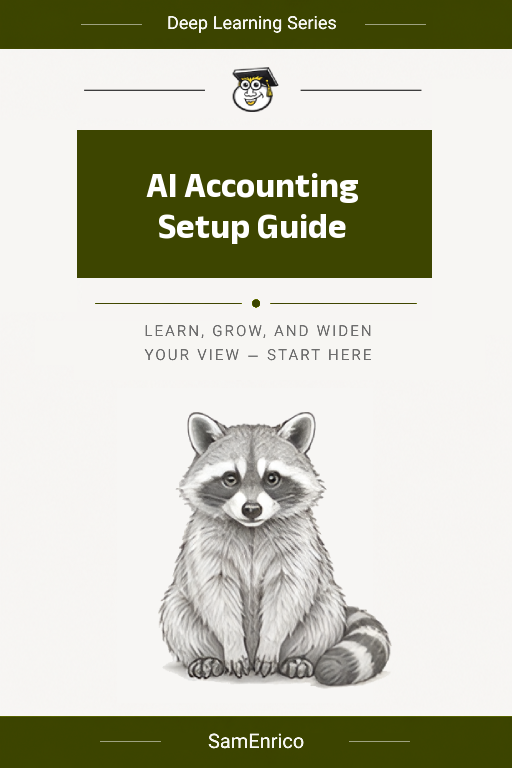
Non-FictionBusiness BriefAutomation Guide
AI Accounting Setup Guide eBook
Set up AI accounting tools for your small business
Set up AI accounting tools for your small business. Configuration and initial data migration.
Formats
Free sample
Chapter 1: The Co A Diet--If you have ever stared at your Chart of Accounts and felt a vague sense of shame—like looking at a closet so stuffed that you cannot find the pair of shoes you wore yesterday—you are not alone. Most small business owners have a Chart of Accounts that has grown like kudzu: uncontrolled, overlapping, and full of accounts that nobody can explain. "Office Supplies," "Office Expenses," "General Office," "Misc Office," and "Office—Do Not Use" all living side by side, each with a handful of forgotten transactions from three years ago. This chapter is not about AI. Not yet.
This chapter is about the single most important hour you will spend before any software touches your financial life. Because here is the truth that no AI vendor will tell you: if your Chart of Accounts is a mess, the AI will be a mess. Not because the AI is stupid. Because you have asked it to guess which of fourteen similar accounts is the right one for a $12.99 box of printer paper. That is not pattern recognition.
That is a coin flip.The Myth of the Magic Machine Let us clear something up immediately. Artificial intelligence, in the context of accounting, is not a thinking machine. It is not a digital accountant that understands your business the way a human partner would. It is, at its core, a sophisticated pattern-matching engine. You feed it examples, it finds statistical regularities, and it makes predictions based on those regularities.
When the patterns are clean and consistent, the AI performs miracles. When the patterns are muddy and contradictory, the AI performs like a tired intern on a Friday afternoon.Consider what happens when you ask an AI to categorize a $47.83 payment to Amazon. If your Chart of Accounts has a single account called "Office Supplies," the AI looks at the vendor name, sees previous transactions mapped to that account, and confidently assigns the new transaction to the same place. Ninety-nine percent confidence. Green zone.
No human review needed. That is the dream.Now consider the same $47.83 payment to Amazon. But your Chart of Accounts has "Office Supplies," "Office Expenses," "General Admin," "Amazon Purchases," "Miscellaneous," and "Computer Hardware." The AI looks at the vendor name and sees that previous Amazon transactions have been scattered across five different accounts depending on which employee was doing data entry that week. The AI has no signal. Only noise.
It guesses. Maybe it picks "Office Supplies." Maybe it picks "Miscellaneous." Fifty-five percent confidence at best. Yellow zone. Human review required. You just lost the time savings you were hoping to gain.This is not a failure of AI.
This is a failure of structure. And the good news is that you can fix it in about ninety minutes.What Is the Chart of Accounts, Really?For readers who did not come from an accounting background, let us define terms. A Chart of Accounts is simply a list of every bucket where you put your money. Revenue buckets (Sales, Service Income, Interest). Expense buckets (Rent, Utilities, Office Supplies).
Asset buckets (Cash, Accounts Receivable, Equipment). Liability buckets (Credit Cards, Loans, Sales Tax Payable). Equity buckets (Owner Investment, Retained Earnings).That is it. Buckets. Nothing more mystical than that.The problem is that over time, business owners create new buckets instead of using existing ones.
You see a new type of expense—say, a subscription to Canva for your social media graphics—and instead of putting it into "Marketing" or "Software Subscriptions," you create a new account called "Canva." Then next month you subscribe to Adobe and create "Adobe." Then Tailwind and create "Tailwind." Before long, you have forty accounts for what should be one account called "Software Subscriptions" or "Marketing Tools."This happens for understandable reasons. Accounting software makes it easy to add accounts. You are in a hurry. You do not want to scroll through a long list. You tell yourself you will clean it up later.
Later never comes. And now you have a Chart of Accounts that looks like a teenager's bedroom floor.The Unified Financial Data Model (Simplified)In enterprise AI accounting systems, there is a concept called the Unified Financial Data Model, or FDM. It sounds fancy. It is not. The FDM simply says that every financial transaction should be classifiable using a small, consistent set of accounts that do not overlap.
In other words, any given expense should fit into exactly one account, and you should never have to guess which one.For a small business, the FDM suggests a target of forty to sixty active accounts. Not four hundred. Not six hundred. Forty to sixty. That is the sweet spot where the AI has enough granularity to give you useful reports but not so much granularity that it gets confused.Think of it like a grocery store.
A grocery store does not have a separate aisle for every brand of ketchup. It has a "Condiments" aisle. Within that aisle, you have Heinz and Hunt's and store brand sitting next to each other. If you need ketchup, you go to the Condiments aisle. You do not need a "Heinz Ketchup" aisle.
Your Chart of Accounts should work the same way. You need a "Marketing" account, not a "Facebook Ads," "Google Ads," "Tik Tok Ads," and "Billboards" account. Unless you are spending so much on each that you need separate tracking for tax purposes, combine them.The Cost of a Bloated Chart of Accounts Before we fix the problem, let us quantify the damage. A bloated Chart of Accounts costs you in three ways.First, it costs you time. Every time you manually categorize a transaction, you scroll through a list of hundreds of accounts.
Even if you only spend five extra seconds per transaction, that adds up. Five hundred transactions per month is forty-one minutes of scrolling. Almost an hour a month. An hour that you could spend on something that actually grows your business.Second, it costs you accuracy. When you have overlapping accounts, you make mistakes.
You put a Staples purchase into "Office Supplies" one month and "Office Expenses" the next. Your profit and loss statement becomes unreliable. You cannot compare this month to last month because the buckets keep changing.Third, it costs you the AI. As we have already discussed, an AI cannot categorize accurately against a bloated, inconsistent Chart of Accounts. You are essentially asking the AI to solve a puzzle that has no correct answer.
The AI will try. It will produce confidence scores that bounce around randomly. You will lose trust in the system. You will abandon the project. And you will go back to manual bookkeeping, defeated.A case study from the author's consulting work: a boutique retail store with $1.2 million in annual revenue came to me with a Chart of Accounts containing 437 active accounts.
Yes, you read that correctly. Four hundred and thirty-seven. They had separate accounts for "Shipping Supplies," "Boxes," "Tape," "Packaging Materials," and "Mailing Expenses." All of these were really just "Shipping Supplies." They had twelve different "Office" accounts. They had three different "Bank Fees" accounts.We spent two hours merging accounts. When we were done, they had fifty-two…
This is the end of the free sample. Get the eBook to keep going. Buy now
About this book
Details
- Author
- Lorentz Sterling
- Publisher
- SamEnrico
- Language
- English
- Genre
- Non-Fiction, Business Brief, Automation Guide
- Released
- 2026-05-28
- Pages (approx.)
- 121
- Available as
- eBook, Audiobook

Read better in the ZLOADR app
Your eBooks on your phone or tablet. Sign in with your SamEnrico account and start reading.
More by Lorentz Sterling
 Beginner Mindfulness for LonelinessLorentz Sterling$11.99
 Helping A Child Say GoodbyeLorentz Sterling$11.99
 Data Scientist CreativityLorentz Sterling$11.99
 Complicated Grief After Pet LossLorentz Sterling$11.99
 The Dolores Huerta Si Se PuedeLorentz Sterling$11.99
 Understanding Stoll–levy–francfort SyndromeLorentz Sterling$17.99
 Coffee Shop Startup SystemsLorentz Sterling$11.99
 E Sourcing Platform GuideLorentz Sterling$12.99
 Ultimate Handbook Guide to Adelaide : (Australia) Travel GuideLorentz Sterling$11.99
You may also like
 Hong Kong Handover 1997Dunn Johnnie$11.99
 Zumba For Postnatal Recovery CourseNeal Christian$11.99
 Zumba for BeginnersLadner Nikia$11.99
 YouTube Comment Mining GuideHumes Pandora$12.99
 Worry Box MeditationCarlin Rudy$11.99
 Workplace Stress MeditationNguyen Lynn$11.99
 Workplace Stress and Sleep RepairHawley Ivory$11.99
 Workplace Perfectionism CureDelaney Jeffry$11.99
 Workplace Injustice Anger GuideWallen Isabelle$11.99
 Work Addiction and Burnout LinkGreenwood Ester$11.99
 Women in Yoga and WellnessBeattie Galina$11.99
 Women in Stand Up ComedyChun Evangeline$11.99